Canva AI can browse the web now

https://www.youtube.com/shorts/QIq-klw0zD4

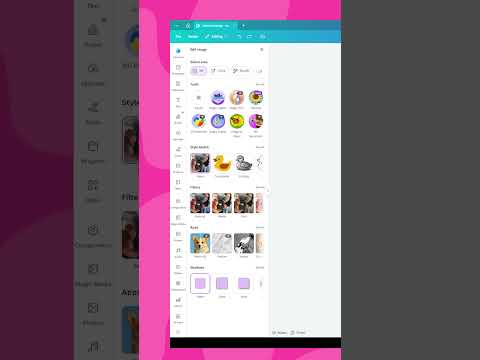
When generating a document with Canva AI, you can ask it to search the internet for information.
You can even feed it a specific URL to pull context from.

That changes how you research, draft, and structure content inside Canva.
We test it step by step in our comprehensive tutorial (episode 49).

#canva #canvaverifiedexpert

Canva AI can browse the web now

YouTube

Present in one click

https://www.youtube.com/shorts/QFUEhl20GaE

No more digging through menus.
Just hit Present and you’re live.

The extra presentation modes are still there in the dropdown, but if you just want to start, it’s now instant.
We show how it works, and more, in episode 49 of "What's New in Canva".

#canva #canvaverifiedexpert

Present in one click

YouTube

Create almost anything with Canva AI

https://www.youtube.com/shorts/ZOvonpxhPdM

Need a new format that is not in the homepage grid?
Just ask Canva AI.

From presentations to social posts to something as random as a custom phone wallpaper, it builds the design type for you.
We test it live, together with other Canva updates, in our full tutorial.

#canva #canvaverifiedexpert

Create almost anything with Canva AI

YouTube

Finally, proper page breaks in Docs

https://www.youtube.com/shorts/GzfDJ_lSHcE

If you work in Canva Docs, this is a small feature that makes a big difference.
You can now insert manual page breaks directly from Page Settings.

Cleaner exports. Better structure. Way more control over your layout.
We show where to find it in our complete tutorial (episode 49).
#canva #canvaverifiedexpert

Finally, proper page breaks in Docs

YouTube

Magic Translate just got smarter.

https://www.youtube.com/shorts/hqiug02JwGQ

It now translates your page notes, not just the text inside your design.

If you work with clients or teammates in different languages, this is a quiet little upgrade you’ll appreciate.
We show where to find it and how it behaves in our long-form tutorial.

#canva #canvaverifiedexpert

Magic Translate just got smarter.

YouTube

Canva AI works in your language?!

https://www.youtube.com/shorts/4NvDC5ljCO8

Yes, even if you’re not creating in English.
Canva AI video generation now works in LOTE (language other than English), so you can prompt in your own language and still get solid results.

We tested it and broke down what actually works in our full-length tutorial.
#canva #canvaverifiedexpert

Canva AI works in your language?!

YouTube

Export your design data now?!

https://www.youtube.com/shorts/Wd-E5QY_0vs

Your Canva Analytics are no longer stuck on screen.
You can download them straight into Canva Sheets and actually do something with them.

Build charts, spot patterns, or even drop the data into ChatGPT for deeper insights.
We show the full flow in our YouTube tutorial on @TeamRonDi.
#canva #canvaverifiedexpert

Export your design data now?!

YouTube

Edit inside groups now?!

https://www.youtube.com/shorts/opAmaq7ebUM

You no longer have to ungroup everything just to tweak one tiny element.
Click, adjust, done. That’s it.

We break down how it works in our long-form tutorial if you want the full walkthrough.
#canva #canvaverifiedexpert

Edit inside groups now?!

YouTube

Trying to speak to everyone?

https://www.youtube.com/shorts/vxiTws3pdOA

That usually means no one feels truly seen.

If you’re juggling too many audiences and wondering why growth feels slow, this might be your sign to simplify.

Inside The RonDi CoLab, we talk about choosing clarity over chaos and building around one aligned audience.

Link’s in the bio.

#canva #canvaverifiedexpert

Trying to speak to everyone?

YouTube

Still in prep mode?

https://www.youtube.com/shorts/F3_A_l1dW0g

You’ve learned the tools.
You’ve got the skills.

But if you’re stuck overthinking instead of building something real, you’re not alone.

Inside The RonDi CoLab, we talk about turning action into momentum and skills into a sustainable business.

Join us. Link in bio.

#canva #canvaverifiedexpert

Still in prep mode?

YouTube