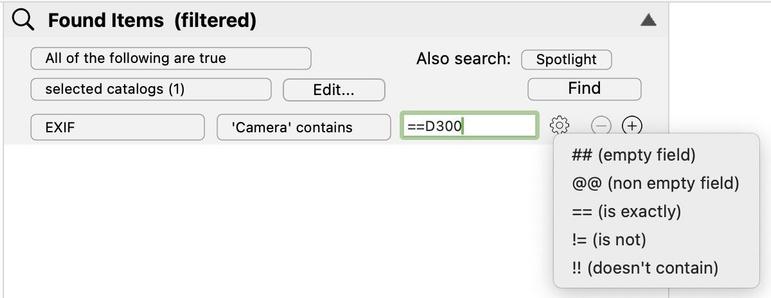
The Find Editor and find engine in #NeoFinder 9.2.1 for #macOS now allow optionals in EXIF, ID3, and XMP parameters:

You can use "==" for "is identical to", "!=" for "is NOT identical to", "!!" for "does not contain" added to the beginning of the actual search text.

https://www.neofinder.de/forum/phpBB3/viewtopic.php?p=772#p772

#DigitalAssetManager #Photography #VideoTools #PhotoLibrary #AudioProducer #MusicStudio #BookLibrary #PhotographyWorkflow #PhotoSoftware #IndieDev #DiskLibrary #PostProduction #Archives
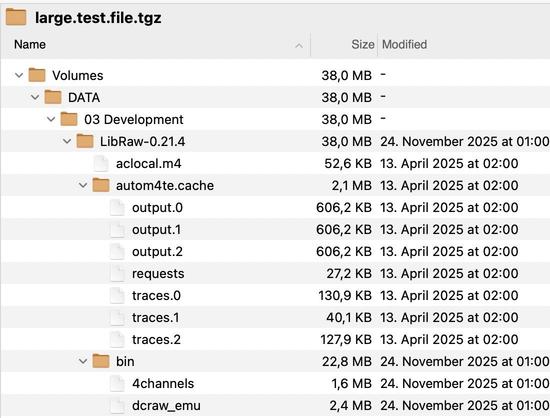
We have a RELEASE!

We are happy to announce that the media asset manager software #NeoFinder 9.2.1 for #macOS has just been released!

It contains very important bugfixes, and also new features.

As usual, we will write about the new abilities and fixes here in the next days.

Enjoy!

https://www.neofinder.de/forum/phpBB3/viewtopic.php?t=351

#DigitalAssetManager #Photography #VideoTools #PhotoLibrary #AudioProducer #MusicStudio #BookLibrary #PhotographyWorkflow #PhotoSoftware #IndieDev #DiskLibrary #PostProduction #Archives

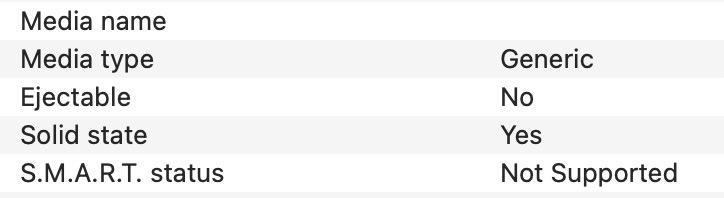
And yes, of course, #NeoFinder 9.2 for #macOS will now be able to detect a disk as an SSD when you catalog it.

NeoFinder uses the same code that Apple uses in its "Disk Utility.app" to find out if a device is actually really an SSD.

https://www.neofinder.de/forum/phpBB3/viewtopic.php?p=752#p752

#DigitalAssetManager #Photography #VideoTools #PhotoLibrary #AudioProducer #MusicStudio #BookLibrary #PhotographyWorkflow #PhotoSoftware #IndieDev #DiskLibrary #PostProduction #Archives
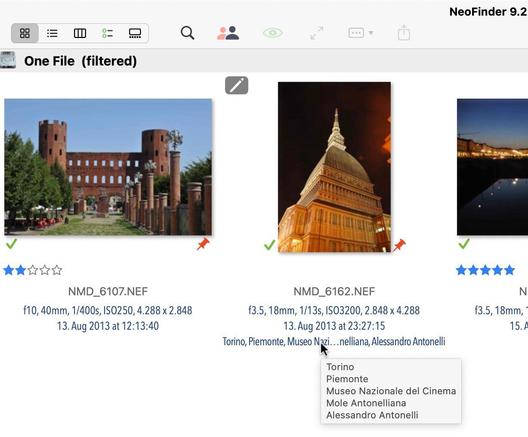
Since we talked about Help Tags being helpful, how about this one?

#NeoFinder 9.2 for #macOS shows the entire set of keywords for an item in Icon View, and Details View, as a Help Tag. Incredibly useful for people using hierarchical keywords!

https://www.neofinder.de/forum/phpBB3/viewtopic.php?p=750#p750

#DigitalAssetManager #Photography #VideoTools #PhotoLibrary #AudioProducer #MusicStudio #BookLibrary #PhotographyWorkflow #PhotoSoftware #IndieDev #DiskLibrary #PostProduction #Archives
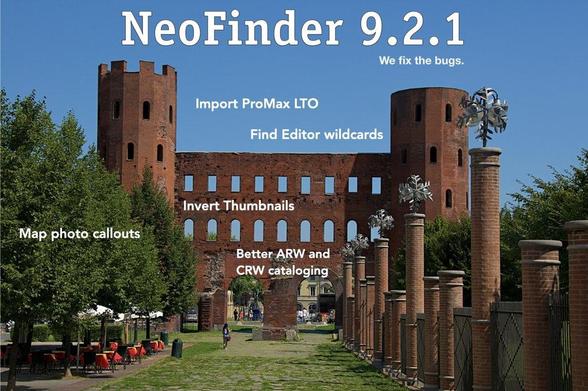
Nice praise of #NeoFinder from England:

"NeoFinder is a very impressive piece of software. It does everything that I want and more. Previously, I had used #DiskCatalogMaker. In terms of functionality, NeoFinder is in a different league. It blows my mind how useful it is." Stephen M, Oakham

https://www.cdfinder.de/praise.html

#DigitalAssetManager #Photography #VideoTools #PhotoLibrary #AudioProducer #MusicStudio #BookLibrary #PhotographyWorkflow #PhotoSoftware #IndieDev #DiskLibrary #PostProduction

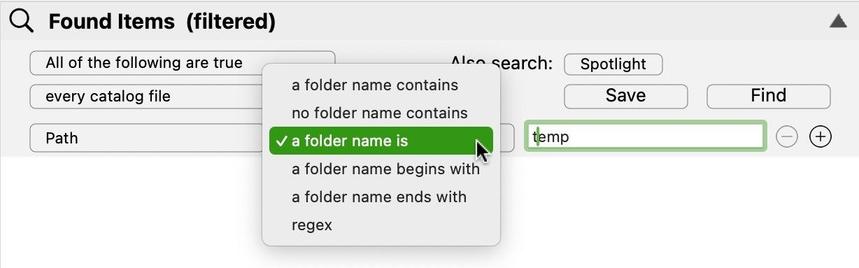
#NeoFinder 9.2 for #macOS has more and better path related parameters in the Find Editor to search for exact folder names, "folder name begins with" and "folder name ends with" options.

https://www.neofinder.de/forum/phpBB3/viewtopic.php?p=747#p747

#DigitalAssetManager #Photography #VideoTools #PhotoLibrary #AudioProducer #MusicStudio #BookLibrary #PhotographyWorkflow #PhotoSoftware #IndieDev #DiskLibrary #PostProduction #Archives
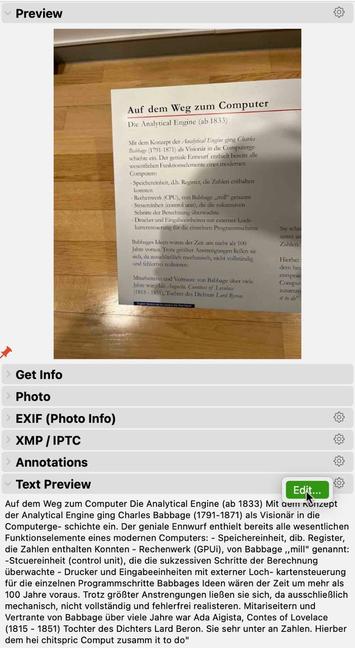
#NeoFinder 9.2 for #macOS can now edit the text preview for a file in a catalog, using the Inspector.

This is particularly helpful when these were created by the Image Analysis process that uses OCR to grab text from thumbnails.

https://www.neofinder.de/forum/phpBB3/viewtopic.php?p=745#p745

#DigitalAssetManager #Photography #VideoTools #PhotoLibrary #AudioProducer #MusicStudio #BookLibrary #PhotographyWorkflow #PhotoSoftware #IndieDev #DiskLibrary #PostProduction #Archives