 Archimage
Ok, mystery solved thanks to @sdarlington The holes are for an Apple lanyard connector.

Ok, mystery solved thanks to @sdarlington The holes are for an Apple lanyard connector.
Ok, mystery solved thanks to @sdarlington The holes are for an Apple lanyard connector.
#apple #airpodpro2

Oh, and if you’re wondering, the AirPodPro2s still come with a set of rubber tips. The presentation seemed to imply they were no longer required.
#apple #airpodpro2
Oh, and if you’re wondering, the AirPodPro2s still come with a set of rubber tips. The presentation seemed to imply they were no longer required.
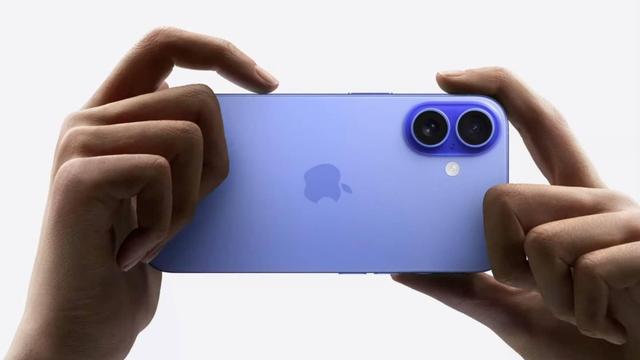
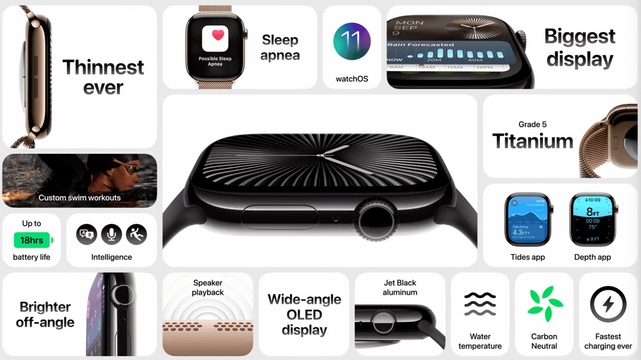
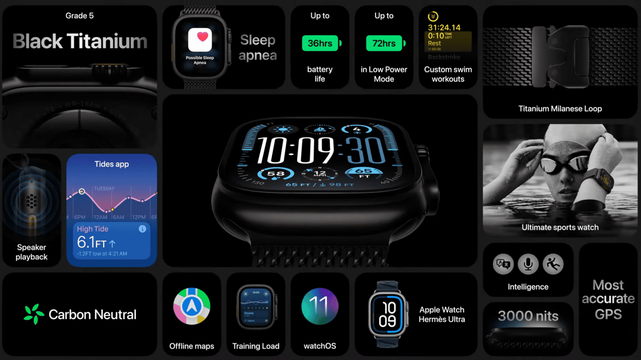
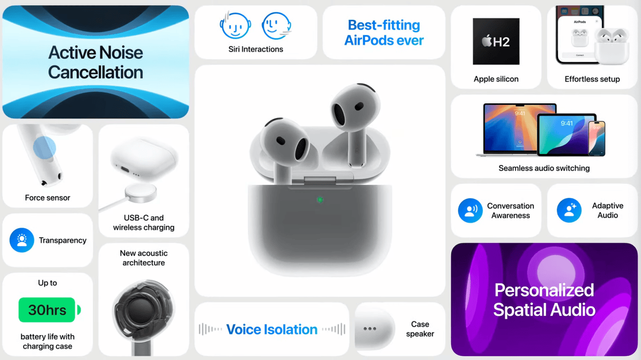
Apple stellt iPhone 16-Reihe, Apple Watch Series 10 und neue AirPods vor
Am heutigen Abend hat Apple neue Produkte vorgestellt. Als erstes Produkt war die Apple Watch an der Reihe. Folgend AirPods und das iPhone. Apple Watch Series 10 Mit einem neuen, doch dü…
Artikel lesen: https://www.iphone-blog.ch/2024/09/09/apple-stellt-iphone-16-reihe-apple-watch-series-10-und-neue-airpods-vor/
#AirPodPro2 #AirPods4 #AirPodsMax #AppleIntelligence #AppleWatchSeries10 #AppleWatchUltra2 #IOS18 #IPhone16 #IPhone16Plus #IPhone16Pro #IPhone16ProMax #WatchOS11
Oh gosh I actually solved the problem and the solution is.. questionable.
So my AirPods Pro 2 wouldn't show me the "Connect to This Mac” part in Blueetooth or AirPods Pro settings on my MacBook air and I couldn't figure out why.
*Turns out the problem was my office mac-mini at work.*
I had connected the AirPods to it via the normal Bluetooth device dialogue at one point and for some unexplained reason I did have the "Connect to this Mac" option available when I checked just now.
Clicking “forget this device" on the work mac-mini *instantly* made"Connect to this Mac" re-appear on my private MacBook air.
This whole scenario doesn't make any sense though as Apple's support pages and documentation state “the AirPods need to be registered on the same Apple-ID as the other Apple device for automatic connection and move-between-devices to work” - and they sure as hell are not on my work-Apple-ID while they are definitely on my private one so.. kinda messy eh?
#AirPods #AirPodsPro2 #help #apple #macos #airpod #airpodpro2
Any #AirPods or #AirPodsPro2 users out there that could help me out?
Some time ago I flipped “Connect to This Mac” no “When last connected” für my AirPods Pro 2 and ever since I've been regretting that.
Problem being: the setting now has completely disappeared from the System Preferences on my MacBook!
I do have it on my iPhone and they always reconnect to it as expected but with the whole option gone from my MacBook's settings I can't find a way to get them to auto-migrate to it at all anymore D:
 S Koren
 iPhone-Blog
 Heals
Heals  (moved)
 Mervin Keck
 Judy
Judy