 Vivaldi Tips
Tip #761
アドレス欄でショートカットのニックネームを使ってタブやブックマーク、履歴を素早く検索する方法
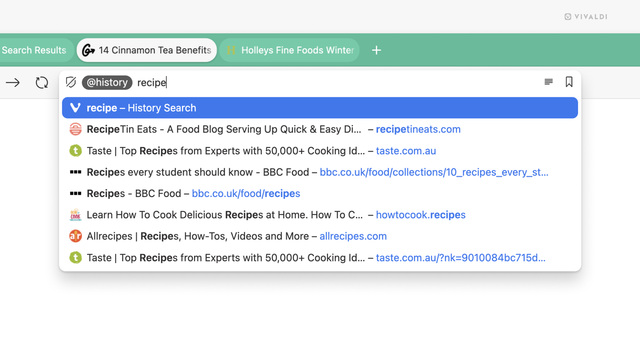
検索エンジンでウェブコンテンツを検索する以外に、アドレス欄 を使って ブックマーク や タブ、履歴 を検索できます。
アドレス欄で検索をフィルタリングするには:
クイックコマンドを利用して検索を絞り込みたい場合には、Tip #323 を確認してください。
#323 #323 #Tabs #vivaldi #VivaldiBrowser #アドレスバー #ブックマーク #履歴 #検索
Tip #761
アドレス欄でショートカットのニックネームを使ってタブやブックマーク、履歴を素早く検索する方法
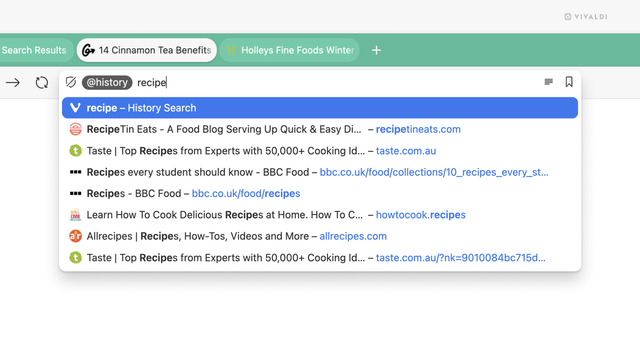
検索エンジンでウェブコンテンツを検索する以外に、アドレス欄 を使って ブックマーク や タブ、履歴 を検索できます。
アドレス欄で検索をフィルタリングするには:
クイックコマンドを利用して検索を絞り込みたい場合には、Tip #323 を確認してください。
#323 #323 #Tabs #vivaldi #VivaldiBrowser #アドレスバー #ブックマーク #履歴 #検索
Tip #761
Search tabs, bookmarks and history using Shortcuts Nicknames in the Address Field.
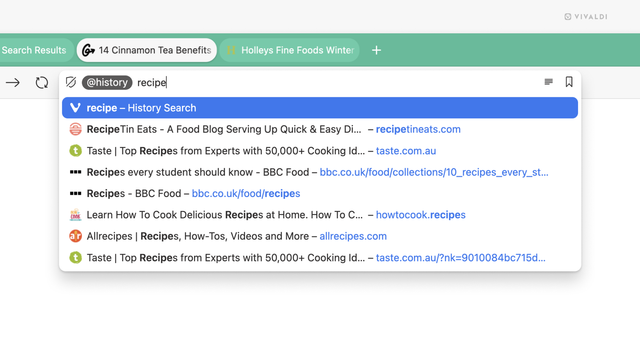
In addition to searching for web content with a search engine, you can use the Address Field to search for Bookmarks, open Tabs, and History.
To filter searches in the Address Field:
Prefer using Quick Commands? See how to filter searches there in Tip #323.
#323 #addressBar #bookmarks #history #search #Tabs #Vivaldi #VivaldiBrowser
Shpuld Shpludson closed merge request !559: Support lightbox gallery navigati…
Closes #323 Screenshots:
Tae Hoon Lee opened merge request !559: Support lightbox gallery navigation u…
Closes #323 Screenshots:
 fortune
 Pleroma Development Feed
 fortune