
🚢…
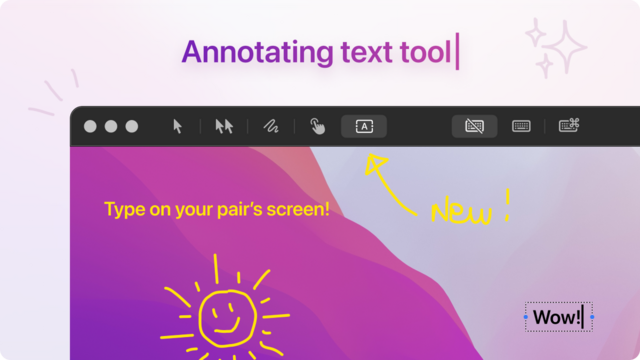
Just shipped a bunch of new features — Wayland support, Text annotations, and more

The best remote pair programming app on macOS and Linux.
Status: http://status.tuple.app.
| Website | https://tuple.app |
🔇 Default Background Noise Reduction
The introduction of Background Noise Reduction has been a (silent) hit! So much so that we’re comfortable enough setting it to be on by default…
Press (D) — Switch to Paint Mode (Drawing)
Press (H) — Switch to Highlight Mode
Press (T) — Switch to Annotation Mode (Text)
⌨️ New Keyboard Shortcuts
You have new shortcuts to help you switch between modes while your pair shares their screen…
While you’re in annotation mode:
- Shift+Enter — Adds a line break
- Cmd+Delete — Deletes your whole message
- Escape — Exits Annotation Mode
Text can be set to stay onscreen just like a drawing (it’s the same setting under Preferences > General).
XWayland gave us a black screen with no error messages to go off of. We ended up using the XdpPortal (https://libportal.org/class.Portal.html) to get it working.
Just a heads up - this initial version of Wayland support does not support remote cursors.
🚢…
Just shipped a bunch of new features — Wayland support, Text annotations, and more