603 Followers
1 Following
113 Posts
Easy time tracking with Toggl on iPhone, iPad, Mac, and Apple Watch. Made by @joehribar in Los Angeles.
Websitehttps://timeryapp.com
App Storehttps://apps.apple.com/app/id1425368544

Timery 1.7.1 is now available with many changes and optimizations to address the upcoming Toggl API limits and reduce Timery’s API usage.

Update: https://apps.apple.com/app/id1425368544

Learn more: https://support.toggl.com/en/articles/11484112-api-webhook-limits

Understanding the limits and how Timery can further reduce API usage will be a work in progress. The changes so far should help you stay under the limits depending on how you use Timery, how much, and on how many devices.

Here are some more details. 🧵
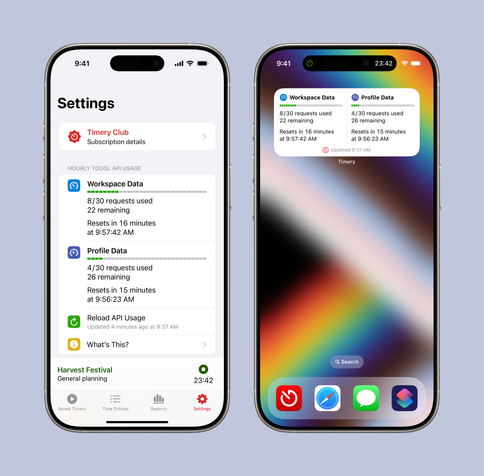
And some new settings:
• Automatically start time entries at the last stop time
• Automatically delete short time entries (and restart the previous time entry)
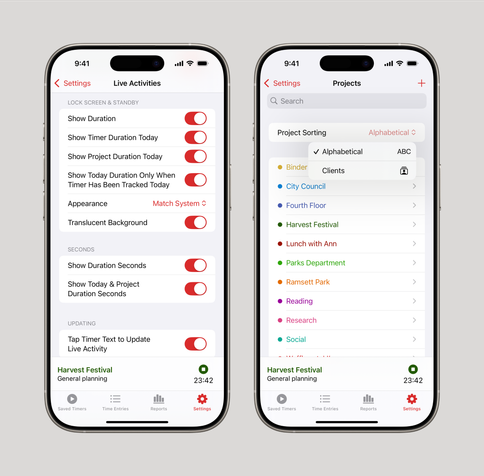
• Hide seconds in Live Activities (iOS 18)
• Sort project lists by client
• More custom app icons
• Set dark-mode base color to black, dark gray, or gray
• Set whether or not to confirm deleting things

If you haven’t looked through settings in a while, I recommend it. There are many little tweaks you can make that you may find useful.

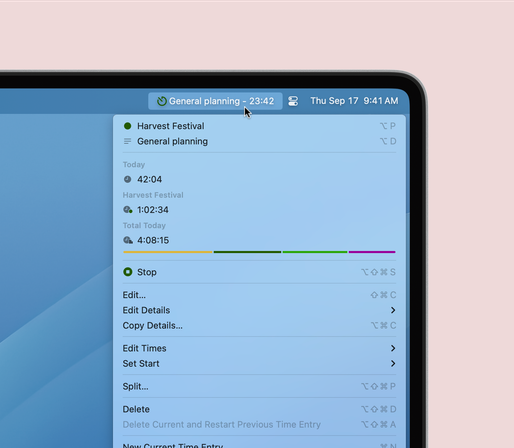
On the Mac, show the timer, project, and total duration today in the menu bar app’s menu.

And when adjusting a time picker, Shift plus Up Arrow or Down Arrow adjusts +/- 5 minutes, Option +/- 10, and Option-Shift +/- 15.

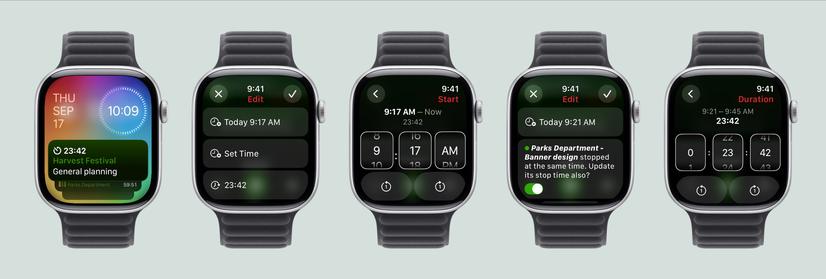
On Apple Watch, show Live Activities from iPhone. Edit times with new time pickers. And update adjacent time entry times.

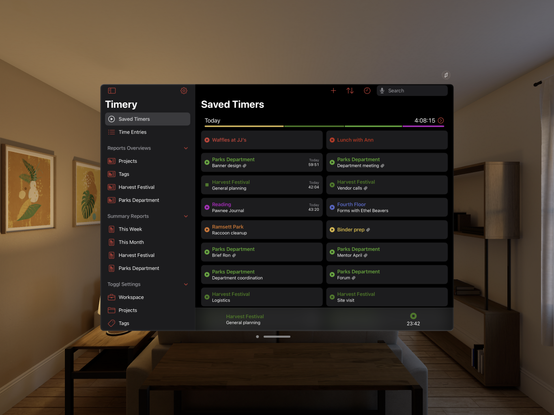
On Apple Vision Pro, an optimized version of Timery for iPad is now available.

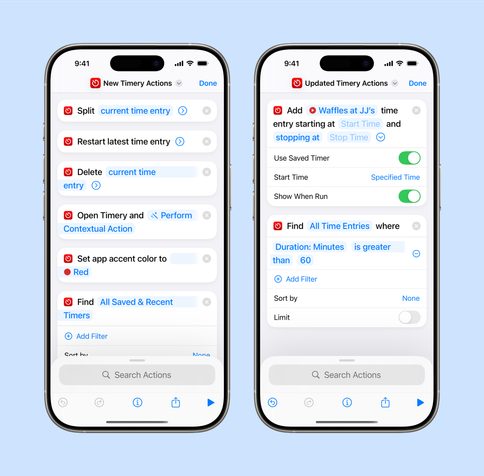
New Shortcuts actions:
• Find Saved & Recent Timers
• Split Time Entry
• Restart Latest Time Entry
• Delete Time Entry
• Get Last Stop Time
• Set App Accent Color
• Is Timery Active

Updated actions:
• Start Time Entry: Can start a Live Activity
• Update Time Entry: New options to update from a saved timer and to update adjacent time entries’ start & stop times
• Add Time Entry: New option to use a saved timer
• Find Time Entries: New filters for stop date/time and duration

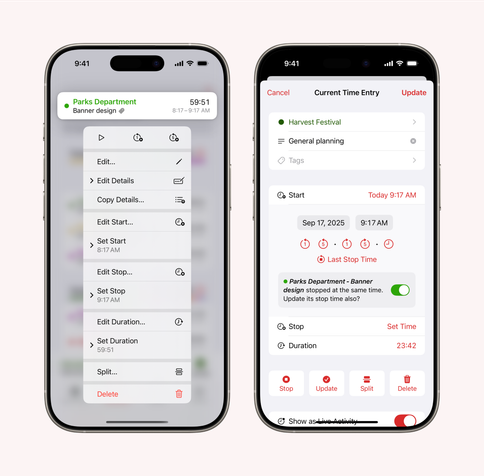
Update adjacent time entries:
When updating a time entry’s start time and the previous time entry stopped at the same time or when updating a stop time and the next entry started at the same time, automatically update that entry’s start or stop time also.

Quicker time entry updating:
Update a time entry’s project, description, tags, start & stop times, and duration from its context menu without having to open the edit view.

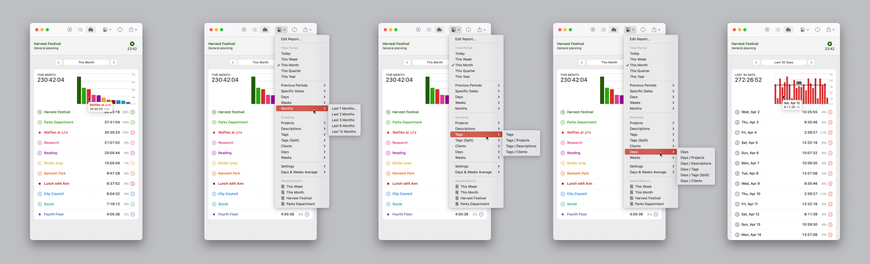
Summary reports improvements:
• More time-period options including the last number of weeks & months
• More grouping options including projects/tags, days, and weeks
• Expanded configuration menu to more easily switch the time period & grouping

In both summary reports and reports overviews, days and weeks graphs can show the average time tracked. In graphs, hover with a pointer on bars to more quickly identify the item; click to show grouped details.

And reports can also show percentages.

Four control buttons are available to add to your Control Center and Lock Screen:
• Start Saved Timer
• Update Live Activity
• Open Timery (optionally to a specific view or saved report)
• Continue Latest Timer

Symbols for saved timers can be customized in Timery Settings or when editing a saved timer.

Perhaps you’ve been working on something for the last hour, but for 20 minutes during that hour, you were actually working on something else.

With the new split-time-entry feature, you can quickly turn that one time entry into three to carve out that 20 minutes in the middle of the larger entry.

In Timery 1.7, one time entry can be split into two or three entries at specified times or durations. Split time entries from the edit view, context menus, and a keyboard shortcut.

In Timery Settings, set the default split time (at the start, in half, or at the stop/current time) and editing options.

Up Arrow or Down Arrow plus Shift and/or Option quickly adjust split time. See Settings > Time Entry Splitting for a list of keyboard shortcuts.

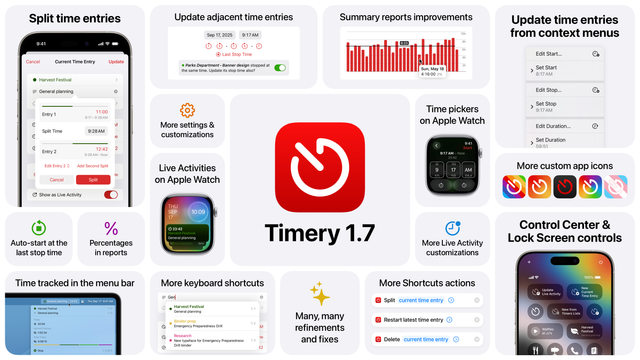
Timery 1.7 is available! It’s a big update packed with many, many small additions, improvements, & fixes.

https://apps.apple.com/app/id1425368544

What’s new:
• Spilt time entries
• Control Center & Lock Screen controls
• Quicker time entry updating
• Update adjacent time entries
• Summary reports improvements
• Time tracked in the Mac menu bar
• More settings & customizations
• More Live Activity customizations
• New & updated Shortcuts actions
• And much more

Here are some more details! 🧵