Woohoo! Tap Forms Pro got a nice shout-out from the Mac Geek Gab podcast just a few days ago!
Go check it out here:
https://www.youtube.com/watch?v=su3NEMEoSlw&list=PLJ0bTI9YqpmhVrQjnKkZ7HNu5yP-FttFW&index=2&t=4328s
Thanks guys!


| Website | https://www.tapforms.com |
| Home | Calgary, 🇨🇦 |
| Passions | Programming, Mountain Biking |
Woohoo! Tap Forms Pro got a nice shout-out from the Mac Geek Gab podcast just a few days ago!
Go check it out here:
https://www.youtube.com/watch?v=su3NEMEoSlw&list=PLJ0bTI9YqpmhVrQjnKkZ7HNu5yP-FttFW&index=2&t=4328s
Thanks guys!
Mountain biking is super fun. Especially when places like this exist in basically my backyard. Cox Hill, Alberta. A mere hour drive from my house.
It's what I do when I'm taking a break from programming Tap Forms.



It's been out for a couple weeks now, but here's my official post introducing Tap Forms Database Pro for macOS and iOS to the Fediverse! Two years in the making, dozens of new features, Apple Silicon support (finally), AI form generation, a new Reports Generator, iCloud sync across different Apple IDs, built-in Template Library, a more modern look and feel, and more!
Check it out at https://apps.apple.com/app/apple-store/id1527890083?pt=13038&ct=Mastodon&mt=8
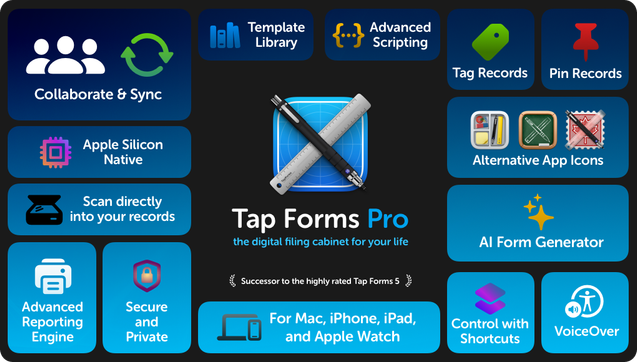


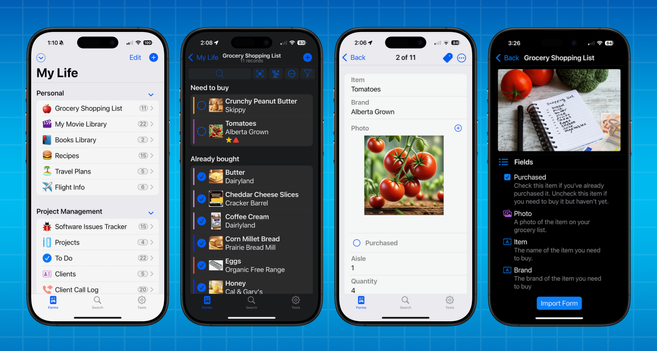

Accounts, projects, expenses, inventory, recipes, and more — organize it all in one place with Tap Forms Pro. The most friendly, accessible, and powerful database app for your Mac, iPad, iPhone, and Apple Watch available today. Streamline your productivity with Tap Forms Pro. Create and edit forms…
Rewatching The Tudors (great show) in preparation for the theatre tickets we have for SIX.
Did some reading about Anne Boleyn and discovered that her sister Mary Boleyn is a direct ancestor of Queen Elizabeth II and therefore also King Charles. But ALSO Diana Princess of Wales. So that means that King Charles married his own relative and had William and Harry. 🤔
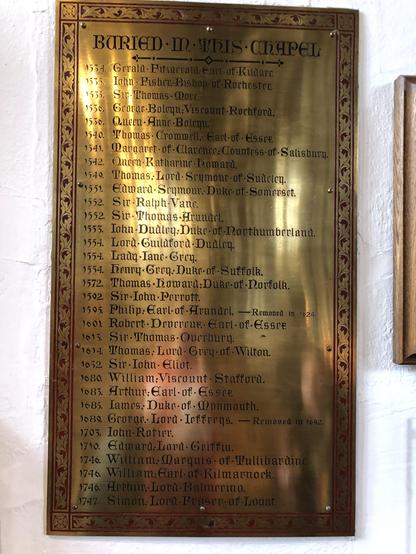
Anne's name is inscribed on this plaque at the Tower of London where she was buried. #AnneBoleyn #HenryVIII
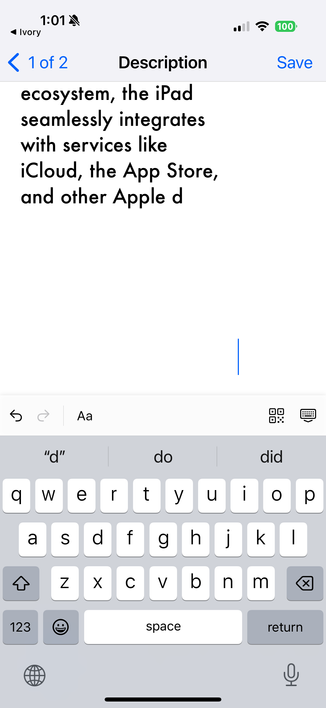
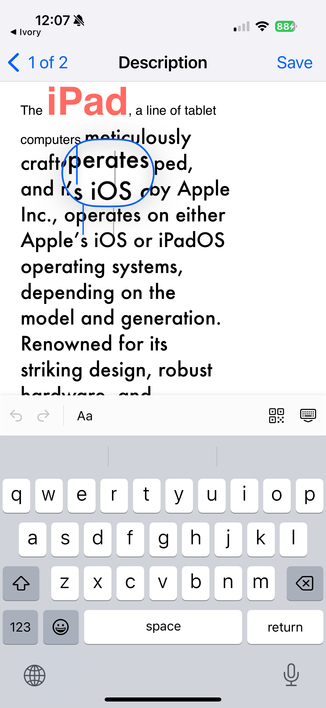
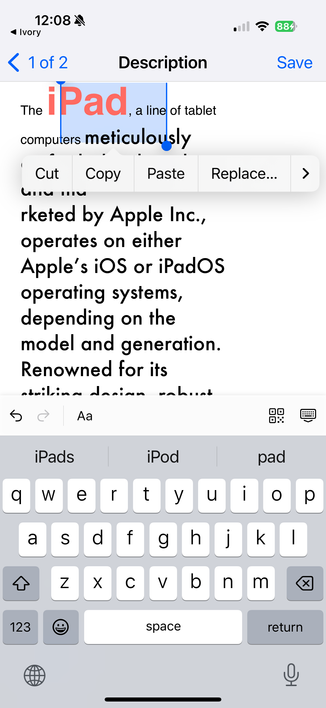
Any #iosDev out there know about the UITextView property usesStandardTextScaling? I want the text sizes to render the same between macOS and iOS verisonst, the cursor no longer matches the text on screen.
In these two screenshots you can see one where the cursor loop is showing multiple vertical line insertion pointers when you drag the cursor around. The other shows when I double-tapped on the word iPad to select it. The selection background and grab handles are not in the right position.
Had my MacBook Pro running on battery with my iPhone 16 Pro plugged in. Apparently my Mac drained all the power from my iPhone!
Shouldn't power go the other way from Mac to iPhone?