Looks like I made accounts at both .social and .art back in 2017! Moving forward, I'll be using the .art one instead of this one. Follow that account instead! Thanks!
https://mastodon.art/@rondanchan
5 Posts, 60 Following, 98 Followers · Comics + Storyboards + Illustration. EARTH BOY & PvZ artist. Video games appreciator. He/Him (not active here yet, but maybe?)
Just updated my Clip Studio Paint (aka Manga Studio) watercolor brush! Now with tilt controls and more natural brush tip! Get it here!
https://gum.co/ms5-wc1

CSP (MS5) Brush: Simple Watercolor
UPDATE 2018/02/22 - Added new version, RC Watercolor Tilt & Fade, with tilt controls and more natural brush tip! UPDATE 2016/10/15 - Added newest version of my watercolor brush that I'm using for a lot of sketching lately! (New texture + slight tweaks to settings.). A simple and fast brush for Clip Studio Paint (Manga Studio 5) to simulate the feel of watercolor sketching. Pay what you want! Included is: - 2 Brush files. - Layered, high res example Manga Studio file. - Time lapse video example video. Some tips on using this: -Don't get too obsessed with it looking like authentic watercolor. The goal of this brush isn't to fool anyone into thinking your art was painted in meatspace. The goal is to have a fast brush that effectively gives a similar feel to watercolor sketching. -Each time you pick up your stylus the paint "dries", so what you paint next will paint on top of what is there. However, while your stylus is still held down, the paint acts as if it's "wet", meaning that you can use light pressure to blend it, smoothing out wet edges where you don't want them, and then pressing harder and leaving them where you do. You will get fewer seams and edges the more you can work in a single pass without fully lifting up your stylus, and more seams each time you lift up. -If you find the texture to be too big or intense, it can be tweaked by adjusting the texture density and scale ratio in the Tool Property menu. -Or swap out the texture entirely with another one in your library! -Don't forget you can use them to erase too! Just switch your current swatch to transparent. -Sometimes after I finish painting, I like to duplicate my whole color layer and set to multiply at a low opacity just to punch it up a bit. -Some older versions of MS5 have bugs that affect brush texture. If it seems like the texture isn't coming through as it should, go to the official Manga Studio website to grab a free update to the latest version. (You'll need a valid serial number.)
It's Chinese New Year, so it's very important to me that we take a moment to remember that one time Chow Yun-Fat dual-wielded a Beretta and a baby.
Quick doodle of Alucard from Castlevania!
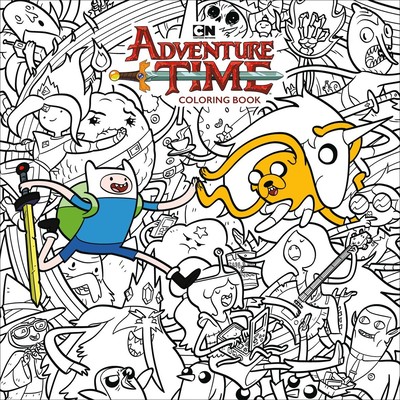
Just announced! Dark Horse will be releasing an Adventure Time coloring book in July! I drew this cover as well as eight other interior illustrations!
https://www.darkhorse.com/Blog/2653/dark-horse-explores-land-oooDark Horse Explores the Land of Ooo
Dark Horse and Cartoon Network are proud to present the Adventure Time Official Coloring Book, a must-have for all Adventure Time fans! Based on Cartoon Network's award-winning animated series, Adventure Time features unlikely heroes Finn and...
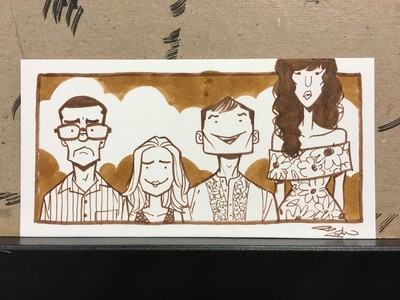
More sketch cards! Flying Kylo, Rebel Finn, and The Good Place!
ThiccKylo sketch card. Not sorry
ᕦ(ò_óˇ)ᕤ
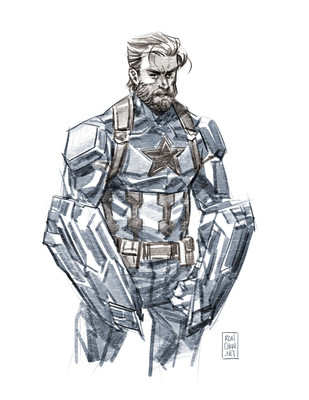
Hey I heard y'all like Beard Cap 😘
Digital figure study 2018-02-06
Drawn in Clip Studio Paint, based on a photo by bodiesinmotion.photo
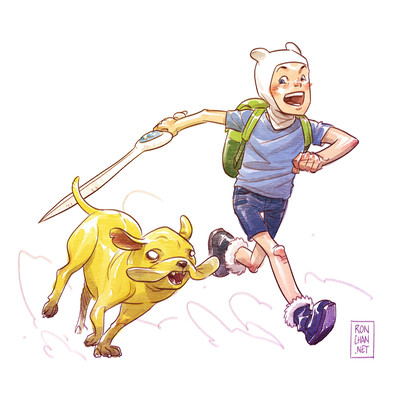
I dunno man, sometimes you just draw a really weird and uncanny Finn and Jake.