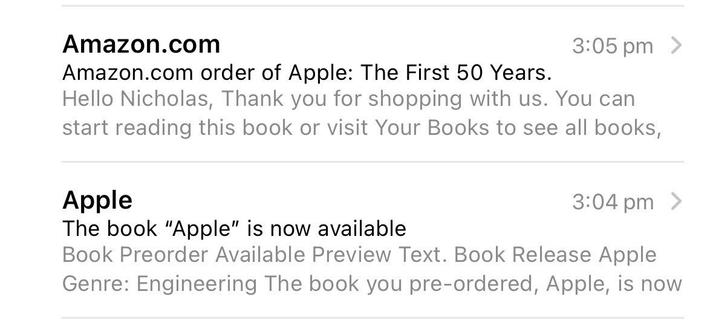
Oops. (Forgot I preordered in October.)
This evening in iOS icons. Trying to decide what is worse – incorrect icons, or nonexistent contrast? It seems like since iOS 26 icons have become more heavyweight, they are slower to load in a lot of cases.
Outlook for iPadOS shortcuts *did* end up being moved into menus a few weeks ago. Wish this had happened prior to iPadOS 26 being released. They're still a bit…odd though.
Normally I get a Torpedo timer.
Well, that was an interesting bug. (Was updating both Outlook via the Microsoft updater and Noir via the Mac App Store at the same time; the updated Noir replaced Outlook.)
Good news: Keyboard shortcuts are back in Outlook for iPadOS. Bad news: They are exposed in the menu bar…this way.
Icon drawing seems very hard in iOS/iPadOS 26, to the point that it sometimes draws wrong, and sometimes doesn't draw at all. (I guess the icon drawing process/data is way more complicated...)
Most annoying third-party problem with iPadOS 26 so far: Outlook never updated to use vaguely-modern keyboard shortcut APIs so every single shortcut is broken. But AI, I guess?
Loving this contrast so much. (Thankfully the actual web page was designed with white text.) Time to turn this feature off, I think; it's never bothered me before.
Typeahead find visualization also appears when typing to find a file in Files in iPadOS 26. This makes visible a feature that's existed forever, in which the timeout was typically completely hidden from the user. Some apps (including Pester's alarm list) exposed this by displaying the typed text, but this is more elegant and a genuine improvement.
https://mstdn.social/@nriley/115212062176445643