Mathijs Kadijk

@mathijskadijk
372 Followers
167 Following
861 Posts
Indie dev building Bezel, the app to mirror an iPhone on your Mac.
Get it here 👉 http://getbezel.app
Bezel - iPhone mirroring apphttps://getbezel.app
My Companyhttps://nonstrict.eu
Twitterhttps://twitter.com/mac_cain13

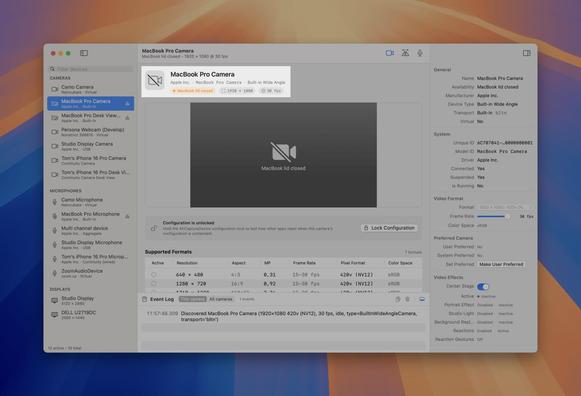
Run your MacBook with the lid closed and the built-in camera stops working. It is still connected, just suspended. Capture Inspector tells you why: it shows the camera as suspended with the cause, MacBook lid closed. The mic has the same trap, it looks available but will not pick up a sound.
https://captureinspector.com

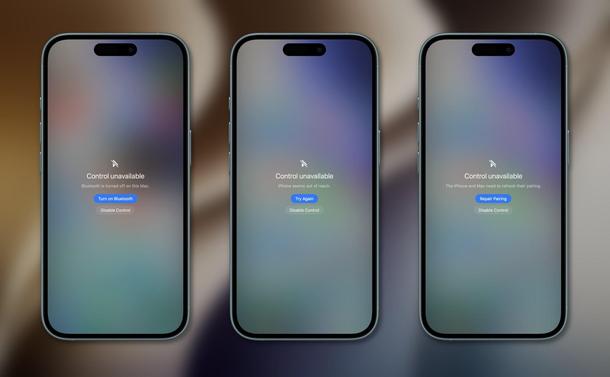
Released the Bezel 5.0 beta with Control, plus a batch of fixes that make the flow much smoother. Bezel now connects to your iPhone automatically once you've paired it, and when something isn't working we handle a lot more errors and help you recover. Still more to do before it leaves beta, but happy with this batch of UX improvements.

https://getbezel.app

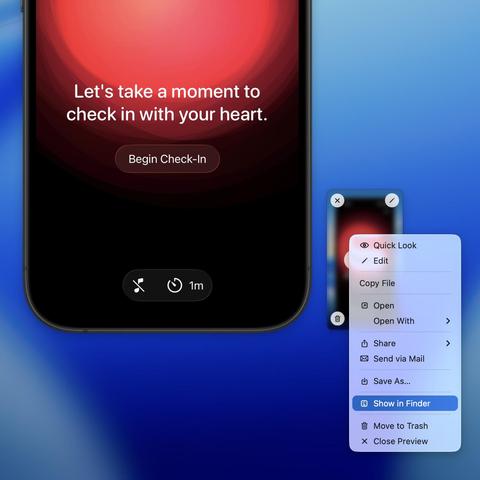
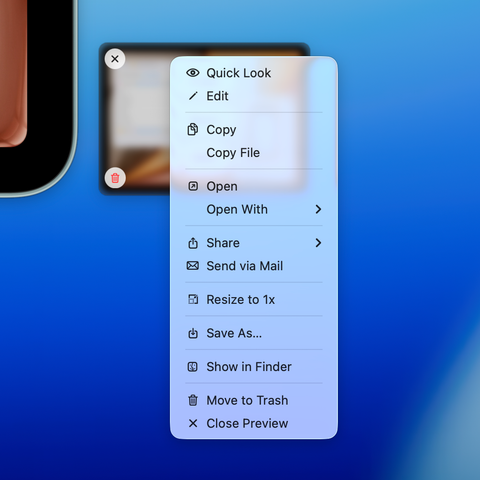
A while back I added a right-click menu to Bezel's screenshot preview. Recordings now have the exact same menu: Open With, Share, Show in Finder, and more.

Live now: https://getbezel.app

We've got a beta out: you can now control your iPhone from Bezel, not just mirror it. Drive it with your Mac's mouse and keyboard.

Turn on beta features in Settings inside Bezel to try it. Onboarding and mouse speed are still a little rough and we're working on both, but it's ready to play with. Feedback very welcome: https://getbezel.app

Here's our Capture Inspector in action.

The part we use most: it shows what other apps are doing with a device, live. Open a recording app, enable a camera, the green dot lights up because it's now in use. Click in for the exact format it picked, plus a timestamped log of every change.

It also shows every supported format per camera, live mic levels, and full display config. And it won't monitor a device until you tell it to.

Grab the beta: https://captureinspector.com

We've got a bunch of updates coming for the Bezel iOS app and I'm excited about where it's heading.

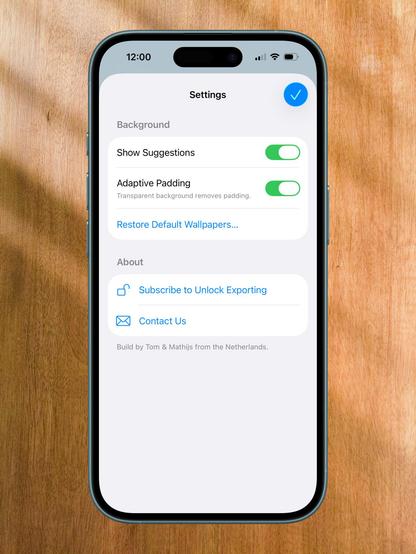
First up is a new settings screen to keep you in control as we add more advanced features.

https://getbezel.app/ios

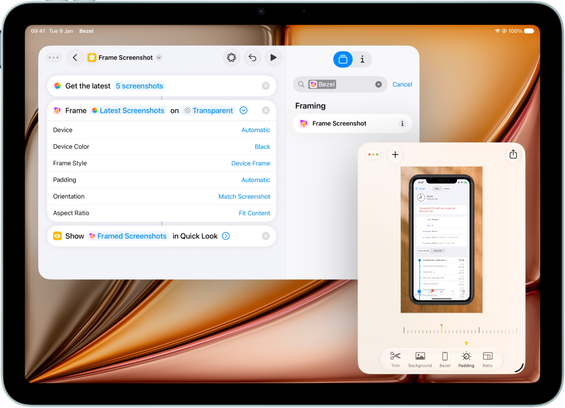
The Bezel shortcut for framing screenshots just got a big upgrade.

Before, you could only pass in a screenshot and Bezel would frame it using fixed defaults: same background, same padding, auto-detected device frame.

Now the Frame Screenshot action is fully configurable. Device, color, frame style, padding, orientation, aspect ratio, all of it can be set in the shortcut. Coming soon. https://getbezel.app

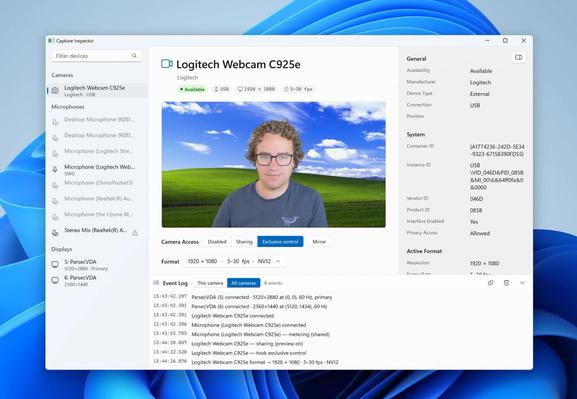
Capture Inspector now runs on Windows too, and the beta is available today.

It surfaces the low-level details of cameras, microphones and displays on Windows: what each device supports, and why things are or aren't working. Already proven useful for us.

Download the Windows beta: http://captureinspector.com/

Someone asked about adding Show in Finder to the Bezel screenshot preview. Hard to stop at just one menu item, so I added a bunch of useful things.

The ones I find most useful: Open With and Share. Take a screenshot and need to get it somewhere? Send it straight to any app on your Mac, even if it is not open yet.

getbezel.app

Popularity of WWDC talks over time based on YouTube views. Guess even Cyberpunk 2077 can't beat local agentic AI. 😄\n\nIf you like WWDC talks our WWDCIndex website might also interest you: wwdcindex.com/wwdc2026