Been a bit since I've blogged about #msdyn365bc. Let's talk about an "oof" we ran into with Copilot.
https://efsolutions.dk/sometimes-cutting-edge-is-bleeding-edge/
https://efsolutions.dk/sometimes-cutting-edge-is-bleeding-edge/



| Linktree | https://sparebrained.com/jeremy/ |
| Github | https://github.com/JeremyVyska |
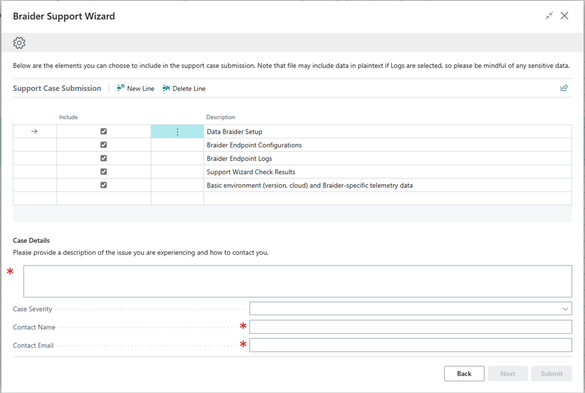
Lastly, because of course things can just go wrong sometimes, there should be a clear "Now what?"
Right in the support engine, you can fill out the key things we need to investigate -- AND it will attach all the info we would want to diagnose the issue as a ZIP file.
So, to sum up:
- Give the tools to help the user self-check
- Give relevant help
- When all else fails, make sure you get the info you need
All of this is just built into our #msdyn365 No-Code API Factory solution, Data Braider. And I hope you add something like it to yours.
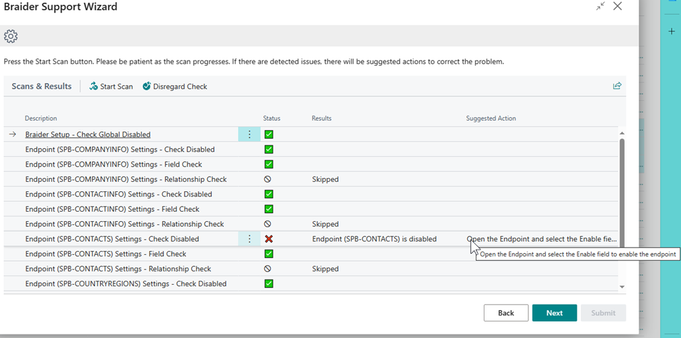
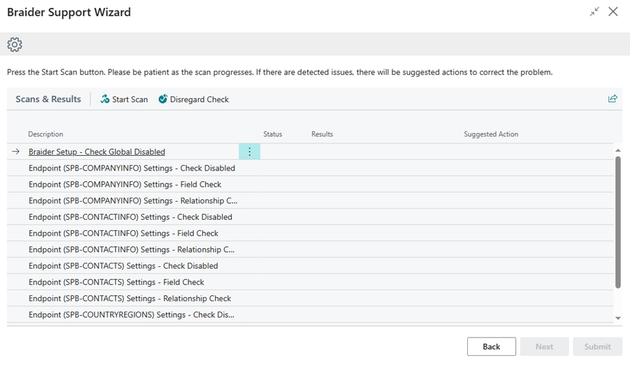
Users running into problems with the product can open a Support Wizard within Business Central itself.
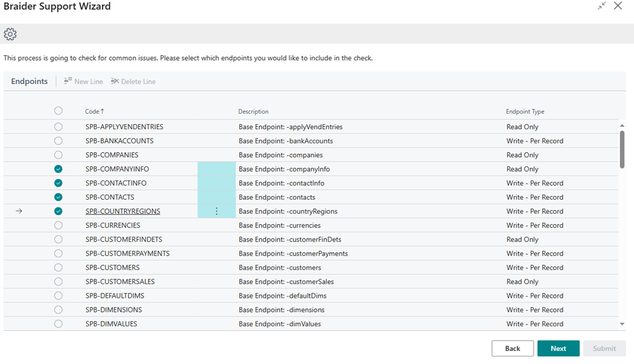
This wizard will scan for common issues that users may encounter with settings.
I kept trying to come up with a better title than "Please Steal This Idea", but couldn't.
Today I want to talk about a feature in our #msdyn365bc solution Data Braider that I hope customers *never* need, but when they do, I think it's amazing.
In Data Braider, you have a tool to make your own APIs. This means that you have the power. That also means you can absolutely make things not work the way you intended.
Built into the foundations of 2.0 is the Support engine.
