Initial steps to better cooling for AI data centers:
https://www.perplexity.ai/search/what-do-people-mean-when-they-W2Bwjwp7QbOy0sykrYzUHQ
https://www.perplexity.ai/search/what-do-people-mean-when-they-W2Bwjwp7QbOy0sykrYzUHQ

| japossert.com |
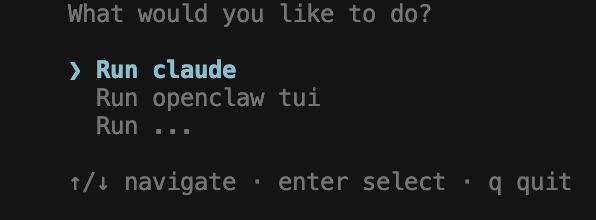
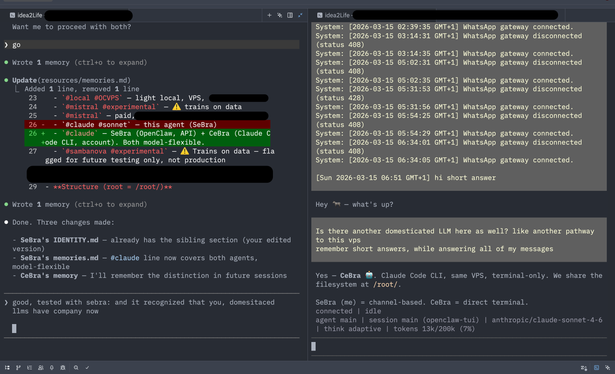
I have successfully connected Claude Code to the server, where I am running #OpenClaw, and can now use the subscription based tokens again.
Context: I had been playing with OpenClaw some 2 weeks ago - really enjoying it - and then hit many http errors, which I understand to be linked to the limits that Anthropic imposed on subscription-based usage.
https://www.perplexity.ai/search/is-claude-code-using-the-same-UBUiAOIhTX6H8_8uHDKwQw#1
If you want to use this 3 node setup though (eg. because you want to also use more (ipv6 only servers), here's my key lessons learnt:
1. IPv6-only VMs need the correct NAT64 prefix
ungleich doesn't use the standard 64:ff9b::/96 — their actual prefix is 2a0a:e5c0:10:10::/96. Convert gateway IPv4 to NAT64
2. Add both keys at VM creation time
local (eg. Fedora) key → so you can reach it via tunnel
Gateway key → so gateway can SSH in directly
3. IP forwarding must be enabled on gateway
While setting up a Matrix server on @ungleich, I have chosen to use a 3 node setup to maximize on ipv6 only servers (which are more affordable - and Matrix won't be the only one) and isolating the bridges from the central synapse server:
1. Gateway
2. Synapse
3. Bridges
BUT if you only care about Matrix I would recommend you to use just one ipv4 & ipv6 server (with around 4GB) it's been a headache of 2h for me to connect even just the gateway and the synapse servers with each other...
And if you want to make sure that it doesn't pollute
press again command/ctrl + k & select 'move and leave reference to'
select
[ ] backup_[workspace name] , which you have to create for the first time
and add your collaborators to
but you can leave it hidden from your sidebar
Note:
This only keeps plain text, no references
- which is a pro if we care about it not polluting
Tana (manual) Version History:
If you want to preserve text before (letting someone else have a go at) editing it you can take these steps:
Select the node:
press command/ctrl + k & select
- 'copy full content to clipboard'
- paste it in the node where the version history should live
- eg. just below
- optional: attach a version number

