@hkitago

0 Followers
6 Following
37 Posts
an indie developer of iOS, Android, and web apps including SPA, PWA and Electron working around Tokyo.
Githubhttps://github.com/hkitago
App Storehttps://apps.apple.com/developer/hkitago/id302896514
CodePenhttps://codepen.io/hkitago

From opening more tabs to navigating ideas in place. I’ve been exploring how long AI conversations can be easier to revisit and understand. Here’s a short tutorial video of ColorMark for Safari, showing how highlights work as anchors in vertically long content. Unlike the web search era, you move through ideas by hovering and scrolling instead of opening more tabs.

Built for people who use AI every day and want to come back to what matters without losing context. https://youtu.be/zo9rGCoOSN8

ColorMark Safari Extension Tutorial Part 1: ColorMark on Desktop — Turn Highlights into Anchors

YouTube
Changing the versioning scheme turned out to be more difficult than expected. Version numbers are not just labels—they are a contract with users. Moving to a year-based format improves clarity about release cycles, but weakens the implicit compatibility signals of traditional versioning. This decision required balancing technical correctness, user expectations, and long-term maintainability, while clearly communicating that only the numbering changed, not the behavior. https://semver.org/lang/ja/
セマンティック バージョニング 2.0.0

Semantic Versioning spec and website

Semantic Versioning
Unexpected but appreciated. CloseTabs for Safari made it into the App Store extension rankings today. Thanks for the support.

Hive Wallpaper Collection 🐝

https://basicappleguy.com/basicappleblog/hive

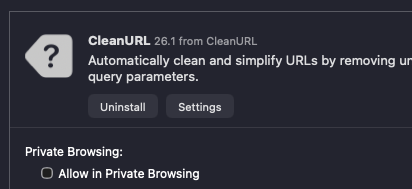
Happy to see CleanURL for Safari reach the Top 10 in the paid rankings on the App Store. Thank you to everyone who downloaded it and shared feedback. It truly means a lot.

As part of the roadmap, I plan to regularly update and maintain the list of tracking parameters the app removes, so it stays effective over time.

Best wishes for the rest of the year.

How many languages do you use on macOS?
With large displays, fullscreen apps, and multilingual workflows becoming the norm, this experiment aims to reduce the need to shift your gaze just to check the current input source when focusing a text field. Showing it near the cursor could subtly improve typing UX. Since excellent tools like Input Source Pro already exist, I’m currently debating whether this should ship as a standalone Safari extension or be integrated into TextClipHistory.

CleanURL for Safari has completed its first review and is now available on the App Store. https://apps.apple.com/app/id6755372898

About the price. I usually begin new tools with a free period for the first group of users. CleanURL is different because it is a single feature taken from the functions already offered in QuoteLink for Safari. Since the feature already existed in that app and the scope here is very small, this release starts with the standard Tier One price. I hope this makes sense.

CleanURL for Safari App - App Store

Download CleanURL for Safari by hkitago on the App Store. See screenshots, ratings and reviews, user tips, and more games like CleanURL for Safari.

App Store

Kicking off a small new Safari extension project: CleanURL for Safari.
It’s a tiny, toggle-based tool focused on one thing — removing the extra bits from URLs. Nothing fancy, just a clean on/off switch.

For now, the feature exists inside QuoteLink for Safari, and the screencast below shows its toggle in action (X AD to Apple Store). I’m exploring turning it into a standalone extension with the same minimal approach.

More to come as it takes shape.

"Update: The problem is solved, it was a bug in ios 26.0.1. I updated to iOS 26.1 and files now download automatically to my Downloads folder." https://www.reddit.com/r/ios/comments/1omltc2/in_ios_2601_flies_downloaded_in_safari_do_not_get/

After testing this behavior in iOS/iPadOS 26, it seems Safari no longer keeps blob data in memory. Instead, text generated from a blob is saved directly to the last used folder and opened for preview. However, I found that users can now control this via Settings > Safari > Downloads, which defines the default save location.

From "watch later" to "learn now”. I’ve been exploring how YouTube can turn into something you read instead of just watch.

Here’s a short demo of TextDrop, that converts YouTube videos into text with one click. It was originally made for the App Store, but I wanted to share it more openly so anyone can see how it works.
https://youtu.be/rG1QnRpXCto

Save transcripts, read anytime, or send them to your favorite AI for summaries. Reclaim your time—turn passive watching into active learning.

TextDrop Safari Extension Tutorial Part 2: TextDrop on Desktop — Power and Precision

YouTube