| https://www.twitter.com/boettges |

Peter Böttges
@boettges
- 24 Followers
- 181 Following
- 47 Posts
@iKyle Yet, despite saying they get out of their way, those entirely secondary elements like toolbar icons or the Sidebar, prominently float above the precious content and constantly scream for attention. 🤷♂️
@marcoarment @charliemchapman Interesting, I always thought those "social proof" messages were faked
@sindresorhus Similarily, a keyboard shortcut to toggle between the new, floating pop-over Character Viewer to the old multi-column panel one.
And is a global setting achievable to auto-focus such panel (Font/Color Picker, Character Viewer) when they are opened?
I only know of the keyboard Shortcut "Move focus to the floating window" in System Settings.
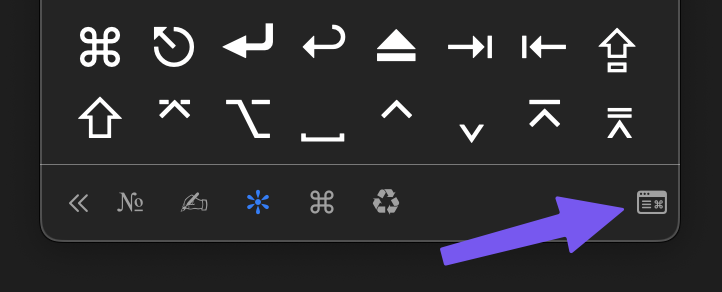
@sindresorhus Another macOS annoyance that comes to mind:
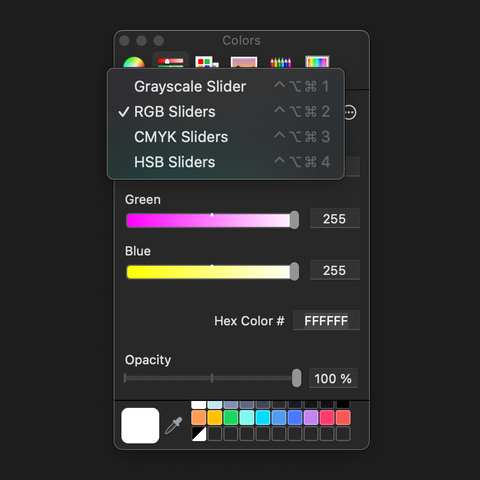
You can assign keyboard shortcuts via System Settings for the color slider options of the native color picker. But, they only work if the drop down is expanded.
Is there any way to get this to work in the color picker floating window/panel?
@sindresorhus Maybe making a file executable? Great for one-off scripts.
A streamlined file access permission management would be great.
A variant of "Move/Copy to" with predefined destinations directly accessible via a submenu.
@paul You could use Orion on an iPad and leave the HDMI/USB-C dongle plugged in: https://orion.tube/

@paul @snazzyq by the way they just updated this support page: https://support.apple.com/en-us/103253
Considering that my Raspberry Pi Zero 2 idles at 1W, the 4W/5W of the M4/M4 Pro Mac Mini is insane.
@DamonFerguson Good find! I'm eyeing the OWC 1M2.
But the upside of all those enclosures is also the downside. They take full-size 2280 M2 sticks and have to cater for various thermal needs. Thereby all are significantly larger than the all-in-one package of a T9 or X10 Pro portable SSD. I really hope USB4 becomes the new norm.
But the upside of all those enclosures is also the downside. They take full-size 2280 M2 sticks and have to cater for various thermal needs. Thereby all are significantly larger than the all-in-one package of a T9 or X10 Pro portable SSD. I really hope USB4 becomes the new norm.
@rosemary Gonna miss Automators. Thanks for all the inspiration 👍