287 Followers
2 Following
90 Posts

A home for apps that push the boundaries of iOS.

This is the default source for AltStore. You can add additional sources to manage what apps appear in AltStore.

For more info, check out our FAQ: https://faq.altstore.io/how-to-use-altstore/sources

Websitehttps://altstore.io
Source URLhttps://marketplace.altstore.io

AltStore 2.3.1 (83)

⚠️ This update fixes AltStore crashing on launch for some users. You can manually update AltStore from https://altstore.io/update

PREVIOUSLY

Social Web
• Discover apps and sources on our explore page https://explore.alt.store
• Developers can opt-in to have their sources federated to explore page
• View all likes on federated apps, app updates, and news alerts in-app
• Sign in with your Mastodon or Bluesky account to like federated items directly in-app
• Share links to federated items with others or view them in system browser

Liquid Glass UI
• Updated design to fit at home on iOS 26
• New Liquid Glass app icon

Source Collections
• Redesigned Add Source screen makes discovering sources easier than ever
• View all featured sources, or view specific source “collections”

FIXED

• Fixed unreadable text in light mode for some news alerts (thanks @partyknightsdev!)
• Fixed My Apps tab badge count showing incorrect number of app updates
• Fixed showing empty text view for updates with no description
• Fixed Apple’s system download button not being accessible with VoiceOver
• Fixed difficulty accessing app banner button when VoiceOver is enabled
• Fixed category cells not being accessible with VoiceOver
• Fixed AltStore incorrectly thinking an updated failed when it succeeded in background
• Fixed false-positive errors due to installed version (temporarily) not matching expected version

https://altstore.io/source/marketplace.altstore.io?app=io.altstore.AltStore&version=2.3.9

#Update

Update PAL

AltStore 2.3rc2 (82)

• Fixed Apple's system download button not being accessible with VoiceOver
• Fixed difficulty accessing app banner button when VoiceOver is enabled
• Fixed category cells not being accessible with VoiceOver
• Fixed likes more button not being accessible on app store page
• Fixed likes more button appearing on app store page for non-federated apps

https://altstore.io/source/marketplace.altstore.io?app=io.altstore.AltStore.Beta&version=2.3.8

#Update

AltStore 2.3rc2 (82) by Riley & Shane

If I was starting out as a developer, I’d look at publishing an app to @altstore first.

As things stand, it’s the better option.

AltStore joins the fediverse 🌐

Update AltStore now to try out our social web features and discover cool new apps! https://faq.altstore.io/release-notes/altstore-pal

#News

AltStore 2.3 (81)

NEW

Social Web
• Discover apps and sources on our explore page https://explore.alt.store
• Developers can opt-in to have their sources federated to explore page
• View all likes on federated apps, app updates, and news alerts in-app
• Sign in with your Mastodon or Bluesky account to like federated items directly in-app
• Share links to federated items with others or view them in system browser

Liquid Glass UI
• Updated design to fit at home on iOS 26
• New Liquid Glass app icon

Source Collections
• Redesigned Add Source screen makes discovering sources easier than ever
• View all featured sources, or view specific source “collections”

FIXED

• Fixed unreadable text in light mode for some news alerts (thanks @partyknightsdev!)
• Fixed My Apps tab badge count showing incorrect number of app updates
• Fixed showing empty text view for updates with no description
• Fixed Apple’s system download button not being accessible with VoiceOver
• Fixed difficulty accessing app banner button when VoiceOver is enabled
• Fixed category cells not being accessible with VoiceOver
• Fixed AltStore incorrectly thinking an updated failed when it succeeded in background
• Fixed false-positive errors due to installed version (temporarily) not matching expected version

https://altstore.io/source/marketplace.altstore.io?app=io.altstore.AltStore&version=2.3.7

#Update

AltStore

The social network of the future: No ads, no corporate surveillance, ethical design, and decentralization! Own your data with Mastodon!

Mastodon hosted on alt.store

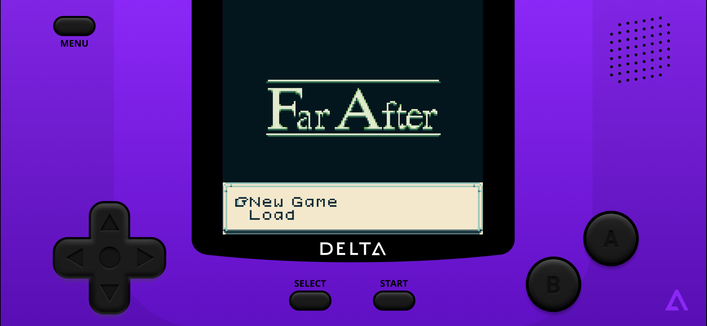
Delta. Classic games in your pocket.

The next consoles for Delta are coming: this beta version of Delta brings support for playing Sega Genesis games!

Please report any issues you find to [email protected]. Thanks!

https://altstore.io/source/marketplace.altstore.io?app=com.rileytestut.Delta.Beta

#App

AltStore Classic. Sideload non-notarized apps with AltServer.

AltStore Classic allows you to sideload non-notarized .ipa files with AltServer on a Mac or PC.

For instructions on how to get started, check out our FAQ: https://faq.altstore.io

https://altstore.io/source/marketplace.altstore.io?app=com.rileytestut.AltStore

#App

Clip. Manage your clipboard history with ease.

This beta version of Clip adds a Custom Keyboard app extension for quick access to clippings when editing text.

To enable the keyboard, go to Settings > General > Keyboard > Keyboards > Add New Keyboard... and add "ClipBoard". Once added, make sure to then enable "Allow Full Access" for ClipBoard so it can access your clippings.

https://altstore.io/source/marketplace.altstore.io?app=com.rileytestut.Clip.Beta

#App

Clip. Manage your clipboard history with ease.

Clip is a simple clipboard manager for iOS.

Unlike other clipboard managers, Clip can continue monitoring your clipboard while in the background. No longer do you need to remember to manually open or share to an app to save your clipboard; just copy and paste as you would normally do, and Clip will have your back.

In addition to background monitoring, Clip also has these features:

• Save text, URLs, and images copied to the clipboard.
• Copy, delete, or share any clippings saved to Clip.
• Customizable history limit.

Download Clip today, and never worry about losing your clipboard again!

https://altstore.io/source/marketplace.altstore.io?app=com.rileytestut.Clip

#App

Delta. Classic games in your pocket.

Delta is an all-in-one emulator for iOS. Delta builds upon the strengths of its predecessor, GBA4iOS, while expanding to include support for more game systems such as NES, SNES, and N64.

FEATURES

Supported Game Systems
• Nintendo Entertainment System
• Super Nintendo Entertainment System
• Nintendo 64
• Game Boy (Color)
• Game Boy Advance
• Nintendo DS
• And plenty more to come!

Controller Support
• Supports PS4, PS5, Xbox One S, Xbox Series X, and MFi game controllers.
• Supports bluetooth (and wired) keyboards, as well as the Apple Smart Keyboard.
• Completely customize button mappings on a per-system, per-controller basis.
• Map buttons to special “Quick Save”, “Quick Load,” and “Fast Forward” actions.

Save States
• Save and load save states for any game from the pause menu.
• Lock save states to prevent them from being accidentally overwritten.
• Automatically makes backup save states to ensure you never lose your progress.
• Support for “Quick Saves,” save states that can be quickly saved/loaded with a single button press (requires external controller).

Cheats
• Supports various types of cheat codes for each supported system:
• NES: Game Genie
• SNES: Game Genie, Pro Action Replay
• N64: GameShark
• GBC: Game Genie, GameShark
• GBA: Action Replay, Code Breaker, GameShark
• DS: Action Replay

Delta Sync
• Sync your games, game saves, save states, cheats, controller skins, and controller mappings between devices.
• View version histories of everything you sync and optionally restore them to earlier versions.
• Supports both Google Drive and Dropbox.

Custom Controller Skins
• Beautiful built-in controller skins for all systems.
• Import controller skins made by others, or even make your own to share with the world!

Hold Button
• Choose buttons for Delta to hold down on your behalf, freeing up your thumbs to press other buttons instead.
• Perfect for games that typically require one button be held down constantly (ex: run button in Mario games, or the A button in Mario Kart).

Fast Forward
• Speed through slower parts of games by running the game much faster than normal.
• Easily enable or disable from the pause menu, or optionally with a mapped button on an external controller.

3D/Haptic Touch
• Use 3D or Haptic Touch to “peek” at games, save states, and cheat codes.
• App icon shortcuts allow quick access to your most recently played games, or optionally customize the shortcuts to always include certain games.

Game Artwork
• Automatically displays appropriate box art for imported games.
• Change a game’s artwork to anything you want, or select from the built-in game artwork database.

Misc.
• Gyroscope support (WarioWare: Twisted! only)
• Microphone support (DS only)
• Support for delta:// URL scheme to jump directly into a specific game.

**Delta and AltStore LLC are in no way affiliated with Nintendo. The name "Nintendo" and all associated game console names are registered trademarks of Nintendo Co., Ltd.**

https://altstore.io/source/marketplace.altstore.io?app=com.rileytestut.Delta

#App