
AliasVault

@aliasvault
83 Followers
10 Following
44 Posts
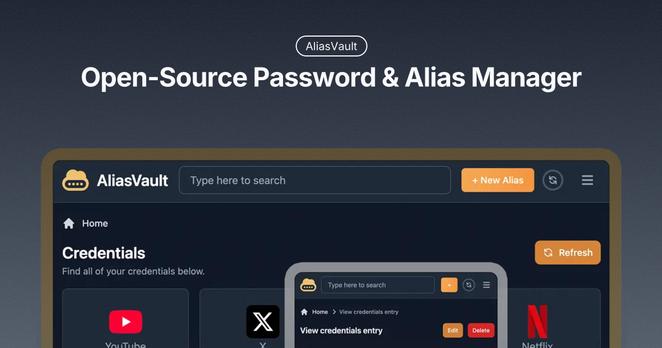
AliasVault is an end-to-end encrypted password and alias manager that protects your privacy by creating alternative identities for every website you use.

@Tutanota @bitwarden hosted on Microslop server so no thanks.

Prefer use something in eu like @aliasvault

Did you know password managers existed in the 90s in America?

They were a response to scale:
• More accounts
• More breaches

One leaked password ➡️ many compromised accounts.

The problem hasn’t changed. We’re just solving it differently with AliasVault. #OpenSource #GDPRproof

Try it out - create a free vault: https://www.aliasvault.net/

AliasVault - Privacy-First Password & Email Alias Manager

AliasVault is an open-source end-to-end encrypted password and alias manager.

AliasVault

🇩🇰 Danish has been added to our growing list of supported languages for the open-source #passwordmanager

Thanks to our community contributors.

Want to help translate AliasVault? → https://crowdin.com/project/aliasvault

AliasVault — Translation Project on Crowdin

Help us translate AliasVault and bring it to the world!

Crowdin

AliasVault has always been fully open-source 💙 We believe transparency is essential for privacy, and we’re proud to build in the open.

New: our code is now also mirrored on Codeberg and GitLab so you can clone it, read it, and build on it from wherever you prefer.

https://www.aliasvault.net/source-code

Source Code

AliasVault is fully open-source. Explore repositories, mirrors, and why we keep the code public.

AliasVault
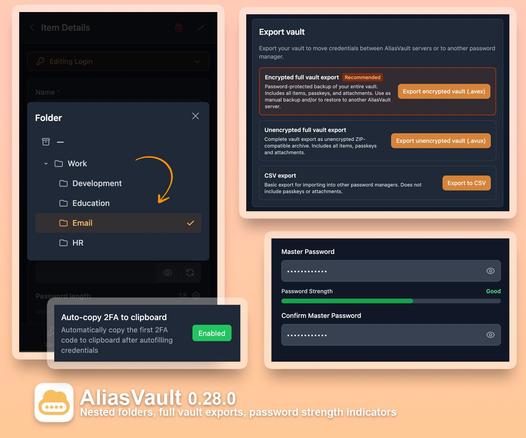
Check out our new AliasVault 0.28.0 release! It includes support for nested subfolders, full vault exports with new .avex / .avux formats, plus improved 2FA flow in the browser extension: https://www.aliasvault.net/news/aliasvault-0.28.0-released
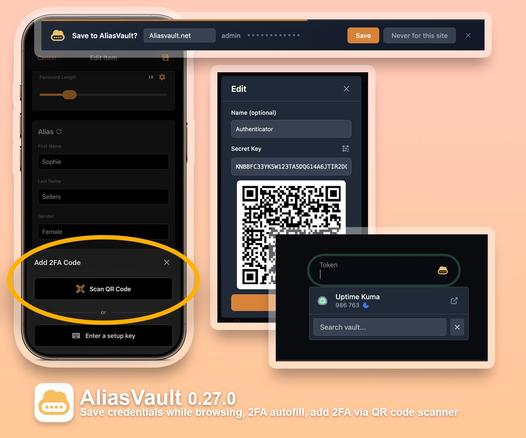
Our latest release 0.27.0 is now available and adds new improvements to the browser extension: automatically save new credentials while browsing, 2FA TOTP autofill and many more quality of life improvements. Read all about it in our latest blog. https://www.aliasvault.net/news/aliasvault-0.27.0-released
@[email protected] I'm happy to inform you that your suggestion #1 has been included in the latest 0.27.0 release of AliasVault. When opening the browser extension popup, it will automatically show you the credential matching the current website.
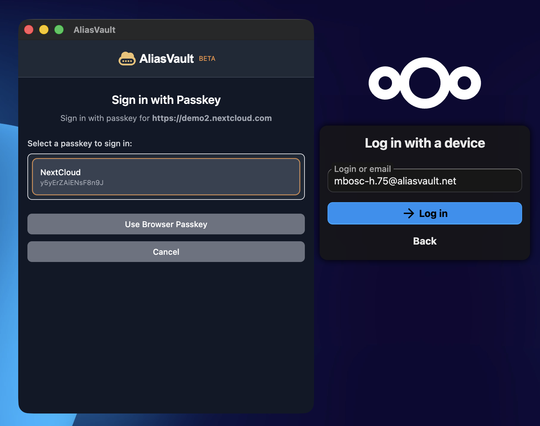
@[email protected] Hi, we tested NextCloud passkey login with the AliasVault browser extension and logging into the online demo environment seems to work fine with passkeys. Could you share which device/OS you're using? Also if you could create a screen recording (and send it privately) that would be very helpful for additional troubleshooting too.
@[email protected] Thank you for letting us know, we'll look into this to see what's going wrong for nextcloud login.

@[email protected] Thank you for the suggestions. Showing the credential for the current website when opening the browser extension sounds like a nice idea, we'll look into that!

Having the password generator be accessible in more places would also be good, I'll forward this as well.