Next update will show transfer progress when cloning, fetching, pulling and pushing after leaving the app on iOS 26.
https://apps.apple.com/app/apple-store/id896694807?pt=15897&ct=mastodon&mt=8

| Website | https://workingcopy.app |
| Users’ guide | https://workingcopy.app/manual |
| App Store | https://apps.apple.com/app/apple-store/id896694807?pt=15897&ct=mastodon&mt=8 |
Next update will show transfer progress when cloning, fetching, pulling and pushing after leaving the app on iOS 26.
https://apps.apple.com/app/apple-store/id896694807?pt=15897&ct=mastodon&mt=8
Working Copy launched eleven years ago today.
I’m celebrating the first 27 thousand commits producing 313k lines of Objective-C and 62k lines of Swift by discounting the Pro Unlock which can be yours for $30 instead of the regular $36.
https://apps.apple.com/app/apple-store/id896694807?pt=15897&ct=mastodon&mt=8
Make sure you upgrade today and tell your developer friends - anniversary pricing ends next week!

Working Copy 6.5.0 is out with iOS 26 support.
https://apps.apple.com/app/apple-store/id896694807?pt=15897&ct=mastodon&mt=8

Many people have wanted to use Gemini for AI completion and while all the credit goes to Google this is now possible with the OpenAI compatible endpoint:
https://generativelanguage.googleapis.com/v1beta/openai/chat/completions
Use a model like gemini-1.5-flash and generate the API key inside Google Cloud Console.
Working Copy 6.2.3 was just released bringing AI suggested commit messages to the Shortcuts app. https://apps.apple.com/app/apple-store/id896694807?pt=15897&ct=mastodon&mt=8
Unfortunately the Commit Repository action now requires iOS 17 or later.


Access Git repositories on the go. Clone, edit, commit and push while allowing other apps access to repositories. Git is a important part of our work-life and iOS can take part in this. The ability to commit even when offline has added utility on a device that moves in and out of network coverage.…
Working Copy is able to preview markdown, html, org-mode & AsciiDoc.
Switch between editing and preview from mode popup in upper right corner or swipe in other mode from right screen edge.

You enable and configure Preview mode with the button in the upper right corner which is available for HTML, Javascript, Markdown, org-mode, AsciiDoc and Jupyter notebook files. Swipe from right screen edge to quickly switch between editing and previewing. When previewing HTML files, relative links to images, javascript and stylesheets resolve to files inside repository and will work without Internet connection. External assets require a Internet connection to load. If offline preview is important to you, consider including javascript frameworks inside repository. Enable the Javascript Console to check for errors, warnings or log statements. Errors that occur in javascript files inside repository can be tapped taking you to the line in the source file. You can evaluate javascript in the context of the HTML page and when external keyboard is attached, the ↑↓ keys let you step through evaluation history. Putting your iPad in split screen mode you can have Safari side-by-side with Working Copy to preview and edit simultaneously. <!-- If you connect a external display through AirPlay or a HDMI adapter you can enable preview on the external display by tapping the small monitor icon at the top of the screen. --> External preview is a pro feature available to users that purchased the unlock or upgraded their pro unlock on January 8, 2018 or later.
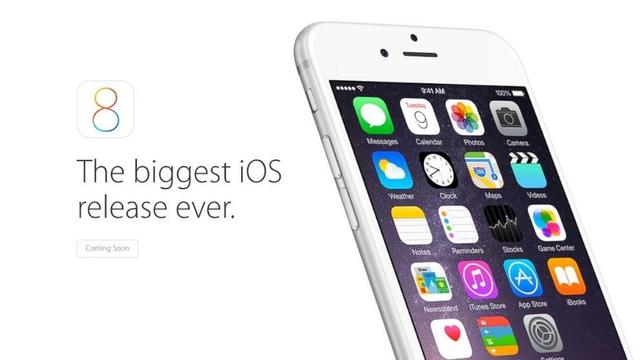
Working Copy 1.0 was released for iOS 8 ten years ago today making it possible to clone, edit, commit and push from iPhone and iPad.
Pro unlock is 33% off to celebrate the 10 year anniversary. Please tell all your developer friends.
https://apps.apple.com/app/apple-store/id896694807?pt=15897&ct=mastodon&mt=8
Access Git repositories on the go. Clone, edit, commit and push while allowing other apps access to repositories. Git is a important part of our work-life and iOS can take part in this. The ability to commit even when offline has added utility on a device that moves in and out of network coverage.…
