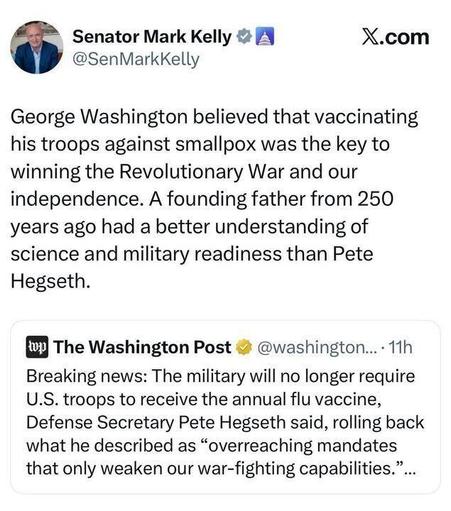
There's a lot of unintended irony in Trump capitulating to Iran at the Palace of Versailles. #irandeal
| website | https://www.mcgurrin.info/robots/ |
| website | https://www.mcgurrin.info |
| GitHub | https://github.com/ViennaMike |
| website | https://www.mcgurrin.info/robots/ |
| website | https://www.mcgurrin.info |
| GitHub | https://github.com/ViennaMike |
Hauntomation: Automating Halloween with Python
PyCon US 2026 — Lightning Talk Companion Page
If you scanned a QR code from a five-minute talk and ended up here: welcome. Everything I showed and links to additional information is here.
If you didn’t see the talk and just wandered in: I build automated Halloween props as a hobby, often using Python.
The talk
Slides (PDF): [link to be added after the talk]
Recording: [link to be ad
https://www.mcgurrin.info/robots/pycon2026/

I'm using Claude Code on a project. As it was thinking about how to code the next piece and giving status updates, it reported, "Consulting the rubber duck." 😂 Those who know will know!
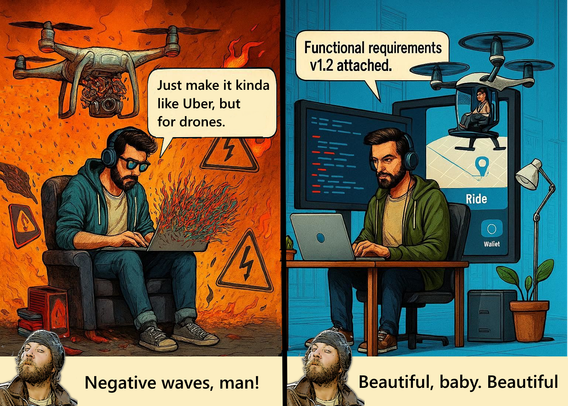
One of the benefits of AI assisted development that I'm sure many practitioners understand but I don't see talked about much, is the ease of keeping documentation up to date. After making additions and/or changes, you can just ask the AI to update the documentation to capture the changes. As a human, you can and should review and verify the proposed changes.
It's an incredible time saver AND makes if far more likely you WILL keep the documentation up to date.
#AI #Claudecode
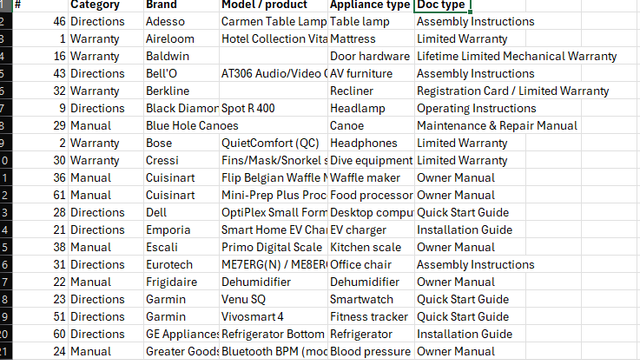
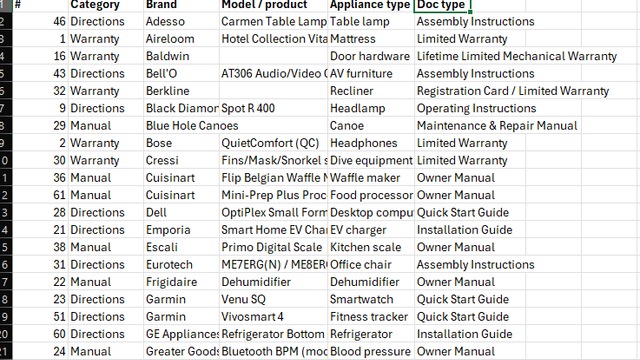
Home use for AI: Our user manuals, warranty cards, etc. were totally unorganized and in several locations. As I'm grouping them roughly alphabetically, I'm snapping a picture of the cover of each. Claude scans the photos and generate a spreadsheet with the category, brand, model or product, Item type, and documentation type. It pulled it all from the photos and created a spreadsheet, no typing required.
You could do the same for a record collection, book collection, or anything similar.
 George Takei
  🏳️🌈🖖🏽
🏳️🌈🖖🏽