
262 Followers
1 Following
107 Posts
Your favorite font app for Mac!
Websitehttps://typefaceapp.com
Fonts are coolYes
Quick Brown Fox is CoolAlso Yes

If these fonts are imported into Typeface app, or any other font manager, I’d recommend to (temporarily) move the old fonts into a separate folder that is not accessed by the manager.

To do that choose View › as List in Finder, which seems to prevent the kernel panic when selecting the font files. Or use Terminal to move the affected files.

It appears that the kernel panic may be related to Resource Forks on external disks and accessing files located on the internal disk may be fine, but more investigation is necessary to confirm.

⚠️ Caution for those of you with ancient fonts ⚠️

Accessing old font files that use a Resource Fork may cause a kernel panic on macOS Tahoe 25.1 & 25.2.

Selecting such a file in Finder will immediately reboot your Mac. Be careful of unsaved data!

ttf/otf files are fine — Resource Fork files were primarily used on classic Mac OS (pre OSX)
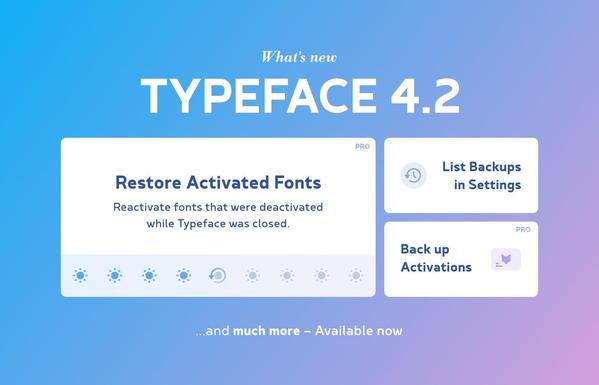
Ready for macOS Tahoe?

Prepare by getting Typeface 4.2, which can automatically restore your activated fonts after macOS updates. Or reactivate fonts from a backup — auto backups are now easily accessible from Settings.

See what’s new:
https://typefaceapp.com/changelog/typeface-4-2-0

Enjoy! 🦊

#ad

Typeface 4.1 is all about characters! 🦊

Find the character you need using the new character categories, character search and character ordering.
Then drag and drop glyphs to export them as editable vector in your design or as SVG.

Available now: https://typefaceapp.com/changelog/typeface-4-1-0

Enjoy!

#ad

NEW in Typeface 4.0: List View 🤓
Get a detailed metadata overview of your fonts and use new sorting options to find the exact font you need.

Full release notes: https://typefaceapp.com/changelog/typeface-4-0-0

Enjoy! 🦊

#ad

Typeface - Your favorite font app for Mac

Typeface is a wonderful font manager for macOS that helps you pick the perfect type for your designs. With a minimal interface and total focus on your fonts browsing your collection becomes a delightful experience. And new powerful font management features let you effortlessly organize even the largest libraries.

Just to be clear: Not for sale 😅

Introducing a colorful new Typeface update:
🌈 Customize preview colors
🎨 Preview color font palettes
🔆 New high contrast themes

And more: https://typefaceapp.com/changelog/typeface-3-15-0

Enjoy!

#ad

Typeface - Your favorite font app for Mac

Typeface is a wonderful font manager for macOS that helps you pick the perfect type for your designs. A minimal interface and total focus on your fonts makes browsing your collection a delightful experience. And Typeface 3 lets you effortlessly organize even the largest collections with new powerful font management features.

According to APCA (https://git.apcacontrast.com) all five have the same Lc of 30.

For me 1 & 2 (light on dark) are much easier to read than 4 & 5 (dark on light)

APCA

This is the APCA project repo on GitHub.Documentation linked below.

APCA

I've been playing with color contrast for a bit, but I'm not sure if it's just my eyes/monitor that is biased:

Which one of these is easiest/hardest to read for you? (most/least contrast)

New in Typeface v3.14: randomly sort your fonts to get a fresh view of your library — perhaps you’ll discover some new favorites!

Or get a quick look at Latin character support and view multiple font sizes at once using the new Text layouts: Characters & Waterfall.

See all what’s new: https://typefaceapp.com/changelog/typeface-3-14-0

Enjoy! 🦊 #ad

Typeface - Your favorite font app for Mac

Typeface is a wonderful font manager for macOS that helps you pick the perfect type for your designs. A minimal interface and total focus on your fonts makes browsing your collection a delightful experience. And Typeface 3 lets you effortlessly organize even the largest collections with new powerful font management features.