@OniroProject

70 Followers
4 Following
73 Posts

πŸš€ The Oniro team is proud to announce Chen Song as a new Committer for the Eclipse Oniro for OpenHarmony project.

Since October, Chen has leveled up the project’s documentation, built new apps, and ensured platform stability. The group is thrilled to have him in this new role!

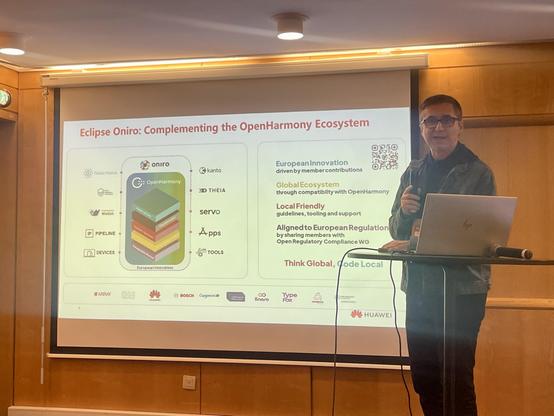
🎀 Francesco Pham will represent #Oniro in the @fosdem agenda, with his talk β€œBringing OpenHarmony to Phones: Lessons from the Oniro Porting Effort”, sharing hands-on experience from bringing #OpenHarmony to real mobile devices.

πŸ‡§πŸ‡ͺ See you in Brussels! https://tinyurl.com/557mjrae

From hardware challenges to the energy of #hackaTUM, we spent 2025 validating our platform as the European gateway to the #OpenHarmony ecosystem.

Read our year-end review & initiatives for 2026 ‡️
https://hubs.la/Q03YTLMQ0

Happy Holidays and a Happy New Year from the Oniro Team!

πŸš€ Mission accomplished in Paris! The Oniro team wrapped up 2025 events at #OSXP, confirming the growing interest in Oniro & OpenHarmony.

πŸ† Congrats to the winners of our lucky draw! Enjoy the Lego F1 cars!

✨ Happy Holidays to all Oniro contributors!

AI writes your code!

πŸ€– See AI-assisted development in action: we use an AI agent within VS Code/Oniro IDE to generate a complete Notes app (storage, error handling) from a simple prompt.

Watch the speed and reliability of AI development!

https://hubs.la/Q03TXYBs0

Code in your comfort zone!

πŸ§‘β€πŸ’» Learn to use the Oniro VS Code Extension.

This guide shows how to set up your Ubuntu environment, install the SDK, and build/run sample apps using the IDE, streamlining your Oniro/OpenHarmony workflow.

https://hubs.la/Q03WzT3-0

Emulator ready!

πŸ’» Learn how to install and run the QEMU-based Oniro emulator on Windows.

This video guides you through configuring DevEco Studio and Hyper-V to test OpenHarmony apps directly from your dev environment.

Get rapid feedback now!

Wearable app dev is LIVE! ⌚

Dive into building an app that uses basic sensor data (heart rate) on a HarmonyOS wearable. This step-by-step guide covers project creation to final on-device installation.

Get your hands on live data! πŸ‘‡
https://hubs.la/Q03TXYB10

First app on Oniro? Start here!

πŸš€ Learn the full setup: install the OpenHarmony SDK, configure secure app signing/keys, set up mobile targets, and launch your first app live on a physical smartwatch.

Your development journey starts now! ​​

https://hubs.la/Q03TX-FL0

πŸ“’ New Oniro video tutorials are here!

https://www.youtube.com/playlist?list=PLy7t4z5SYNaT3VUbRGCoNH471N9sSs0uV

Your step-by-step guide to learn setup, tooling (DevEco, VS Code), AI-assisted dev, and best practices for distributed apps.

Check out our blog post and start your journey today!πŸ‘‡
https://blogs.eclipse.org/post/ignacio-ahedo/new-oniro-playlist-live-your-step-step-guide-platform-advancement