134 Followers
1 Following
17 Posts

Noir is a Safari extension for iOS that automatically adds a dark mode to every website you visit. It makes browsing the web at night so much better.

Made by @jeffreykuiken

Websitehttps://getnoir.app
iOS App Storehttps://itunes.apple.com/app/id1581140954
Mac App Storehttps://itunes.apple.com/app/id1592917505
@Cykelero I hope you like the update! More info about the new options can be found in the app! 🙂

A new update of Noir is available right now! 🎉 The biggest new feature is Advanced Appearance Options.

Once enabled, these options give you more control to fine-tune Noir’s generated dark styles.

Ideally, it's something you never need. But if you ever encounter a website where Noir’s dark style doesn’t look quite right, it's certainly a nice feature to have.

Download the update now:
📱 iOS https://itunes.apple.com/app/id1581140954
🖥️ macOS https://itunes.apple.com/app/id1592917505

Have you already updated your devices to iOS 18 or macOS Sequoia? Noir is fully ready for both! ✨

• Quickly toggle Noir right from your Control Center on iOS
• Use Noir inside Web Apps on macOS
• New Dark and Tinted icons and even a completely new icon on iOS

Make sure to download the updates in the App Store to enjoy these new features:
• iOS: https://itunes.apple.com/app/id1581140954
• macOS: https://itunes.apple.com/app/id1592917505

‎Noir - Dark Mode for Safari

‎Noir is a Safari extension that automatically adds a dark mode to every website you visit. It makes browsing the web at night so much better. With Noir, you won’t be blinded by bright websites ever again. And the results look great too. Noir generates a custom dark style for each website you visit…

App Store
@Yurgo go to the Automation tab, add a new one for “Time of Day”, select “New Blank Automation”. Then search for Noir and you’ll find a ‘Set Default Theme’ action.
@Yurgo yes, that should be possible!
@Yurgo thanks! This isn’t something the app can do at the moment, I’m afraid. If you really want, you can set up some automations in the built-in Shortcuts app to change your default theme on specific times or at sunrise/sunset.
@santiago_ awesome, thank you so much!

@matthewcassinelli ha, I guess I forgot to introduce the app for new users, apologies for that!

Noir is a Safari Extension that can generate a dark mode to any website that doesn’t have one of its own. It doesn’t simply invert everything but really creates a dynamic theme based on the colors used on the website.

More info on https://getnoir.app, let me know if you have any questions! 🙂

Noir – Dark Mode for Safari

Add a dark mode to every website you visit, automatically. Browse better at night with Noir.

Interestingly, visionOS does not have a built-in Dark Mode. Apps use a semi-transparent window, so Apple's argument is that they don't need a dark mode: if it's dark outside, the windows get darker automatically.

However, as a result, websites in Safari will always run in light mode, even at night, and even when they actually do have a dark mode.

With Noir on visionOS, you can still have a dark mode for Safari. And of course, for both websites with and without a built-in dark mode.

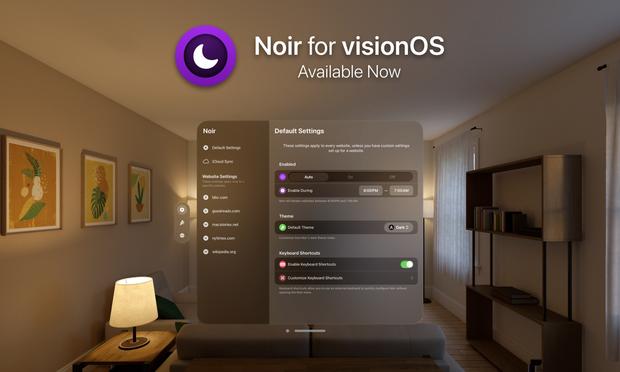
Noir is now available for visionOS! It's a native Vision Pro app, and both the app and the extension have been updated to fit perfectly on the platform. And of course, all your settings and themes from Noir on iOS and macOS will sync right over.

⭐ You can download Noir for visionOS here: https://itunes.apple.com/app/id6477319451

Noir is a Safari Extension that adds a dark mode to any website that doesn’t have one of its own.

If you end up trying it out, I'd love to hear what you think!

‎Noir ‒ Dark Mode for Safari

‎Noir is a Safari extension that automatically adds a dark mode to every website you visit. It makes browsing the web at night so much better. With Noir, you won’t be blinded by bright websites ever again. And the results look great too. Noir generates a custom dark style for each website you visit…

App Store