 adheeth🐘
 Firefox Nightly
Quickly pick and copy a color from any page by typing "pick color", "color picker", or "eyedropper" in the address bar and selecting the "Pick a color" quick action.
 Anton 🇺🇦🇪🇺
@firefoxnightly That sounds amazing but doesn't work in my FF.
 Frederik Braun �
@atjn Still in pre-release. Which is why the account is called @firefoxnightly :)
@freddy @firefoxnightly I see, thanks for the clarification 😄
 gürkan �’ :catlong_head_left::catlong_h::catlong_end_right:
@firefoxnightly can we has "what is my ip" too pls
 Blanxd.H
@firefoxnightly is it behind some config setting or some certain search settings' setup combination? I can't produce this with any of those keywords. MacOS, 153.0a1 (2026-06-03) (aarch64)
@blanxd No, it's a default feature, maybe check that you haven't disabled quick actions in Settings?
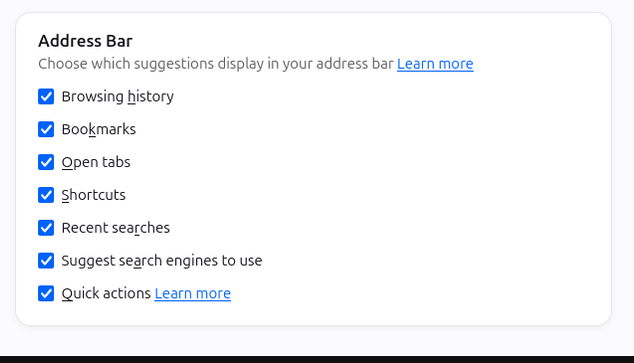
@firefoxnightly Thank you for pointing me toward the Quick actions. For anyone reading in the future, if quick actions are disabled because browser.urlbar.scotchBonnet.enableOverride is set to false, the Eyedropper can be accessed from the hamburger menu > More Tools (even on official stable releases).