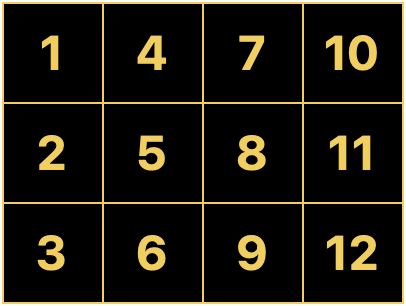
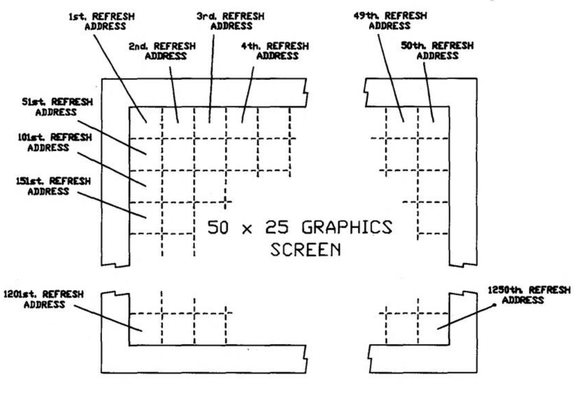
I want to do some more stuff with Apricot graphics. See, the thing is, these computers don't really _have_ graphics. What they have is a character mode with 16x16 pixel cells. Every pixel is addressable, but every pixel exists inside redefinable character memory, so you have to know where the particular character is in memory to modify its pixels. Which means there's different ways you can map the "characters" to the screen.

I had originally set this up in the usual way, with each cell following the next in rows and columns. But I realized much later that if you arrange the character cells in columns, every column becomes a contiguous region of 16-bit words. The math becomes simpler, and the whole thing runs faster.
#Aprilcot

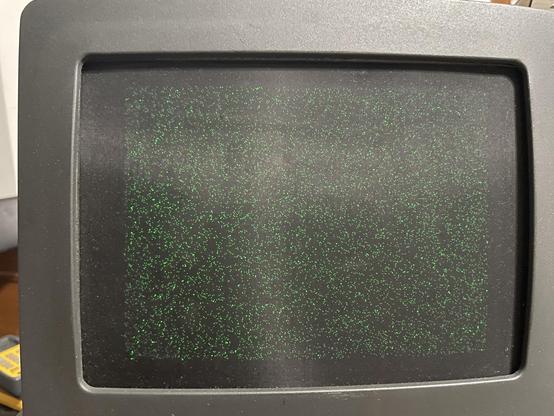
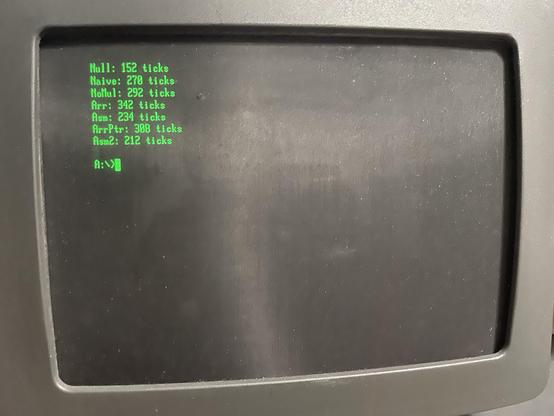
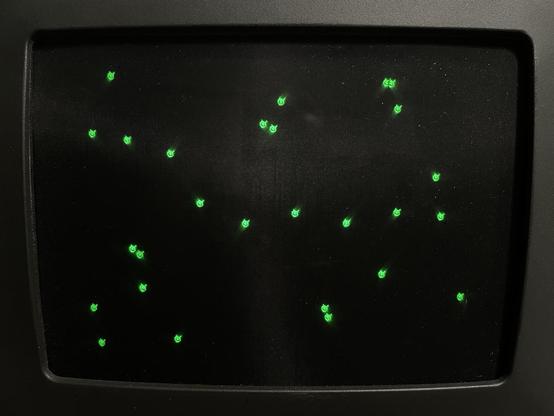
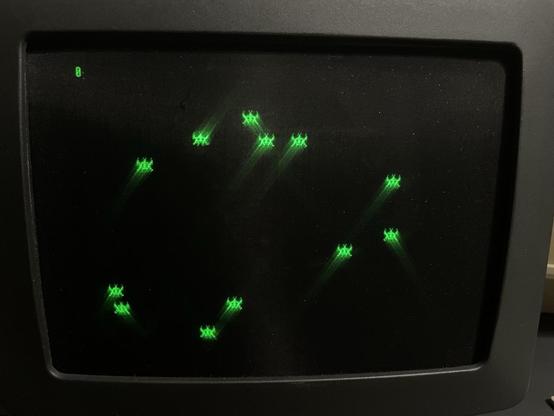
I wrote a benchmark that tested several different approaches in Turbo Pascal. Everything from a naive implementation using multiplication to hand-tuned assembly. It just pregenerates 10,000 random dots and plots them to the screen using the various methods. The dots on this screen are so fine they almost look like dust.

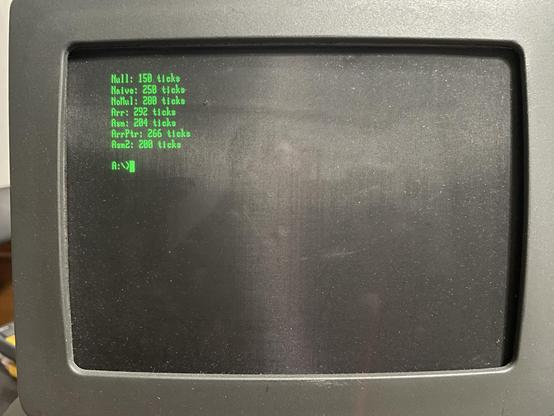
I rewrote all my routines to use the new column-based layout and benchmarked it against the old method. And, unsurprisingly, everything is faster! The only one that matters though is the fully optimized Asm2, which is now about 6% faster. Ticks here are DOS ticks, which are hundredths of a second (but because Apricot uses a 50Hz timer, it has a resolution of .02 seconds). So we can now plot ~5K points per second.

#Aprilcot

Okay, points are fine, but what can we do for actual graphics? As I showed last year, static graphics are not a problem, especially if they're aligned to the 16-pixel character grid. But moving graphics present a challenge. The bits have to be shifted up to 15 positions to work at unaligned locations. If we're okay with using some more memory, we can just do that in advance. Then we just copy whichever is appropriate for the X position.

So here’s some little blob guys bouncing around the screen. :)

#Aprilcot

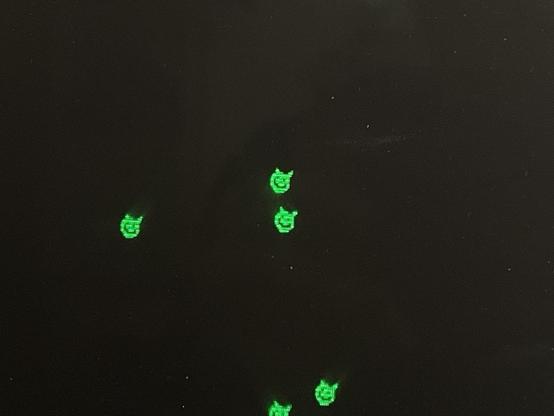
Some close-ups so you can see the detail better. These are 16x11 because the pixel ratio on this display is 2:3. I had a hard time finding a pixel editor that would do that odd ratio. Aseprite only does double wide/high. GrafX2 does a lot of them but not 2:3. Turns out GIMP allows effectively arbitrary ratios via per-axis DPI settings.

#Aprilcot

Unfortunately, there's no way to synchronize with the screen refresh. The flickering you're seeing isn't a camera artifact, I'm seeing that too. Older revisions had vsync hooked up to one of the PIO lines, but the rev G board I have repurposed that for a serial control signal (gotta love design changes in the same product run).

And this is an entirely unoptimized routine. Just Turbo Pascal XORing a word at a time into memory. There's a lot of optimization to do, and I'm also hoping I can employ the 8089 at some point. :)

To optimize properly, we must have some way of measuring performance. I’ve set up a handler on the 50Hz timer interrupt that just increments a counter. In the draw loop, I synchronize with that counter, begin drawing, and count how many frames have passed at the end. Then I put that number in the corner of the screen. So if you see zero, all the drawing has completed in one frame.

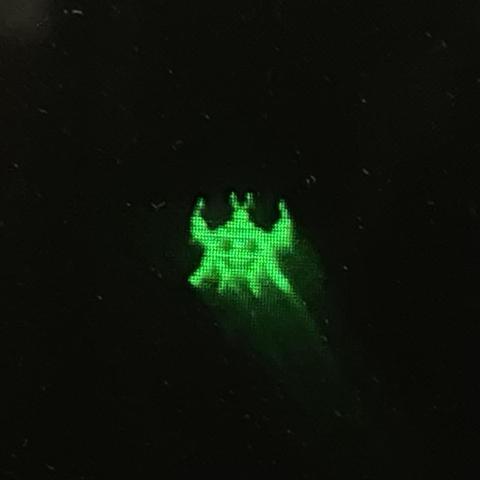
I’ve also upgraded to a 32x32 “space invader” that kinda looks like an axolotl. And currently we can draw… one sprite before we blow our frame budget. 😆

#Aprilcot

Close up on our axolotl invader friend.
Well that's not right.
That’s… better. 14 sprites! But obviously not working totally correctly.

Well, it's 14 before it starts visibly slowing down. It can actually get to 15 or 16 before the counter increments. This is a hand-written assembly routine. The reason it's leaving trails is because this is using REP MOVSW instead of XOR. And now that I think about it, that means each one is being drawn twice. So that should more than account for any kind of fix to the trails being drawn here.

I'm calculating the offset into the array of sprite data (one for each X offset in the character cell) using a regular old MUL, so there' s probably some performance left on the table there. I could precompute those offsets and do a table lookup. Anyway, that's good for tonight.

17, and no trails!

This has the pointer table optimization (every shifted version of the sprite is pointed to from a table instead of being calculated via MUL). I created a whole second routine to blank sprites, which is the same thing except it does STOSW instead MOVSW. It took me longer to get that working than the sprite draw routine because I misunderstood the documentation. I thought it referenced DS for the target and not ES because Intel's manual didn't specify either.

This is still a very bad draw routine because it just overwrites the entire 16-pixel word instead of doing proper masking. That'll probably drop the performance by 30% because it can't use the 8086's fast string instructions.

We've maxed out the CPU, but the Apricot has another trick - the 8089. It's a dedicated I/O coprocessor, and theoretically it can push bytes even faster than the CPU. If... I can get it working.

I've discovered the hard way that Turbo Pascal is really picky about what it can link with. It _only_ wants to link with external functions. If the OBJ file you're linking with has _any_ data segment symbols, it flat out refuses to deal with it. At first I thought this was a subtle bug in how asm89 generates OMF files, but it does the same with a C file compiled with Turbo C. And since asm89 defines the 8089 machine code symbols as data (which I think is correct from the POV of the CPU), it just doesn't work. :/

So I guess I'll just have to copy the machine code into the Pascal source as raw data. That sucks.

#Aprilcot

But anyway, with that worked around, invoking the 8089 from Pascal seems to work. The code here is very simple:

MOVI GA, 1
ADD [PP].4, GA
HLT

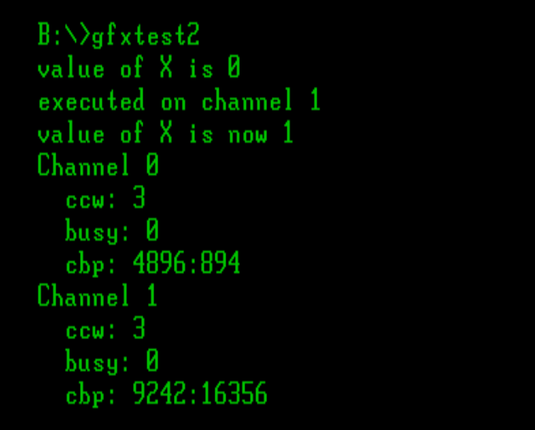
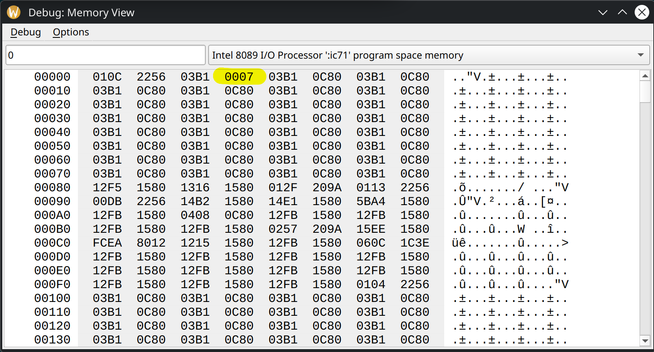
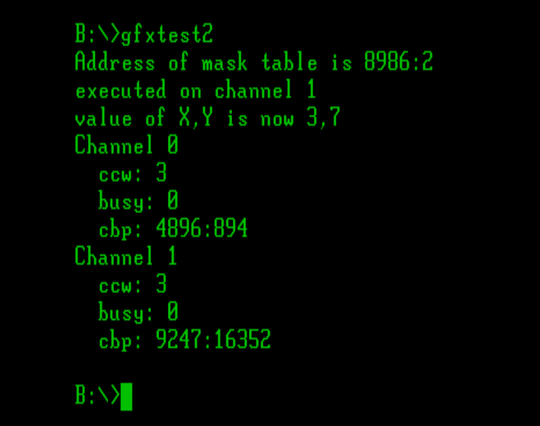
It just adds 1 to the word at offset 4 in the parameter block. The first two words point to the code itself, so the third one is where parameters live. The Pascal code that invokes it just sets that to 0, and the output below shows that it has been changed, and then dumps the state of the 8089 Channel Control Block.

#Aprilcot

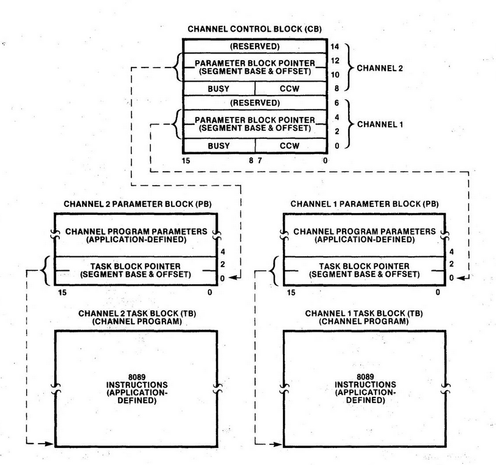
I should probably explain a little bit about the interface to the 8089. Early in the system initialization, the CPU tells the IOP to read the address of a System Configuration Block from the top of ROM. That address is right next to the 8086 reset location at FFFF8h, so if you've ever wondered what those unused bytes were, that's what they're for! This sets up the Channel Control Block, which defines the locations and parameters for executing Channel Parameter Blocks, which define a pointer to the 8089 machine code and parameters to the task. When the 8089 gets a "channel attention" (on the Apricot connected to I/O ports 70h and 72h), it re-reads the CCB for the signaled channel and starts/stops any tasks defined there.

#Aprilcot

So it's a little convoluted, but it does make it simple to interleave lots of 8089 programs running under the supervision of different parts of the system. You just wait for a channel to not be busy, load the CCB with the address of your own CPB, and let 'er rip. If a higher priority task needs a channel but one is not available, it can pause a running task, save the CCB info, swap in its own task, run that, swap the old one back in, and continue it. AFAIK nothing in the Apricot system does this, and it's probably moot anyway since the way the 8089 is implemented shares the bus with the CPU, so the 8086 can't make much progress while the 8089 is running, anyway.

Apricot typically uses channel 1 for the floppy drive controller. I've read somewhere that channel 2 is used by the Winchester controller, but as far as I've seen in the emulated system, that's not the case. I've also read that the system will run without an 8089, so probably there are some Apricots out there without them.

#Aprilcot

Part of the magic of what's happening in the assembly above is upon task start, the address of the Channel Parameter Block gets loaded into the PP register in the 8089. It makes it very handy to reference any of those parameters, and the 8089 code doesn't need to know ahead of time where your parameters are. IIRC all the call/jump instructions are signed displacement, so the code is fairly naturally position-independent as well.

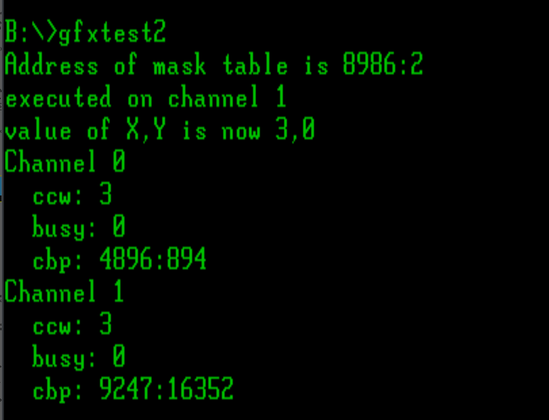
Guess who found a bug in MAME? Getting my ducks in a row here, this is just doing a pointer load so I can get the address of the pixels I want to copy, then copying something from that memory to the X and Y parameters.

lpd ga, [pp].8
mov gb, [ga].4
mov [pp].4, gb
mov [pp].6, [ga].6
hlt

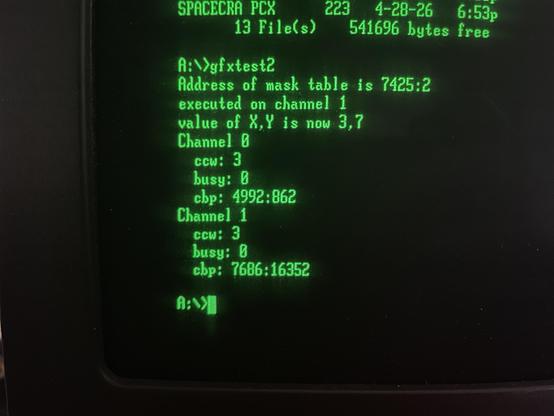
The first one is done by MOVing into the GB register first, then from GB to memory. The second one uses the 8089's memory-to-memory MOV. And it turns out MAME's 8089 core doesn't implement mem-mem MOV correctly, leaving zero in the Y parameter instead of 7. I thought I was going mad!

#Aprilcot

It's honestly kind of weird that this doesn't work, because MAME also includes an emulation for the iSBC 215 disk controller, which also uses the 8089. Maybe it doesn't work either. :|

I've been trawling through MAME source code and I think I figured it out. There's a two-bit MM field in an 8089 opcode that specifies a base register for a memory reference. It can only be four things - GA, GB, GC, and PP. MAME directly indexes into its register set from that extracted value, registers 0, 1, 2, and 3. But MAME doesn't store its registers in that order. The first three are GA, GB, and GC, but the fourth register is BC. So it's calculating the memory offset all wrong.

Why does is work for every other memory reference? Well, there's this line early in the instruction decoder:

// fix-up so we can use our register array
if (mm == BC) mm = PP;

But mem-mem MOV is special. It is encoded and acts like two instructions, one that reads from memory and one that writes. MAME decodes the second half ad-hoc in the handler for the first half. And it doesn't have that fix-up. So it writes that value to BC+offset. Totally bogus.

BLAM! Right in the vector table.
And fixed!
Now I just have to begin the lengthy process of making sure it works in the full build with debugging.

Okay, reading comprehension: still important. From the 8086 Family User's Manual:

> Notice that when a pointer register is specified as the destination of a MOV, its tag bit is unconditionally set to 1. MOV instructions are therefore used to load I/O space addresses into pointer registers.

I ran this 8089 blit routine in MAME and it didn't do anything. I thought maybe I'd found another bug, so I tried it on hardware. It hung with a loud BEEEEEP. I thought, "huh, that's weird".

Turns out things work better when you're not blindly blasting bytes into I/O space.

I guess the correct way to do this would be a MOVI XX, 0 followed by ADD. But what I'm doing here is constructing a screen address, anyway. So I can just MOVI XX, <screen base address> then ADD XX, [PP].8, and it's just as fast as what I was doing.
Oh right, duh. It sets the tag bit on immediate MOVs too. I guess the only way to clear it is to do a LPD or MOVP.
Wait, I never finished forward jumps in asm89? Geez.

Alright, that was a lot of work, but I got it working. And the answer is… 12. It’s slower. 😐

#Aprilcot

I think there's still performance I could squeeze out if this, by batching the sprites or rewriting all the Pascal in ASM. But I think what I've learned here is the overhead of invoking the 8089 isn't really worth it to copy 126 bytes. I wasn't actually able to move the entire routine into 8089 code, as it lacks certain operations like bit shifts. So the screen address calculations are still done on the CPU. And transferring information over the boundary requires storing it in the parameter block, where the 8089 has to load it out of memory again. Loading four words for two full segment/offset addresses kind of hurts in a tight loop.

I removed the wait for the 8089 to complete (starting a new task waits for completion anyway) and got one more sprite out of it. That suggests the check was slowing it down just enough, or maybe the 8086 is able to make some small progress while the 8089 is running. I think that's a good place to leave it. Would probably be worth experimenting on larger sprites. Next year, I guess. :)

Oh, one other footnote. This runs way, way faster in MAME, I think because it's not properly accounting for the cycles spent in DMA. I saw this before, while testing memcpy implementations. The benchmark showed it completing in 0 ticks.