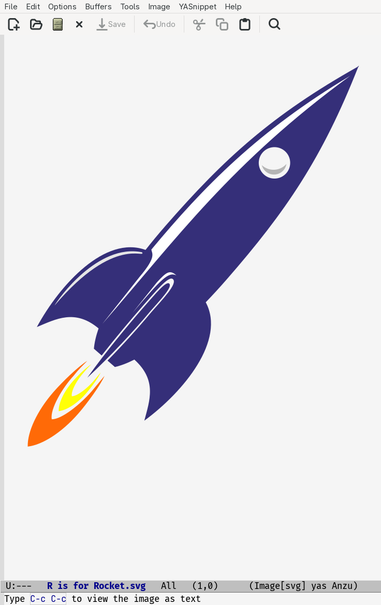
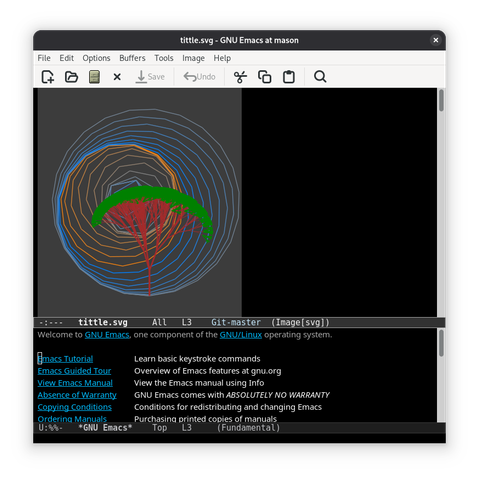
Yes, #Emacs. You can render SVG. Very clever. But I actually want to *edit the text* of the file (you know, in a text editor. Like... oh, $DEITY, never mind).

Yes, Emacs, you almost certainly do have some weird key combination to switch back to ACTUALLY BEING A TEXT EDITOR, but I don't know it, and, being Emacs, you're too damned arrogant to make it discoverable.

Typing `<esc>-x svg` and hitting tab produces nothing.

Why do I still waste disk space on this piece of crap?
@simon_brooke lol! 😂 Well there's always vi waiting for you, with open arms. 😂
@simon_brooke Is it not `C-x b` to switch buffers perhaps?

@nshephard No. Doesn't seem to be a text buffer.

Weirdly, I tried @draxil 's suggestion of typing C-c C-c, intending to then type describe mode per that suggestion, and *that* is the key binding to switch modes.

Emacs is such a chamber of user interface horrors. Nothing is consistent.

@simon_brooke @nshephard In this case, me being unclear not emacs :)

M-x describe-mode is how I would find this
C-c C-c is the key binding for the flip between display and code.

@simon_brooke C-c C-c describe mode is usually the way to find these things
@simon_brooke #Emacs is like #transubstantiation: hugely absorbing to a tiny minority of fundamentalist keyboarders/believers, but an irrelevance to the majority of computists/christians.

@2legged @simon_brooke Only if. Emacs caters to more users, experiences and workflows than any software I've seen. Open C-h h and see how many languages Emacs supports. Ever heard of using languages like Persian that require bidirectional editing? Do you know how many editors do that properly?

Those who have an agenda and ideology to portray something in a certain way will always do so, try keeping your tainted lenses aside and give it a go without assuming & spreading hostility.

@divyaranjan I simply noted that emacs is a small minority taste.

Your accusation that i am pushing an "agenda and ideology" is a malicious falsehood.

Your accusation that i am "spreading hostility".is another malicious falsehood. I felt no hostility and I intended no hodtility. Nothing I wrote conveyed anny hint of hostility or implication of hostility.

Now go away, and take your anger and your lies somewhere else.

@simon_brooke

@simon_brooke When I open an svg file in emacs, it says on the mode line 'type C-c C-c to view the image as text'.
@engtao Which seems fairly discoverable. @simon_brooke
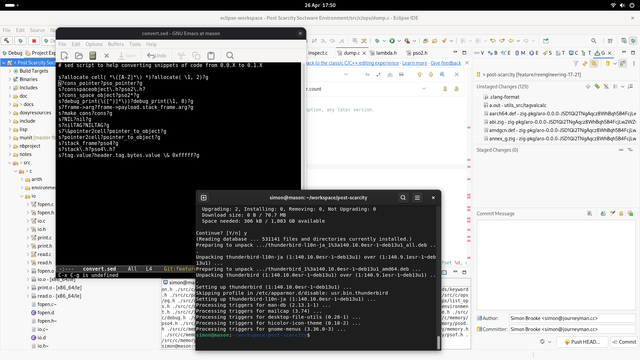
@oantolin @engtao See my screenshot.
@simon_brooke I saw your screenshot. Here is what I see
immediately after loading an svg --- perhaps you don't see the same message.
The same C-c C-c key combination (tied to the function (image-toggle-display))
also lets you see the xml in .docx files.
@engtao I think that in fact when I immediately load an SVG file I do, but I didn't see it in time and it's transient. By the time I took the screenshot it was gone.
@simon_brooke Yes, it's easy to miss. I've found C-c C-c is useful to try if unsure because it seems to get used for 'do the sensible thing' in a range of different emacs extensions. For LaTeX it compiles/views the document and in org-mode it updates table calculations, for example.
@oantolin @engtao @simon_brooke Also interactive completion (e.g. Vertico or Icomplete) with Orderless and Marginalia helps discover the relevant commands. M-x image text
@minad @engtao Well, completion failed @simon_brooke because he was looking for a command with "svg" in the name.
@oantolin I think it failed for two reasons. 1) Tab completion is less discoverable. 2) Looking for svg. Mode-related commands usually share the prefix of the major mode (image-mode), but the mode line might be a little unclear since it also shows [svg]. Generally I find discoverability in Emacs very good, but you have to know where to look, and rely on completion. In other software I get crazy when I don't find a search and completion interfaces, e.g., for options.
@engtao @simon_brooke
@simon_brooke C-c C-c does the trick I guess

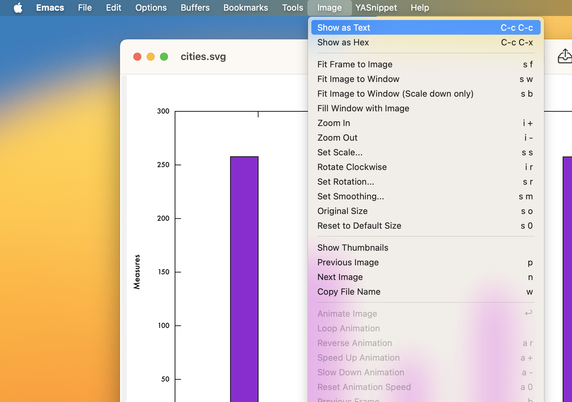
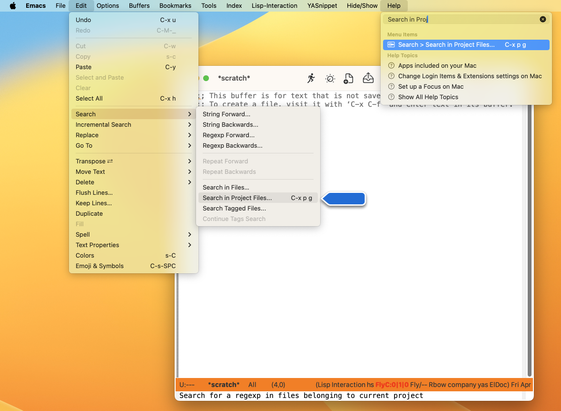
@simon_brooke Main menu bar > Image > Show as Text.

OTOH, there is no menu item to return back to an image…

@simon_brooke also damning is how Emacs users are conditioned into thinking they need to know a keybinding first instead of using more discoverable interfaces. Thing is, you don’t. My efforts in building the Casual and more recently, the Anju packages for Emacs I think shows this.
@kickingvegas @simon_brooke I think interfaces to find keybinds should be more common in my opinion.
Which-key is nice but tools such as embark-bind which have a search function are much better.
If you use a os with a top menu another option is to use a search plugin which searches through that menu bar.

@thaodan FWIW If you're using Emacs on macOS you get search of the main menu bar for free.

@simon_brooke

@kickingvegas @simon_brooke I know I phrased it that way to refer to Linux and macOS as both can have the global menu.

@kickingvegas @simon_brooke
Emacs users have

;;; don't waste screen real estate for mouse shovers
(menu-bar-mode -1)
(scroll-bar-mode -1)
(tool-bar-mode -1)

at the top of their init.el. And then there's always C-h m

#emacs

@janneke @simon_brooke Many do, but the point @kickingvegas is making is that menu-bar is useful for things like this.

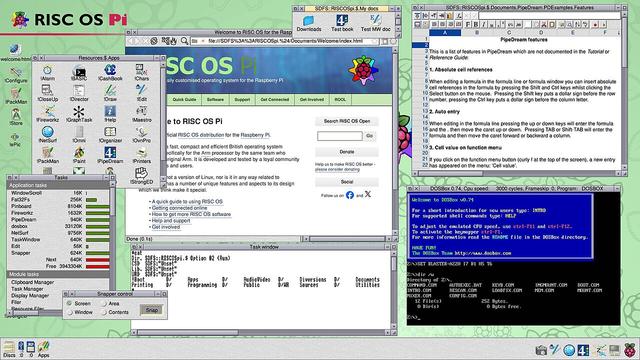
@janneke @kickingvegas This is what makes the RISC-OS GUI so good: the menu is always there when you needed it, never using screen real estate when you didn't. It also makes it much easier to do properly context sensitive menus.

It's really surprising it's never been copied.

https://en.wikipedia.org/wiki/RISC_OS

RISC OS - Wikipedia

@simon_brooke @kickingvegas
Well, maybe someone needs to create a patch?
@janneke @kickingvegas well, indeed. But I have enough side projects on side projects on side projects for just now!
@simon_brooke a general trick is that you can always pick the major mode, so you could just M-x to fundamental-mode, prog-mode or nxml-mode.
@simon_brooke Treat yourself to a copy of the wonderful "Mastering Emacs" book. I consider it essential for any no trivial Emacs use.

@stevoooo better still,

apt remove --purge emacs

will help enormously.

@simon_brooke @stevoooo If this is the way you treat using software, good luck. Maybe also don't spread hostility without actually trying something in good faith. Not only didn't you try the help menu nor the menu bar. And instead of asking others on how to do it, you went ahead to be hostile. Good luck learning anything with that attitude.
@simon_brooke please go ahead, and we'll all be better off.
@stevoooo @simon_brooke I'll second that. I would never have learned Emacs properly without it, the included Docs are great, but it's reference documentation. Difficult when when you're new to Emacs.

@simon_brooke Video demonstration of Emacs's helpful and discoverable menu bar items.

#emacs

@simon_brooke Oh no, spectacle didn't record the menu bar item

@simon_brooke I think C-h b wasn't mentioned yet. And to find out what C-h b does you can use C-h k C-h b

;-)

@simon_brooke
C-h o svg
Gives a few entries...
@Tonus look, I've been using #Emacs for forty years. I am entitled to loathe and despise it. If it works for you that's fine, but you're not going to win converts here.
@simon_brooke
Ok
Wasn't obvious for me.
Have a good ranting.

@Tonus It's open on my desktop just now. When it behaves itself and edits text -- which is what I want a text editor to do -- I can tolerate it. When I open an XML file and instead of letting me edit it it draws a fucking picture, in can get in the sea.

Do one job and do it well.

@simon_brooke You not being able to do `C-h m` to look at the bindings and find `C-c C-c` is not Emacs' fault.
@simon_brooke I believe C-c C-c works. I do see that suggestion pop up in the minibuffer.