 deewani
Somehow recently I was able to get notification badges for protonmail that was “add to home screen” bookmark on the #iPad so I could monitor a second account in addition to the app. For the life of me I can’t remember how I enabled this and wanted to do this on the #iPhone too…. Posting here as reminder to circle back but if anyone remembers how to achieve this again please share. #Notifications
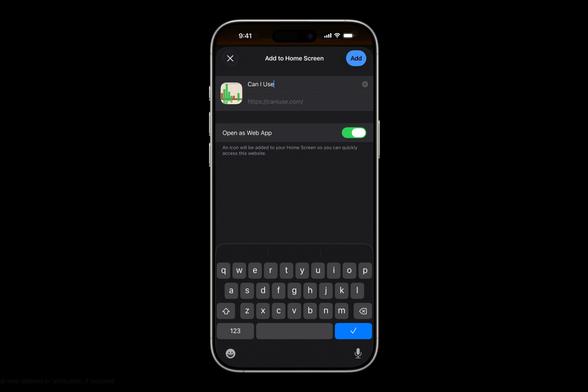
Interestingly the iPad is still on iOS 18, going to be backing it up and updating as well, but wonder if that function will be preserved because I just read about this feature new to iOS 26
iOS 26: Add Web App or Bookmark to iPhone Home Screen
https://www.macrumors.com/how-to/save-safari-bookmark-web-app-iphone-home-screen/
Also, weirdly the bookmark shows up under apps on the iPad, right under the actual app and it’s only setting is notifications- not sure how I achieved this voodoo.