 Discourse
1/7 Discourse's embed system has let you show forum comments on your blog for years. One catch: it was read-only. Visitors could see the discussion but had to click through to your Discourse site to actually participate.
That just changed...
1/7 Discourse's embed system has let you show forum comments on your blog for years. One catch: it was read-only. Visitors could see the discussion but had to click through to your Discourse site to actually participate.
That just changed...
2/7 We've shipped full app mode for embeds!
The iframe now loads the complete Discourse UI. Your blog readers can reply, like, and quote posts without ever leaving your site.
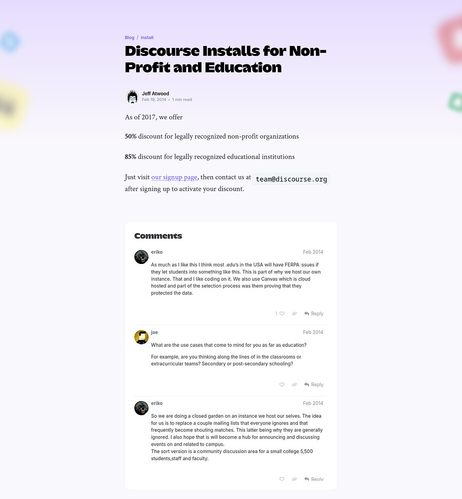
3/7 Setup takes about 30 seconds.
Go to Admin > Advanced > Embedding. Flip the new toggle at the top of the page. The embed snippet automatically updates with fullApp: true and a default 800px height.
4/7 The old embed gave your visitors a window into the conversation. The new one gives them a seat at the table.
Replies, likes, quotes, full topic navigation, all inside the iframe on your own domain.
5/7 You can see it running live on our blog right now:
https://blog.discourse.org/2024/12/introducing-discourse-ai/
7/7 Find out more here:
https://meta.discourse.org/t/embed-discourse-as-a-full-comment-system-on-your-site/399743?u=rishabh

Discourse’s embedding system lets you show topic comments on external sites via an iframe — but until now, the experience was read-only. Visitors had to click through to your Discourse site to reply, like, or interact with the discussion. We’ve added full app mode for embeds, which loads the complete Discourse application inside the iframe. Your visitors can reply, like, quote, and interact with topics without ever leaving your blog or website. How to enable it Navigate to Admin > Advanc...