So what's the best, most open, e-reader to get?

I'm being pushed out of one increasingly locked-down corporate ebook racket and I don't want to sign up to another one.

So:

- Who's making the best e-readers that'll allow me to buy ebooks from different providers?
- Who's selling eBooks that aren't locked down to a single brand of device?

(I'm in the UK)

#bookstodon

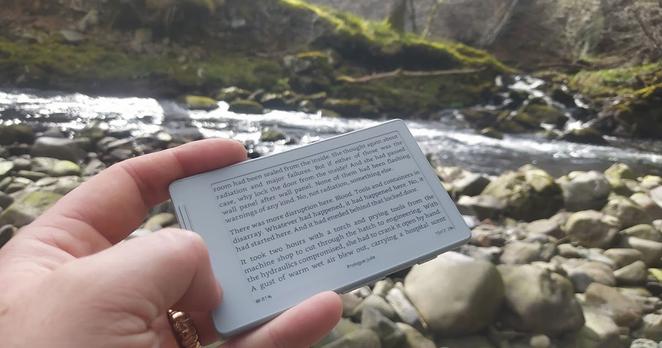
@TeaKayB my masto timeline seems excited about this thing lately https://mastodon.me.uk/@semachthemonkey/116370548501602833

I know nothing more about it except i saw a few posts go by...

@mair
Oooh, something truly pocket-sized would be great!
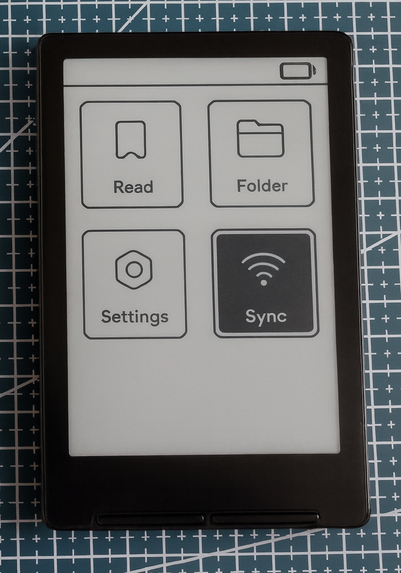
@TeaKayB downthread from the post i linked is a link to this blog https://concretedog.blogspot.com/2026/04/xteink-x4-with-open-source-firmware.html which might give you more of an idea whether it matches what you are looking for. and I guess it has a hashtag
Xteink X4 with Open Source Firmware

 If you follow me over on Mastodon you'll no doubt have seen I have a new favourite device! The Xteink X4 is a tiny eink ereader which is pr...

@mair @TeaKayB Yeah lots of comments not only on the fediverse but outside of it too. For me is too small but that's the most pocket-sized I've seen and it has different firmwares too.
@ghostdancer @mair
Yes, it looks like it might be a little too small for me too... But a little too small might work out better than a little too big.
@TeaKayB I think it must be great to take in a pocket so you car read almost everywhere, commuting, on a bench, on coffee shop, ... Light, only needs one hand. But still prefer the 6-7 inches screen.
BTW a link with more information about modding https://www.joshualowcock.com/xteink/the-best-guide-tools-hacks-and-more-for-xteink-x4-owners/ @mair
Lifehack: The best guide, tools, hacks for XTEINK X4 Owners

The best guide for new XTEINK X4 owners, covering firmware, WiFi setup, file transfers, XTC conversion, tools, and accessories.

Joshua Lowcock

@TeaKayB Boox readers run android, so you can install as many ereader apps as you want.

Kobo makes sideloading non-Kobo books easy, and it integrates natively with library Overdrive services. You can even install KOReader alongside the native software and connect to Calibre, for example.

I love my Kobo, but Boox may be the easiest if you want to run a bunch of different store apps on the same device without fiddling.

@cherizilla @TeaKayB I loved the idea of Boox but the household got two different kinds and used neither, whereas we are all using Kobo + Calibre fairly easily. Wireless sync with calibre feels seamless.
@cherizilla @TeaKayB Just realised, one thing worth noting is that we all sync over WiFi through the household ebook server (household not personal because de-drm and share everything, like with real books) but can still access the Kobo shop and buy and download new things fine. It involved changing one line on the Kobo itself and then it was easy. It might be even easier if you're happy to use a wire and only have one person using the server.
@Ailbhe @cherizilla
That's good to know, thanks. I like the idea of setting up a wireless book server!

@cherizilla @TeaKayB

Having a Kobo device also makes DeDRMing your purchased books with Calibre and the right plugin extremely easy.

There's also a build for KOreader for it.

Just FYI, Onyx (maker of BOOX devices) has a dicey history with the GPL, from what I've heard.

The PineNote is the only truly FOSS option.

@rl_dane @cherizilla
Good to know, thanks. I hadn't heard of the Pinenote - I'll look it up.
@cherizilla @TeaKayB Kobo also has an entire DRM-free search category: https://www.kobo.com/en/en/p/drm-free
DRM-Free eBooks! | Rakuten Kobo Germany

Check out Kobo’s selection of DRM-Free eBooks! Titles iInclude Mystery, Romance, Young Adult, Fiction, Science Fiction, Fantasy and Non-Fiction.

Rakuten Kobo
@datn I didn't know that! Nice.
@cherizilla
Boox is on my radar; good to hear some opinions on it. I worry that getting a Kobo would be signing up to another corporate ecosystem, but it's good to hear it works with other services.

@TeaKayB @cherizilla

For my pocketbook, Boox is crazy expensive (colored by my desire for a 13" e-ink device for reading music) but even outside of that, only a couple models are below $200US.

I found a like new Kobo Aura HD which has served me very well for $60. It's just old enough to avoid "features" I don;t want, and just new enough to be useable.

Kobo does have weird corporate roots in Rakuten, but the hardware are good.

@TeaKayB

https://wiki.mobileread.com/wiki/E-book_Reader_Matrix

My source for e-reader info. Quite a lot of info in the forums, in addition to the wiki, and LOTS of user submitted PD e-books, which may be better that commercially available editions.

Also the place to go for info re: modding devices with other firmware/OS, if you're into that kind of thing.

MobileRead Wiki - E-book Reader Matrix

@gnate
Useful link, thanks!
@TeaKayB It may be more outdated than I realized...but that suits my purpose! Kobo Vox is a good example of "improvements"--they're trying to turn e-readers into Smart TVs, with branded apps (and data hoovering and tracking) but doesn't even support PDFs!

@TeaKayB while they do have their own store (as well), I've found my Kobo Libra Colour useful for also loading e-books and content I've downloaded from other sources and there's integrations to connect with Libby/Overdrive and Instapaper for reading articles and other saved content.

Plus I like that it's a more eco-friendly choice and they seem to support your right to repair.

Is it the most open, I'm not sure but it feels relatively open.

@TeaKayB one source for eBooks I regularly check out is: StoryBundle https://storybundle.com/

I know there's other options out there as well!

StoryBundle

Pay what you like and get a bundle of awesome ebooks and more!

@electricbraindump @TeaKayB I don't regularly use an ereader but I am also a fan of kobo
@electricbraindump
Thank you! It's good to hear some personal experiences!

@TeaKayB not sure it’s the most open but my daughters kobo is nice because it has native libby/overdrive (so the default is it looks at free books from the library).

I have a kindle oasis but ive never bought a book from amazon, calibre and humble bundle 4 life.

@macdude22
I have a Kindle Scribe but they've already started restricting the new features they add to it, so I'm looking at getting out of that ecosystem at last. A lot of people seem happy with the Kobo, but I worry that it's ultimately just another corporate ecosystem.
@TeaKayB it hasn't been released yet, but there's a guy building an open hardware ereader which seems pretty awesome: https://www.crowdsupply.com/oddly-specific-objects/open-book-touch
Open Book Touch

A pocketable, open-source backlit e-reader

Crowd Supply
@mra
Looks good, worth keeping an eye on, I think!
@TeaKayB Ancient Kindle Keyboard (3rd Gen), Calibre, and find non-DRM ebooks online.
@jfcaron
My ancient Kindle Keyboard being severed from the Amazon system is what's prompting this. I spent yesterday evening downloading my entire library to it and transferring everything to Calibre, so definitely experimenting with that. Might even see if jailbreaking has any benefits.

@TeaKayB

It would be great if one could follow this thread via notifications as it fills out but mastodon appears to lack a little bell icon per posts and I'm just realizing this for the first time now. I follow a couple of accounts that way...

Anyhow, interesting thread. I'm learning about options here. Thanks for posting.

@EricBono @TeaKayB

I use the bookmark function for threads I want to come back to later, it's not quite the same but useful to find important stuff

@StingrayBadger @TeaKayB

Definitely, I just have to remember not to forget

@EricBono @TeaKayB

That's the harder bit. Although if you ever need to escape the toxic news cycle it's a good way to go back to good things

@TeaKayB I like Kobo's hardware, and they're "open enough" for my tastes.

I believe that there's also open source firmware support for them if you want to tinker with that sort of thing. Though I suppose this is probably beside the point for people who just want a decent consumer experience in what is a decent bit of kit.

@ermo
I'm not averse to a bit of tinkering!
@TeaKayB Hive has many books, bit with Adobe DRM. That's easy to remove with Calibre plugins, then I can read the book with FB reader on my phone.

@neilnjae
I briefly looked at trying to remove Adobe DRM from some Google Play books last night & hit a wall because it seems the Adobe e-reader software for windows doesn't currently exist!

I'm currently experimenting with Calibre (spent last night downloading my entire Amazon library and transferring to it) with the intention of seeing how feasible it is to continue using my soon-to-be disconnected Kindle Keyboard independently of Amazon's services.

I still have a Kindle Scribe, but they've already started excluding it from feature updates for the rest of the Scribe range so I'm thinking it'll be my last Kindle and I want to get into more portable ebook habits. I'm not sure how I'm going to manage that on the note-taking front. I know paper + pen exists, but I love the convenience of having all my handwritten notes together, digitally.

@TeaKayB My process to to buy a book from Hive, add it to the Adobe Digital Editions library, then use the standard Calibre plugin to import it into Calibre.

For note taking, I used a pen+laptop into Evernote. I don't have a separate device, so can't offer any advice.

@neilnjae
I assume you're using Linux? The Windows version of Adobe Digital Editions doesn't seem to exist any more (at least officially) so that's where I tripped up, though I didn't make much of an attempt to overcome that problem as I was concentrating on getting my kindle library downloaded.

I have a touchscreen laptop with pen (+ two Wacom tablets) and it just doesn't work for me for note taking. I like the feel & ease of writing on the Scribe, and I like the fact that it's more portable than my laptop, and less loaded with potential distractions. My ideal is to find something like that in a format that will fit in a jacket pocket.

@TeaKayB No, I run the Adobe thing on a Windows VM. Perhaps I'm misremembering the name, but it's the tool needed to read the ebooks from Hive.
@neilnjae
I think the name is correct: it's the same tool that Google Play says is required to read their books offline. But when I tried to download it from the Adobe website there were links to the Apple and Android apps, but any links mentioning windows led to dead pages.
@TeaKayB in that case, I can't help you! Sorry.

@neilnjae @TeaKayB Hope you don't mind me butting in here, but you can download Adobe Digital Editions for Windows from this page: https://www.adobe.com/uk/solutions/ebook/digital-editions/download.html

No idea why it's not visible elsewhere.

Solutions - Ebook - Digital Editions - FAQs

Adobe Digital Editions 4.5.12 allows seamless fulfilment of books across devices: With this new feature.

@sheepnik @neilnjae
Thanks! I'll try later! I didn't do a lot of trying to solve that particular problem because I was focusing on the Kindle one: it seems that Google aren't working as hard to stop me getting at the books that I've purchased as Amazon are, for the moment at least!

@TeaKayB The software on it is closed source, but the Kobo works perfectly with pretty much any ebook store. you just can't buy books from non-kobo stores directly from the device. But you can add ebooks to it just by dropping them onto it like a USB drive, and just about any ebook library program will work perfectly with them.

Plus they don't really lock it down so there's been all sorts of efforts to reverse engineer and replace the software, I've never gotten into that but it exists.

@TeaKayB Oh, and they make installing fonts really easily, you just need them in the right font format and then you just throw them into the drive, it might need to be in a specific directory, but there's lots of people who have converted a ton of fonts to the Kobo format and drag and drop installation, super easy
@Canageek
Good to know, thanks. Seems to be a lot of love for the Kobo. Though it feels like it'd be a number of separate libraries, rather than everything combined into one library?
@TeaKayB once you put it onto the device it will all show up in the same library, and there's various programs such as calibre that will combine different sources on your PC
@Canageek
That's very good to know thank you
@TeaKayB I'm sure it's not the "best" but Kobo runs on non-locked down Linux. So if you're looking for something with mainstream support that supports some hacking, it might be an option.
@joey @TeaKayB Kobo is what people I know locally who have dug into this a bit but don't want to DIY it have settled on, too.
@joey
A lot of love for Kobo around here, definitely.
@TeaKayB Boosting cause I wanna know too
@TeaKayB I'm using a very old Nook. It's not actually supported by B&N anymore but works fine as a generic ePub reader if I sideload.