Not sure who's going to find this useful given the model's...shall we say, "constraints"… but here's a CLI to use Apple Intelligence's Foundation on-device model from the shell:


https://apfel.franzai.com/

apfel - Your Mac Already Has AI

Your Mac already has AI. Apple ships a language model with macOS -apfel unlocks it with one brew install. No downloads, no API keys, no config. The fastest path to local AI.

apfel

@viticci This is actually pretty amazing.

1. brew install Arthur-Ficial/tap/apfel
2. brew install --cask macai
3. apfel --serve
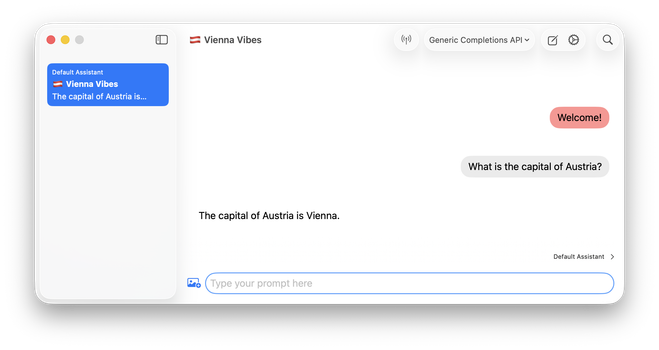
4. Run the macai app and configure as shown in the screenshot (URL is http://127.0.0.1:11434/v1/chat/completions)

Boom, you have a fully local, offline, private, and environmental-friendly chatbot app for basic tasks at zero cost.

@lonzo @viticci You can sort of use this in openclaw. But as context window of the AFM in apfel is limited to 4096k, there maybe not much use of this.
@timfidd @viticci Quoting their FAQ: ”apfel originally started as an attempt to run OpenClaw on Apple Intelligence in ultra token-saving mode. That did not work out because of the 4K context window.“ 😉
@lonzo @viticci Running it via a spawned agent as a heartbeat or cron job overcomes openclaw giving it its full context, so openclaw only requests the context it asks for when it spawns instead of its full memory etc. so as long as that is less than 4096k it works fine.