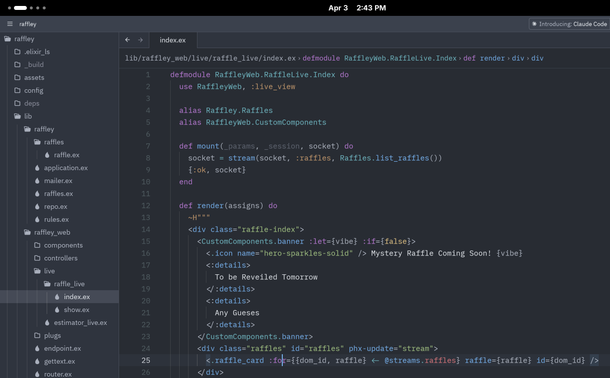
While I'm leaning #elixir , i'm also taking the opportunity to learn and try the #zed editor as well.

I'm usually a #helixEditor guy.. but in learning a new framework, I really want to see the file tree.

I've been zed-curious for a while and I have to say, I like it. It's super clean, fast and simple, while seemingly having everything I need!

Also runs great in #nixos #linux

@codemonkeymike I want to love it but the AI obsession by their company is a bit annoying. But it is my hobbyist go to. If money is no object I go with Jetbrains

@64bithero yeah.. I def ignore the AI stuff too.. so far at least it seems easy to ignore it. I haven't been annoyed to use it like with VSCode

I really wish Helix would just introduce a file tree and MAYBE code folding? But I know that ain't gonna happen ahha

@codemonkeymike @64bithero if you don't mind compiling your own, here's a Helix fork that pulls in a bunch of open PRs, including code folding: https://github.com/gj1118/helix/

I've been using this as my daily for 6 months now

re: file trees, I tend to run yazi in another terminal tab, but there have been a number of efforts to automate a yazi sidebar for helix under zellij or such, such as https://github.com/luccahuguet/yazelix

I have spc-e mapped to open yazi and choose a file with this snippet under keys.normal.space:

e = [
':sh rm -f /tmp/unique-file',
':insert-output yazi %{buffer_name} --chooser-file=/tmp/unique-file',
':insert-output echo "\x1b[?1049h\x1b[?2004h" > /dev/tty',
':open %sh{cat /tmp/unique-file}',
':redraw',
]

@codemonkeymike maybe you answered this at some point but why Elixir ? What do you find compelling about it ?
@codemonkeymike @64bithero somehow I only recently found out about this, but in helix there's a "file_explorer" command (default key bind is <space>e) which might give you at least part of what you want. Understandable wanting something better though. I've been trying out zed lately and seem to be preferring going back to helix again now. I really hope they finally come out with an extension system soon though
@codemonkeymike It is a decent editor IMO, you can avoid some of the LLM nonsense with a setting https://zed.dev/blog/disable-ai-features or you can grab one of the forks such as https://gram.liten.app/posts/first-release/
You Can Now Disable All AI Features in Zed - Zed Blog

From the Zed Blog: If you don’t want AI in your workflow, it won’t be there.

@codemonkeymike I’m perplexed that there is no terminal editor that provides a good file tree and a plug-in architecture in a way that UI-wise works very similar to VSCode, Zed, Xcode, etc. I want a terminal (mosh) version of one of those.
@codemonkeymike Just weird that they require you to be 18+ in their Terms and Conditions