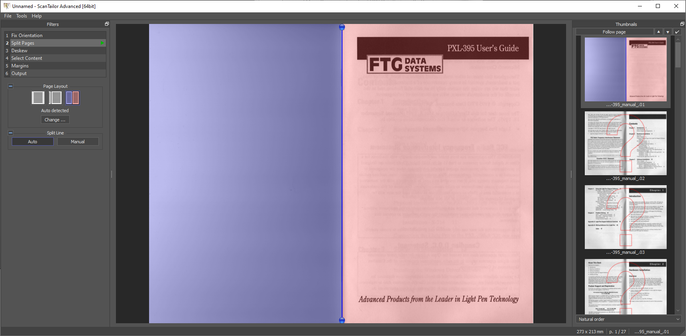
If you find yourself scanning manuals or books for archival purposes, but you don't have a lot of time to fuss over the results (and you don't already have some fancy software that does this) - I can recommend ScanTailor.

It has automatic page splitting, deskew and content centering.

https://github.com/4lex4/scantailor-advanced

This project has died and been ressurected a number of times - this particular fork has also been dead for 7 years, but it still seems to work fine.

There are a whole ton of forks of this thing and I can't keep track of which, if any, are the best current version. If you happen to know, please post a link in reply.

ScanTailor runs on a directory of images - it isn't going to scan or make a PDF for you.

That's where NAPS2 comes in. It will do the scanning, dump the files into a directory for ScanTailor to work on, then take the resulting images, and export it as PDF with OCR.

It's cool to have a completely free workflow for doing this.

https://www.naps2.com/

NAPS2 - Scan documents to PDF and more

NAPS2 is free scanner software made easy. Scan to PDF, edit your documents, and use advanced features like OCR. Available on Windows, Mac, and Linux.

This manual is just your typical staple-bound thing. I dislike thresholded scans, I've squinted at way too many 1bpp scans of datasheets I wish the scanner had spent slightly more time and care on.

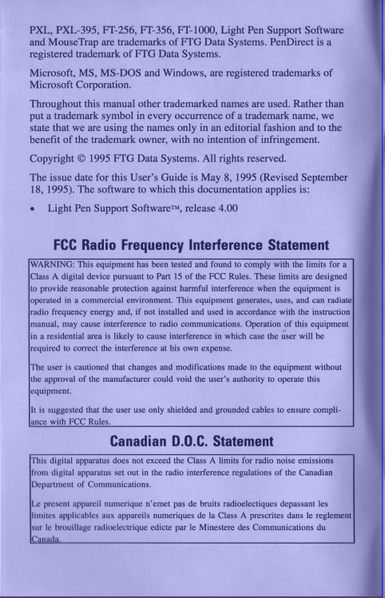
But when you scan in grayscale, you can get shadows at the edges where the binding "crease" is (idk the proper terminology).

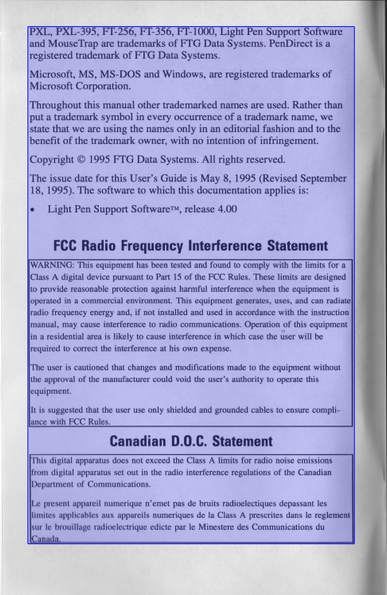
ScanTailor allows you to auto-detect content areas (which you will not want to blindly accept) but this allows you to perform post-processing with different parameters on content and non-content areas.

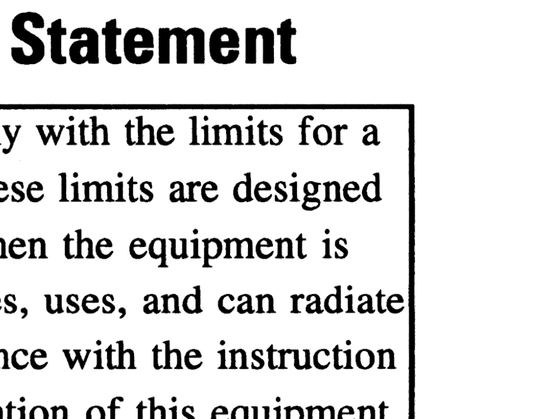
Here's the shadowy right side of that page after processing.

Settings are:

Mode: Color/Grayscale
Options: fill offcut, fill margins, equialize illumination
Filling: Background
Color operations: posterize: 32, normalize, force bw
Processing: Black on white mode (i believe this performs adaptive thresholding)

Looks good. ship it.

And the best thing is your PDF won't look like you used ABBYY Finereader.

Also - did you know you can un-fuck other people's scanned PDFs? It's true!

Use NAPS2 to dump all the images from a PDF to a directory. Fix their shit* in Scantailor, then make a fresh PDF in NAPS2 with the OCR they probably forgot to do as well.

*There is no fixing ABBYY Finereader

it is possible to mangle stuff using any software, so i'm perhaps giving ABBYY a hard time here. It is a tool and it's up to the user to choose what options to use. When you're scanning literally thousands of documents, you may have considerations for disk space that I do not. If I want a 300MB light pen PDF, I've got the space.

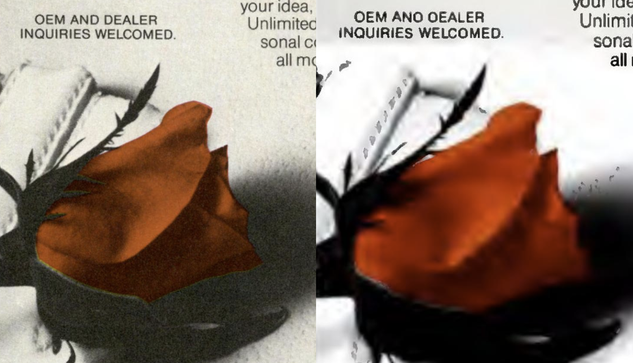
But ... just look at this. Here's a normal scan on the left, and whatever the heck is going on on the right.

I don't want to sound like I am not grateful for these scans - I know it was a lot of time and effort that someone didn't have to do, that I paid nothing for, that lets me peer back into history and do all my research for stupid light pen articles.

But I'm still gonna be a little salty about it
Also that was the 'D'-iest D that ever D'd so I am not sure how OCR failed to read "DEALER".

... but what is the OCR doing REWRITING THE TEXT???

@gloriouscow Making an inquiry to my oealer to figure out what the fuck is going on.