 gloriouscow
This is it. This is what it was all for. All the penposting. The hundreds of dollars of irresponsible eBay purchases.
For this moment.
And it was all worth it.
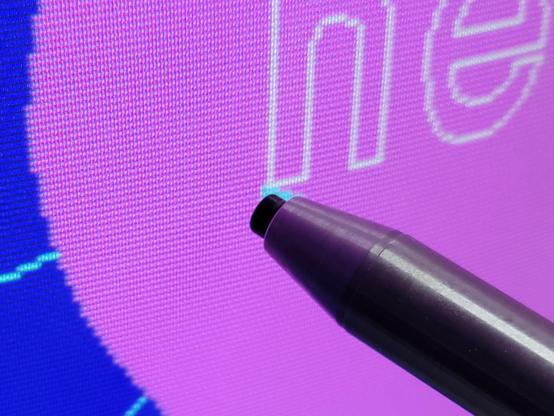
This is it. This is what it was all for. All the penposting. The hundreds of dollars of irresponsible eBay purchases.
For this moment.
And it was all worth it.
@paulrickards Finding an actual, singular decent application that isn't just a toy or a slapped-on feature for the light pen is deeply satisfying. And the thing is I basically stumbled across it at the last minute.
I wanted to do a video on the light pen, but honestly was feeling a little bad about it because running through a calibration utility is not exactly the most exciting thing.
@gloriouscow True, but calibration is part of using one and worthy of explanation. Imagine if we had to recalibrate touch screens today.
In theory, drawing applications are a natural extension. In practice, it was extremely frustrating.
@paulrickards Even without a light pen card, this is actually surprisingly usable. Freehand painting sucks, but since this program lets me drag things around to fine tune placement, I can get about as good a result as you're gonna get out of a 320x200 graphic anyway.
It sure as shit beats MicroGrafx's method of nudging stuff around with tiny little arrows
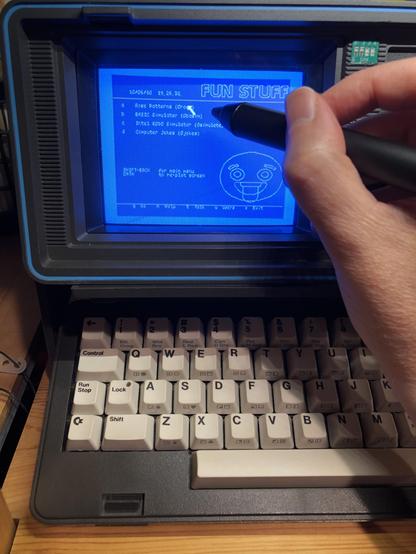
@gloriouscow Yes and yes.
BTW, that's not the McPen in the picture. That's another type, a little fancier actually. It had a switch in the tip so you could tap the screen to push the "fire" button of the joystick port, presumably. The McPen had no such function.
@paulrickards Yeah, I have seen both types. The industry definitely settled on tip switches.
lol, the "industry". After the 80's it was pretty much just FTG .
FTG did eventually add a second button on the side for right-clicking.
The C64 supports two light pen buttons, my Inkwell pen has two, neither on the tip!
by all accounts i pretty much have one example of every light pen card FTG made. They switched to external light pen interfaces at some point , but for some reason those are always listed for $200 or more without even including the pen so frack that
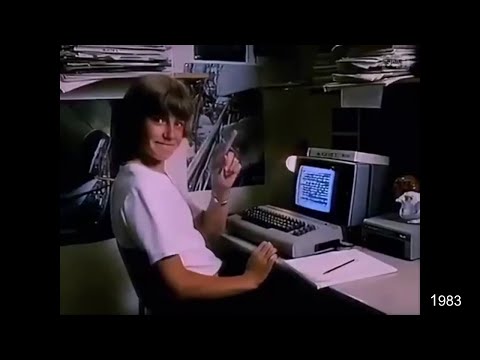
@thalia @spacehobo @gloriouscow Yep! It was my C64 proper when I was young. 10 years ago I modded one to add a second floppy drive, making a DX-64!
 paulrickards
 Thalia Archibald
 Space Hobo