Who can recommend a graphical, #Linux -based local network exploration/discovery tool ?

Situation: I have an internet-service provider supplied router in my house, and I've got various devices (laptops on wifi, desktop computers, NAS / network attached storage devices). Many use DHCP / dynamically assigned IP addresses. Would love to see a map of what's connected and online within my own house.
Operating system: #Mint #Debian Linux

#OpenSource

Related: Got a Synology NAS file server I'm bringing online for the first time in a few years - don't know its IP (I believe I had configured it to have a static IP before).

While I'm comfortable with terminal/config files, I'm deliberately exploring #Linux #Mint #Debian Edition (#LMDE), as I'm planning to use this OS as the public workstations in a #MakerSpace, so aiming to have things as easy/visual as possible, to make onboarding/learning easier for non-tech people.

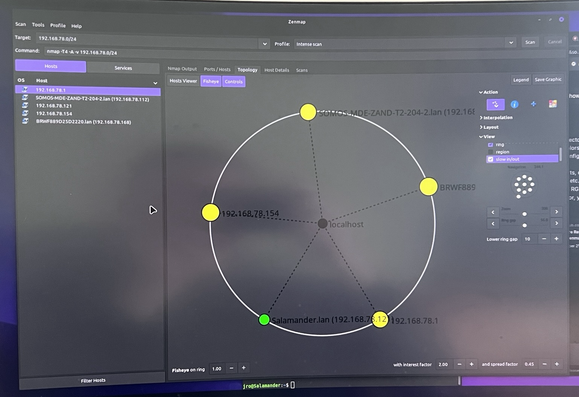
Experimenting with Zenmap - graphical interface to 'nmap' . I looked up my computer's current network using 'ifconfig', then had ZenMap scan 192.168.(my network's IP).1/24. That '/24' tells it to scan a large block of IP addresses in that range. (to learn more about IP range formats, research "CIDR notation")

With this tool, I'm able to see *some* devices on the network. Hoping to better see device names, my phone on there...

#OpenSource #Linux