 Paul - Antifa. LGBTQ+ safe.
This was really an excellent idea.
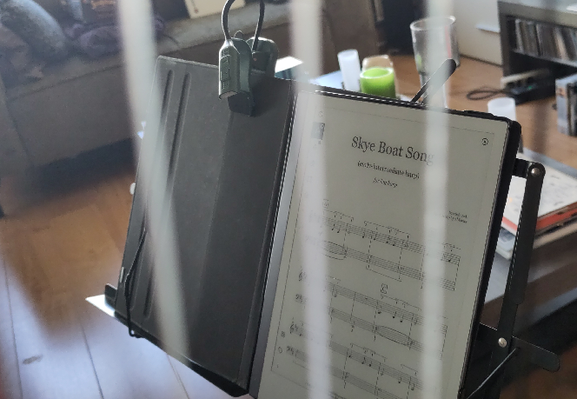
@andijah I looked at my ancient ipad (9") and that's just too small. I looked at 12"android tablets and they're either poorly made or VERY costly. This 10.5" remarkable 2 runs forever on a charge and is very clear. I was always looking for the right folder (Ordner) with the right printer sheet music. Now I tap the right folder on the screen, tap the PDF and I'm good to go.
You may have seen the extra thingy on the case: that's a small LED light for evening playing. It's perfect.
Nice to see it's working!
So you don't have an extra App to view sheet music?
Can you install Android Apps on this device? As I have a well maintained database for alle the music I play in different orchestras I really like to use this also on a new device. The App I use is MobileSheets.
 Andrea
 tewe
tewe