How Do You Do, Fellow Kids?

Armed with some research (H/T @neil) and after spending some time reading up the subject, I went to the Apple Store and then spent an hour on the phone to Apple account support yesterday.

They're very aware that they dropped a bollock here and have thousands of very angry adult customers.

The support team manager I spoke to yesterday said that some sort of fix was due within days

That's the /good/ news.

(1/7)
The bad - and I have stressed this to Apple support (politely!):

There is currently no procedural fallback.

No one at Apple seems to have come up with any kind of plan pre-release for people who don't fit with Apple's implementation of Highly Effective Age Assurance (HEAA).

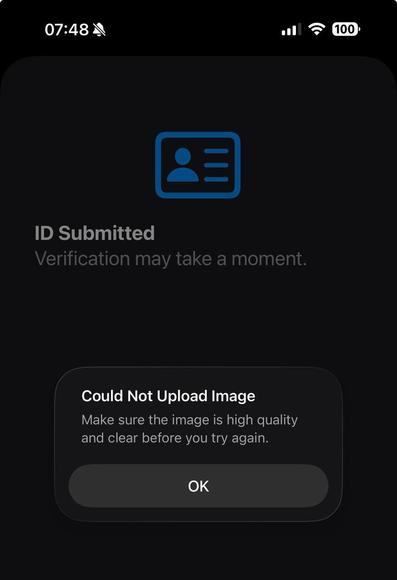
There were mixed messages on release day about whether passports would work. After many attempts, I've got my phone to take a scan of my passport and submit that; but it invariably fails to upload (see attached). (2/7)

So the verification procedure insists on government ID, but doesn't work with one of the two forms of government ID generally available in the UK.

Most UK citizens will currently have no access to a Government-backed 'digital identity service' (and won't until the Gov.UK Wallet comes out).

There are third party digital identity services such as the Post Office EasyID scheme that are backed by government documents, but Apple doesn't work with them. (3/7)

Apple are trying to pass the buck.

The internal corporate line at Apple, as repeated twice by different levels of support, is that they did this because the UK Government told them to.

This is arse-covering bullshit and I told them as much (politely).

What they will have been given is the seven Ofcom-approved methods of HEAA and told to comply with that.

Apple's implementation of three of those seven HEAA methods - and the lack of fallbacks - is solely the result of decisions at Apple. (4/7)

This is also a safeguarding issue.

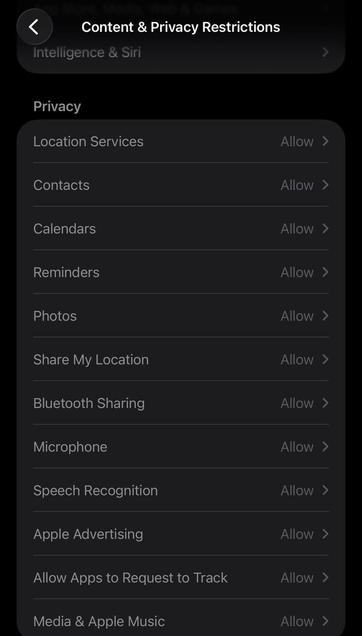
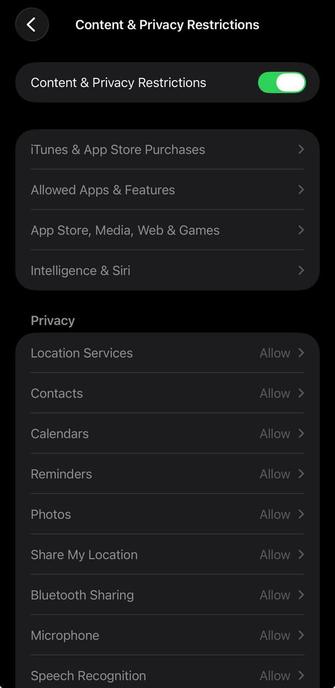
As I found out yesterday, one of the things locked down in 26.4 is that Content and Privacy Restrictions is locked on. You need to pass age verification to change it. Until I can prove I'm over 18, all of these features like location sharing are enabled and I can't disable them. For me, it's an annoying inconvenience.

For someone vulnerable in an abusive domestic situation - this could be considerably more serious. (5/7)

@gmh Hmm, I've just got iOS 26.4, I have not done age verification, but I can turn off "Share my location". 🤔

@CGM OK - how and where?

It’s entirely possible I missed something.

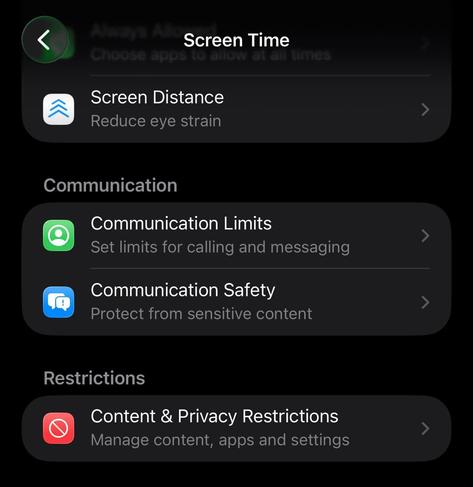
I’m going to Screen Time, and Content and Privacy Restrictions is currently enabled (per my previous screenshot).

If I try to disable it, it asks me to verify my age, and - when I can’t - keeps the restrictions enabled.

Have you had an Apple account longer than 18 years, perhaps?

@gmh I don't know why it's different, just reporting my experience. The phone is nagging me to verify my age, which I don't intend to do, my Apple account is not old enough to bypass that.

@CGM I can see location sharing also in Privacy & Security - and I can turn that off on a per-app basis, and it seems to stick there, but at the same time Screen Time is reporting that location sharing is enabled. Not terribly useful!

When I was speaking to Apple support yesterday, they were trying to get me to turn off restrictions in Screen Time; and that was failing - so does the Privacy & Security setting get ignored because Screen Time overrules it?

I’ll experiment.