
Can someone with experience in #proxmox or #virtualisation more generally help me wrap my head around how virtual processors work?

With RAM it's all fairly obvious: If my host has x GB, once they are allocated to VMs they are gone. But processors obviously don't work like that.

E.g. here in this interface I can choose up to 4 sockets and pretty much unlimited cores. The underlying hardware has 1 socket and 8 cores. Presumably that's also the maximum I should set for a VM, if I wanted to give it the maximum possible CPU performance?

Bonus points if you can help me understand what I should set as Type and why.
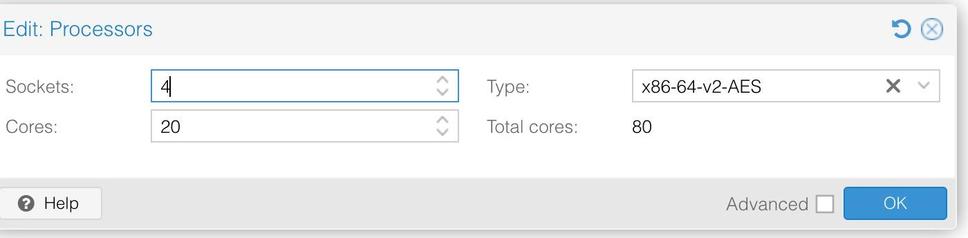
So I found an answer to the ‘what should I set as type and why’ question:

https://www.techaddressed.com/tutorials/proxmox-improve-vm-cpu-perf/

Thanks for the detailed write up @zero

#proxmox #virtualisation

This 1 Simple Proxmox Setting Change Can Significantly Improve VM CPU Performance - Tech Addressed

Unlock the full potential of your Proxmox VMs with this one simple setting. Learn about the effects the CPU type has on performance, when it's safe to use it, and how to modify the setting either during VM creation or on existing VMs with this step-by-step guide.

Tech Addressed

@michael I think (but can't prove) that the number of cores is used by the kernel of the VM to determine scheduling and such.

Type should be set to Host if you only have a single PVE node. It should be set to the minimum of your cluster if you're running a cluster. It defines which processor extensions the VM is allowed to use, and generally the more the better.