 Hayley
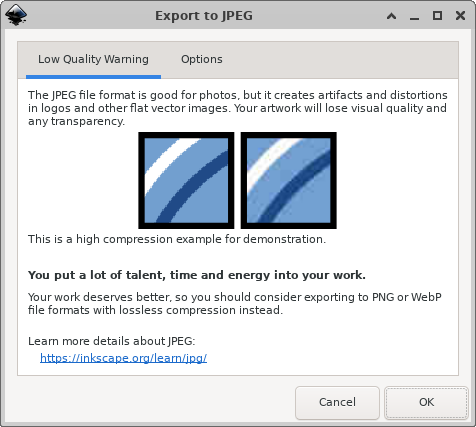
 damn Inkscape really tells you off for trying to export a JPEG (I find this moderately cute behaviour)
@hayley alt text 
dialog window named "Export to JPEG" with an inkscape icon. it has two tabs: "Low Quality Warning" (which is selected) and "Options". the warning says that JPEG shouldn't be used for "flat" images because it creates artifacts, making your art lose quality, etc; also has a side-by-side comparison of a zoomed-in image with two diagonal lines, and the JPEG example is very noticeably distorted in colors and more "mushy", like the lines are not as sharp, and there's a lot of pixels with colors that weren't in the original image. it also has a highlighted paragraph saying "You put a lot of talent, time and energy into your work. Your work deserves better, so you should consider exporting to PNG or WebP file formats with lossless compression instead."
 MTRNord
 zivi
zivi lina isidora