 ThunderComplex
self-hosted KeePass database in the cloud, what are some good options?
Thanks everyone. Syncthing does seem like the ideal option for me and what I’ll be going with.
I’d just like to hear opinions if I should also run syncthing on my VPS as well or just on my home PC?
Depends on how many copies you want, how willing you are to maintain it, and how much you want to risk your database being copied.
Well ideally having it on a VPS would give me on-the-go access to the most recent copy, which might not be as important if continuous background sync between my home PC and iOS really works with syncthing.
Having someone steal my keepass database file would be suboptimal, but not the end of the world. I don’t think (or at least I really hope) that current tech can’t brute-force keepass databases.
Having someone steal my keepass database file would be suboptimal, but not the end of the world. I don’t think (or at least I really hope) that current tech can’t brute-force keepass databases.
 Luminous5481 "Lawless Heathen" [they/them]
Sure they can, but as long as you picked a secure password it ought to take them long enough to make it impossible, in practical terms. Nobody is gonna spend years trying to break the encrypted database of some random Internet user, especially when it might be five or five hundred years till you pop it, and you don’t know which until it’s done.
Second this. In the spirit of a 3-2-1 backup scenario, I also like to keep a copy on SpiderOak or Proton Drive and that works well for me. Encrypted cloud storage is my recommendation. And store your key file someplace apart from the database.
If you have an old phone or a tablet at home, you can even skip the server step since you already have an always online, low energy consumption device running anyway.
 Daniel Lakeland
@ThunderComplex
nextcloud and sync thing are the two options I would look at sync thing if you don't want to run your own infrastructure
nextcloud and sync thing are the two options I would look at sync thing if you don't want to run your own infrastructure
 hamsda
 nfreak
While it doesn’t quite answer the question, I ended up switching from Keepass to Vaultwarden, with the Bitwarden client on all devices. It only syncs at home or while on my VPN, sure, but Bitwarden stores its data locally so even if I can’t connect to Vaultwarden, I can still grab credentials from the local copy.
 yardratianSoma
ditto, switched from keepassxc to vault/bitwarden. Couldn’t be happier. I have it accessible via cloudflare tunnels, so I always can sync so long as I have internet.
Once I set up S3 cloud storage, I’ll have offsite backups as well.
I put my database within the path that’s mounted to my nextcloud container. KeePassium on iOS lets you connect to WebDAV which is one way to have Nextcloud host it. It’s good about letting you access the database offline if you lost connectivity.
3:2:1 backup can still happen via whatever method you use for all the rest of your files. So far this is working fine (albeit a bit slow at times) on an RPI. Remote access via Wireguard VPN.
Acronyms, initialisms, abbreviations, contractions, and other phrases which expand to something larger, that I’ve seen in this thread:
Fewer Letters More Letters RP-1 Rocket Propellant 1 (enhanced kerosene) RPi Raspberry Pi brand of SBC SBC Single-Board Computer SRB Solid Rocket Booster VPN Virtual Private Network Jargon Definition Starlink SpaceX’s world-wide satellite broadband constellation[Thread #188 for this comm, first seen 24th Mar 2026, 16:30] [FAQ] [Full list] [Contact] [Source code]
 Natanox
I have used KeePass for 10+ years and used Android and Windows when I first set it up. Now I need it to work on iOS, Android, Window and Linux and moving away from KeePass was not an option I wanted to consider.
My solution is to use KeePassXC on Windows/Linux^1^, KeePassDX on Android and Strongbox on iOS. To sync the file between all units, I use Syncthing (MöbiusSync on iOS). I have a server always online running syncthing to make sure that at least on node has the latest version.
The only problem I have with this setup is that Strongbox does not auto update, I have to select open existing file and select the same kdbx file (and Strongbox will update the vault etc). Saving changes does not seem to be a problem but I usually do a manual scan in MöbiusSync to make sure updates are pushed.
[1] The reason I use KeePassXC over vanilla KeePass is because the devs from KeePassXC and Strongbox communicate to make sure their applications are compatible. A file created with one works with the other seamlessly.
An alternative to Syncthing is Resilio.
I use both on Windows and iOS - Resilio does a better job syncing in the background.
Either one is a good answer though (and I generally prefer ST anyway).
First time I hear about Resilio. Is it selfhosted?
I set up KeepassKC with Syncthing temporarily years ago while looking for other options. To my surprise it’s worked so well there’s been no reason to change to anything else.
The database file is always backed up to multiple devices. With Syncthing file versioning turned on older backups are available if that file gets corrupted, but in 8+ years I’ve never had to use one of those older backups.
Initially I was using Syncthing discovery servers which allowed syncing from anywhere, but I’ve since moved away from that. Now everything is run locally and I use Wireguard to connect to my home network when I’m away.
I’d get that old Pi running with a cheap SSD, set up Wireguard (or just use the Syncthing discovery servers), put it on a shelf and forget about it. It’ll probably run for years with minimal attention.
 stf
stf@ThunderComplex you could try out running your own https://sphinx.pm setup - it's got a much reduced attack surface, it is online, it is a threshold system (providing much robustness), and it has at least 2 decades advantage when it comes to crypto in comparison to the legacy encrypted databased that are so popular.
I am not gonna lie, this message looked like spam to me at first haha. Thank you for sharing this project, it looks really cool. And honestly completely fits my use-case what with hosting the thing on a random VPS where I can’t fully guarantee bad actors won’t access it. But I also really don’t want to migrate password managers again… :/
@ThunderComplex there is a tool called pass-import, which does support all kind of pwd mgrs and is able to import into sphinx. it just needs this PR: https://github.com/roddhjav/pass-import/pull/226
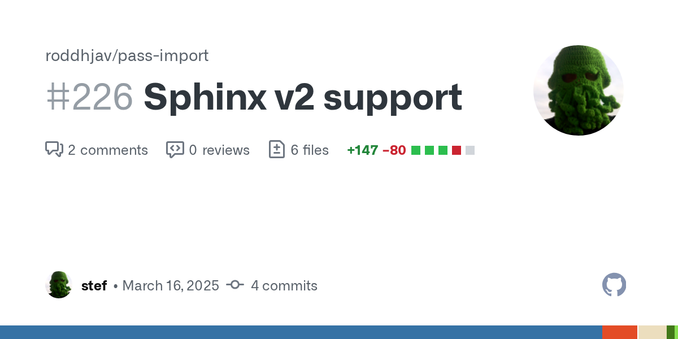
Oh that’s a neat tool I didn’t know about.
is there anything i can do to expedite the processing of this PR?
haha OSS dev in a nutshell am I right?
Still tho, then I’d have to make a iOS app for my phone (unless one exists already)… which might be a neat project idea come to think of it.
@ThunderComplex yeah, that PR is getting old :/ and nope, i have sadly no iOS apps on my radar, but for a long time on my wishlist ;)