Reintroducing Ceilingbounce - flashlight testing and runtime graphs for Android

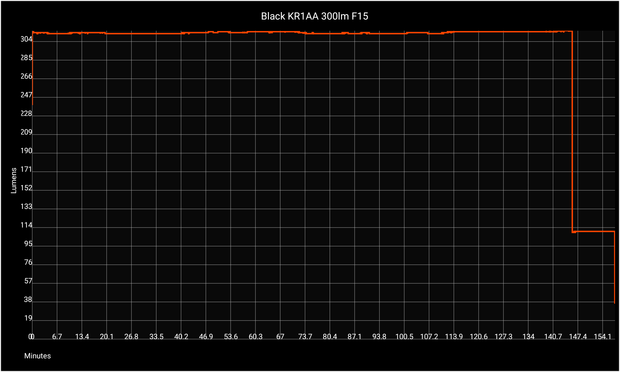
In 2015, I wrote an Android app for flashlight reviewers. If you read or watch many flashlight reviews, you've probably seen graphs with a black background and a yellow line generated by Ceilingbounce. Unfortunately, the tools used to build it were abandoned by the volunteers who created them, and soon after became incompatible with the current state of Android. I couldn't release updates, and installation on new devices required developer tools. Now it's back, and more features are coming soon.

https://zakreviews.com/ceilingbounce.html

#flashlight #android #app @flashlight

@zakreviews @flashlight Unfortunately, it doesn't display the graph while recording and doesn't save it to the gallery afterwards
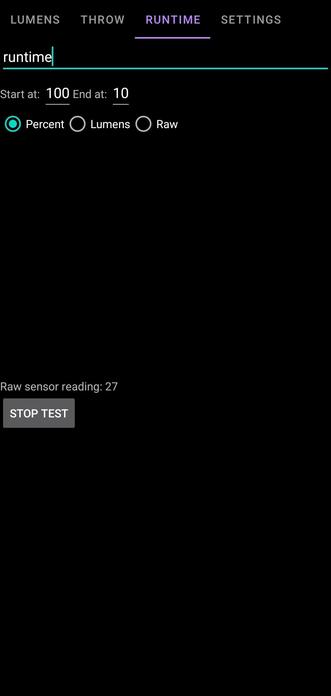
@planetcaravan1 @flashlight the sensor reads 27 in that screenshot, and you have the start threshold set to 100.
@zakreviews @flashlight Thanks, I didn't notice that. Can I remove all the values ​​from there?
@planetcaravan1 @flashlight no, but you can set them to zero. It requires a change in reading to trigger the start, which I may change in the future.
@zakreviews @flashlight I managed to record once, but the second time after starting recording the application simply closed. Or it displays an error message like this
@planetcaravan1 @flashlight It's not supposed to do that. I'll see if I can reproduce.
@zakreviews @flashlight I recorded a screen video. A friend of mine with a different smartphone model was also able to record the graph once, but the second time, the graph didn't appear on the screen during recording and wasn't saved.

@planetcaravan1 @flashlight Thanks for the video. I've tried to reproduce the problem based on that and haven't succeeded so far.

If you're familiar with Android dev tools, the output of `adb logcat` during or immediately after a crash would help. If not, don't worry about it; I imagine I'll track it down eventually.

@zakreviews @flashlight I can't help with the logs at the moment..