 Alice Averlong🏳️⚧️
one of the problems with being a mad scientist is that you can scope creep really fast
I haven't written line one of code on this project and I'm already thinking about how much dedicated hardware powered on and monitored I'd have to have to support indefinitely
but it would make my mastodon and blusky posts at least 5% cooler
so I recently did a lets-call-it-a-poem about (specifically Windows) computers loving us back:
https://digipres.club/@foone/116276073266480193
and I was thinking I want a way to do this automatically, specifically I'd like (almost) the first one.
and this post describes the behind-the-scenes of how I made these. (tl;dr it was manual screenshots)
https://digipres.club/@foone/116276567994297740
https://digipres.club/@foone/116276567994297740
and I was thinking about automating it so I could do another thing: make a mastodon instance that renders every post on it as pixel-accurate windows 95 dialog boxes
and the OBVIOUS answer for "how do I do that" is "extend the death generator to do windows 95 dialog boxes and then automate it".
I've done the second half before, automated the death generator. It's a pain and is ugly (the death generator is written exactly wrong to make this doable) but I've done it before, I can steal Foone's code for it
but "I've done it before" is kinda boring and also windows dialog boxes have a surprising number of edge cases that I am unable to escape being autistically perfectionist about.
so adding win95 to the death generator, while it would be cool, is probably not happening any time soon
but I'm a Mad Scientist.
So what's the Mad Scientist way to do this? Well, how'd I do it before?
I wrote a line of code in my Visual Basic 6 IDE and ran it on my Windows 98 VM
So let's just automate that.
We take the post text, generate a visual basic source file for it, then boot windows 98, compile the visual basic, run the EXE, take a screenshot, shutdown
"easy", for certain values of "easy"
But where do we run the code?
Well there's two obvious options that are sufficiently Mad Scientist enough to be interesting enough to do:
1. In the browser. Do this client-side. Boot a VM in the browser that runs Visual Basic and then the resulting EXE and shows that to the user
Might get CEASE AND DESIST'd by Microsoft, but fuck it, it'll be funny
2. hardware
set up a Pentium-60 to boot into Windows 95, compile some Visual Basic code, and then run it.
How do you get the image?
Easy. We just photograph the CRT
But how does the generated Visual Basic code get into the Pentium-90 desktop?
Well, it doesn't have a network card. I could add one, but /boring/
same for a WiFi232 on the serial port. boring.
hey I wrote some code a while ago to emulate a PS/2 keyboard, I could just type it in!
The next obvious option is to set up a floppy autoloader
that could be done without being too difficult by simply using a Gotek running FlashFloppy and something emulating USB storage (or making a Trick USB cable that can be in two computers at once)
but the far more fun answer would be to build a machine to eject floppies out of some other network-attached computer and inserts them into the Pentium, and vice versa.
Air-gapped
could also get some servos and physically manipulate the keyboard. really air-gap it
POP QUIZ: how many servos do you need, if you need to be able to type all the symbol keys on a QWERTY-US keyboard (49 keys), plus the following keys:
F5 (to run the program after we type in the code)
Enter (to close the popup after we take the photo, which will then trigger a shutdown)
F5 (to run the program after we type in the code)
Enter (to close the popup after we take the photo, which will then trigger a shutdown)
The system doesn't have a power supply that windows 95 can turn off automatically (It's a little too old for that), so while I could have the monitoring hardware watch the screen for the "it's now safe to turn off your computer" screen, I'd probably just make it wait 60 seconds after we issue the shutdown, then yank the power.
BTW with the "pop quiz" my current best solution is 13
 aschmitz
 gloriouscow
@foone beam keystrokes to a PCjr with the infrared port on an HP 48SX calculator
@gloriouscow sadly my PCjr can't run windows 95
@foone skill issue
@foone clearly the pcjr runs mtcp over parallel to the windows 95 machine
 Ziggy the Hamster ☎️ 4ZTH
@foone @gloriouscow they made a PCjr 286 upgrade, and there are 286->486 upgrades. So you could totally do this.
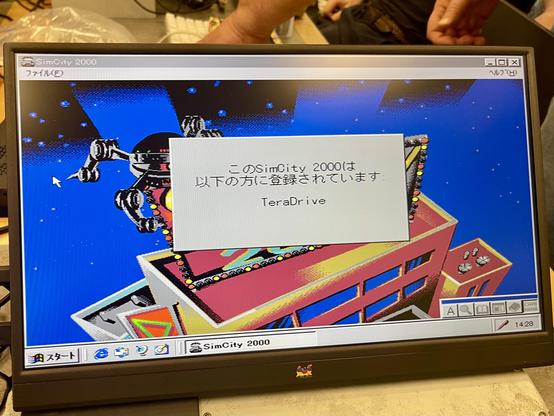
Don’t though. I did the 286->486 upgrade on a Sega TeraDrive owned by a friend and booted Windows 95 on it … it takes about 10 minutes to get to the desktop, in part because the XTIDE isn’t accelerated.
But, alas, after an hour of fucking with it at the Alum Rock library, I booted America’s favorite city simulator.
 Argonel
 UpLateGeek
@foone you could hack an ATX power supply to power off an AT board by toggling a bit on the parallel port to interrupt a circuit that holds it powered on. Also, you could probably automate the whole thing using PXE boot, even swapping OSes remotely.
 Izzy
Izzy 
 Robert "Anaerin" Johnston
@foone If you use a grid of rods, 18. Combine "Columns" (1qaz, 2wsx, 3edc etc.) and rows so that activating each pair pushes down far enough to trigger the key.
 แอท-ทริด
 bigiain
 Yuki Meadows
@foone one and a very complex camshaft?
 Kelly MacNeill
@Yuki @foone i was thinking the same thing, basically using a transmission style gear selector. eg: https://youtu.be/i4fqGj6fz-0
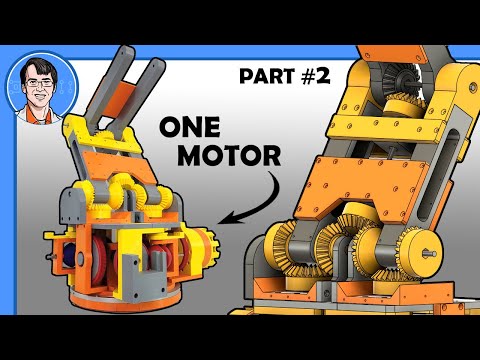
One-Motor Robot Arm #2 - Differential Drive
 Steve Atkins
@foone Three. One to move the finger left and right, ne to move it up and down and one to press the key.
 Rudi (ryjelsum)
@foone i was gonna say infrared link but i feel like that's really abusing the literal meaning of the words 'air gapped'
 Andrew