
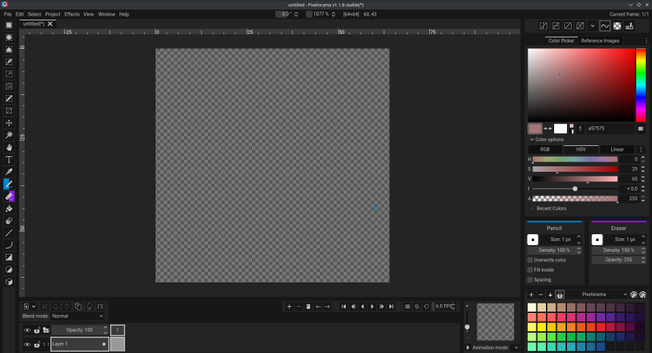
Just installed Pixelorama, and the tool selection bar on the left side lets you select your left mouse button action with a left click and your right mouse button action with a right click.

Why hasn't every graphics program been doing this for the last 30 years?!
#pixelorama #pixelart

And it can mirror both vertical and horizontal at the same time. Paint one quadrant and have it mirrored to the other three.
And it can diagonal mirror too!

I've not even tried drawing anything yet and I'm already loving it.

The autosave popup notification is a bit of an ADHD nightmare, though. And one of the few things for which I can't find a setting to disable it immediately, other than disabling autosaving. 😕

UI layout customization in Pixelorama took me a moment to figure out, but I'm also very happy with it.

That a bit too attention grabbing orange to show the right click selection in the left toolbar. I can change that to whatever I want.
The distracting cursor that shows the current left and right click tool. I can turn those off.
Left sidebar has too much stuff to comfortably show the canvas preview. I can move it to the bottom toolbar. Stacked, side by side, or as tabs.

😃👍

@yora Oooh, memories from MacPaint. I loved drawing like this as a kid.

@yora

I remember nudging dacap to add "right mouse button = pick color under cursor" to ASEprite a long time ago, which was the default in some Japanese image editors and RPGMaker (to pick tiles), and seemed useful to me.

This looks way more useful.

@diegomartinez If you want to, you can put color picker on right mouse button.
Or whatever other tool you might like.