Hazelnoot
I feel so dirty after this 
/LH
/LH
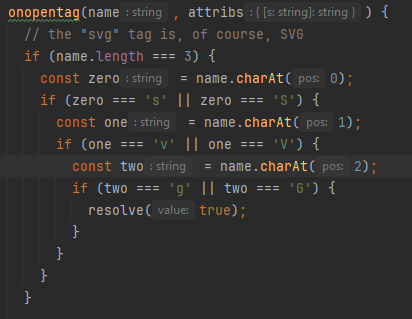
onopentag(name, attribs) {
	// the "svg" tag is, of course, SVG
	if (name.length === 3) {
		const zero = name.charAt(0);
		if (zero === 's' || zero === 'S') {
			const one = name.charAt(1);
			if (one === 'v' || one === 'V') {
				const two = name.charAt(2);
				if (two === 'g' || two === 'G') {
					resolve(true);
				}
			}
		}
}@hazelnoot my eyes! the googles do nothing!
it looks like this could have been a job for regexp? Or would that be too great a performance hit?
@avatastic @hazelnoot you don't even need regex for this:
if (name.toLowerCase().startsWith('svg')) {
    resolve(true)
}name.toLowerCase() === "svg"?@hazelnoot @mitsunee I have profiled it for you :)
It's very rough-and-ready, badly written, and I haven't verified any of this lol
function a(name, attribs) {
    // the "svg" tag is, of course, SVG
    if (name.length === 3) {
        const zero = name.charAt(0);
        if (zero === 's' || zero === 'S') {
            const one = name.charAt(1);
            if (one === 'v' || one === 'V') {
                const two = name.charAt(2);
                if (two === 'g' || two === 'G') {
                    resolve(true);
                }
            }
        }
    }
}

function b(name, attribs) {
    // the "svg" tag is, of course, SVG
    if (name.toLowerCase() === "svg") {
        resolve(true);
    }
}

// EDIT: This should have been /^svg$/i
const svgRegex = /\bsvg\b/i;
function c(name, attribs) {
    // the "svg" tag is, of course, SVG
    if (svgRegex.test(name)) {
        resolve(true);
    }
}

function resolve(success) {}
function compare(fs, c) {
console.log(`Profiling functions over ${c} iterations.`);
for (const f of fs) {
console.log(`\t${f.name}: ${testLoopTime(f, c)}`);
}
}
function testLoopTime(f, c) {
let startTime = performance.now();
testLoop(f, c);
let endTime = performance.now();
return endTime - startTime;
}
function testLoop(f, c) {
for (let i = 0; i < c; i++) {
let str = "";
if (i % 2 === 0){
for (let j = 0; j < i; j++) {
str += "a";
}
} else {
str = "svg";
}
f(str);
}
}compare([a, b, c], 1000);
compare([a, b, c], 10000);
compare([a, b, c], 100000);Profiling functions over 1000 iterations.
a: 4ms
b: 8ms
c: 5msProfiling functions over 10000 iterations.
a: 218ms
b: 423ms
c: 413msProfiling functions over 100000 iterations.
a: 15194ms
b: 27711ms
c: 27781ms@hazelnoot @mitsunee I found a faster and more compact version!
function d(name, attribs) {
    // the "svg" tag is, of course, SVG
    if (name.length === 3
      && (name.charAt(0) === 's' || name.charAt(0) === 'S')
      && (name.charAt(1) === 'v' || name.charAt(1) === 'V')
      && (name.charAt(2) === 'g' || name.charAt(2) === 'G')) {
        resolve(true);
    }
}Profiling functions over 1000 iterations.
a: 2
b: 5
c: 3
d: 4(The numbers for 1000 vary so wildly between 1 and 3, and sometimes 4-5, that they're not worth considering)Profiling functions over 10000 iterations.
a: 155
b: 249
c: 245
d: 126Profiling functions over 100000 iterations.
a: 12921
b: 27898
c: 27576
d: 12584Profiling functions over 1000 iterations.
a: 1.799999998882413
b: 2.599999999627471
c: 2.699999999254942
d: 1.5(The numbers for 1000 vary quite a bit, though not as much as in Firefox)Profiling functions over 10000 iterations.
a: 121.40000000037253
b: 194.90000000037253
c: 196.59999999962747
d: 98Profiling functions over 100000 iterations.
a: 10114
b: 19862.099999999627
c: 20497.300000000745
d: 9974.400000000373
/^svg$/i, using the start- and end-of-string anchors. Fixing this has a negligible effect on all of the results, surprisingly enough.


name.toLowerCase() == "svg" ?@hazelnoot @sodiboo i would assume that three indivial memory access could be slower than one 3-byte-wide one actually
i think the sensible thing would be benchmarking it
 avatastic
 interru
 Frawst
 Mitsunee
 Amy
Amy Jade
Jade sodiboo
 illy [Shrimple-mode]
 sarah tonin
 4censord