Most Java CLI tools stop at mvn compile exec:java.

That works locally. It doesn’t scale.

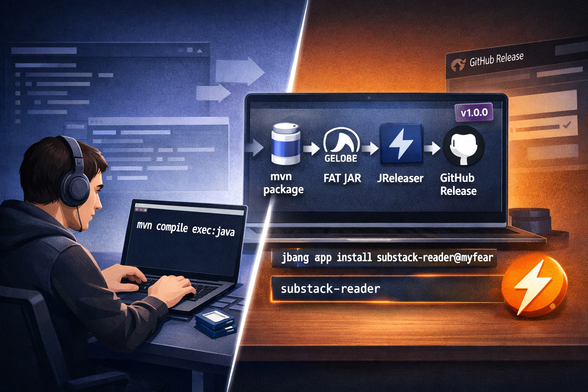
In this guide I show how to:
- build a fat JAR
- automate GitHub releases
- publish a JBang catalog
- install with one command

No cloning. No Maven required.

Full tutorial:
https://www.the-main-thread.com/p/ship-java-cli-jreleaser-jbang-github-release
#Java #JReleaser #JBang #Maven #OpenSource

@myfear Why a fat JAR? I don't agree with the use of these.

Firstly it's repackaging someone else's library -> what about licenses?

Secondly, the user doesn't know what the JAR contains. I prefer some kind of executable with the JAR and a libs directory containing all dependencies. This makes it clear what is being used.

Can that be done with jreleaser as well? I'm trying to build something likes this for my new tool https://github.com/eitch/LumineLog but also want to build a complete release as a zip.

@eitch @myfear yes, it can be done. JReleaser supports multiple distribution formats, FAT jar (or single jar) is but one of them. See https://jreleaser.org/guide/latest/concepts/distributions/index.html for reference
Distributions :: JReleaser

@aalmiray @myfear

I've gotten it to work quite well. A Windows and Linux distribution is built and they work. But what i can't get to work is adding JVM options. Can you point me in the right direction?

@eitch @myfear if the default templates are not good enough or something may be missing, you can always set your own templates. Review the documentation for a particular packager/assembler and use the `template` command to create the initial files, then edit at your own leisure