We are starting to write documention, which meeaans... New Zero One update is soon to be released 🚀

A huge one, but easy to update, will bring:

🔏 Full GDPR support (advanced cookie consent + 3rd party map and video protection)
🔎 Inbuilt SEO Audit
🧭 Complete sitemap solution
🤖 AI support (optional features)
🟦 New content blocks!
📃 Page transitions makeover
✈️ Performance improvements (frontend and backend)
🇪🇸 Spanish panel translation
➕ Plus many improvements you asked for, and many you didn't!

@thezeroclub 🥳

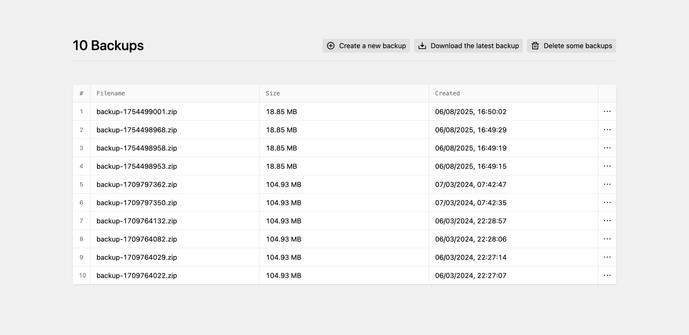
BTW: a simple Backup-Solution via the Panel would be very nice. (I lack the skills to install other plugins for this.)

@simonwehr Noted! Adding it to the new features list 🤓

@thezeroclub i used Backups by Sylvain Julé, but I do Not undestand composer nor CLI (I am Designer, Not DEV) so I do not understand how to use it in newer versions. But a simple solution like that would do the trick for me.

https://plugins.getkirby.com/sylvainjule/backups

Backups

Manage backups from the Kirby panel. Compatible with Kirby 3, 4, 5.

Kirby CMS Plugins
@simonwehr Zero One had backup functionality in some very early versions, but we dropped it out because of some Kirby changes at the time. In general, we like to keep everything as simple as possible, and at the same time feature rich. Because it is easy to backup content folder manually, we didn't add that option back. But I will think about how to add simple backup from the panel, which is easy to use and easy to maintain.
@simonwehr Although, Silvain's plugin is very good. I could create straightforward instructions in Zero One documentation on how to set it up properly and easily.
@thezeroclub that would help me A LOT!

@thezeroclub I totally appreciate easy, simple and focused tools!

Just for context: After finishing a project I hand it to my dear clients. They know nothing about ftp, but would feel safe to click a backup button before they change things on the site. Maybe it’s more like versions in WordPress?

Anyways, I am looking for your solutions, even if it’s ”nah, I am not doing this“ 😀

@simonwehr We'll make some solution! 🤓 Yeah, it is important for client websites, you are right 👍

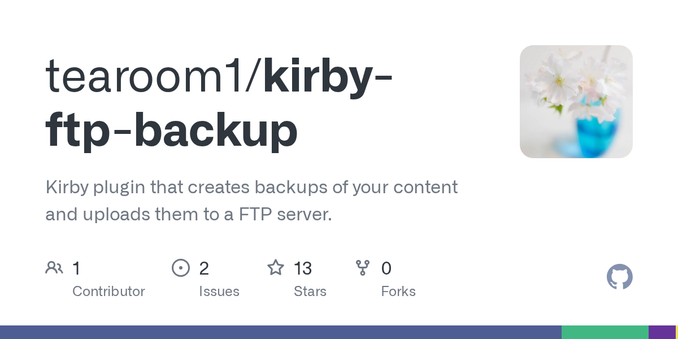
@simonwehr @thezeroclub In the meantime have a look at https://github.com/tearoom1/kirby-ftp-backup
It is pretty straight forward. And Mathis’ “customer” support is absolutely ace.

(Is one a customer, if the product is free to use?)

GitHub - tearoom1/kirby-ftp-backup: Kirby plugin that creates backups of your content and uploads them to a FTP server.

Kirby plugin that creates backups of your content and uploads them to a FTP server. - tearoom1/kirby-ftp-backup

GitHub
@nilsmielke @thezeroclub
Muss das mit ftp? Ich will eigentlich nur den content Ordner in einen anderen Ordner kopieren. Server soll der selbe bleiben. (Habs mir nur schnell angeschaut.)
@simonwehr @thezeroclub Ja, dann ist das für einen anderen Usecase als deiner. Damit macht man Backups per FTP auf einen anderen Server. (Oder vllt. auch den selben, aber eben per FTP.)
Mache ich z. B. bevor ich bei einer Seite Kirby update.