 Wesley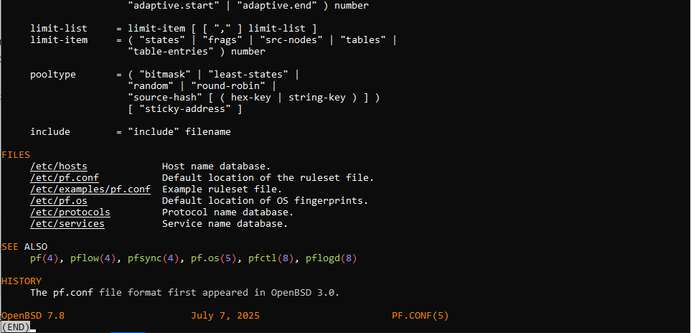
 Justine Smithies
.kshrc to do exactly that.# coloured man pages
man() {
sh -c "man '$@' | col -bx | bat -l man"
}
.kshrc to do exactly that.Why do you rewrite a new man function?
I dont understand why you added `col -bx`? Option `-l` seems to arrange the text in columns; what is the diff?
Excuse-me, but I dont understand more! :(
I've read the col manpage, (before asking) but I dont understand why adding it to bat!
@justine
OK, good!
Thanks
See: https://doc.huc.fr.eu.org/en/post/bat-cat/ ;)
(particularly the acknowledgements section) :p
@justine @obj i use zsh on my OpenBSD boxes, this is what i came up with:
if command -v bat &> /dev/null; then
    zsh-defer eval $(bat --completion zsh)
    export BAT_THEME=ansi
    alias cat="bat -pp"
    alias bat="bat -p"
    # colored manpages
    function man {
        sh -c "man '$@' | col -bx | \bat -pl man"
    }
    # colored -h and --help
    alias -g -- -h='-h 2>&1 | \bat -pl help'
    alias -g -- --help='--help 2>&1 | \bat -pl help'
    # help command
    function help {
        sh -c "'$@' --help 2>&1 | \bat -pl help"
    }
fi
the if command -v bat bit is nice to have in case bat for whatever reason isn’t on your system.
 Bryan
Bryan 
 { Pengouin(BSD|Pdt) }
 izzy
izzy Ricardo Martín

 pirateprentice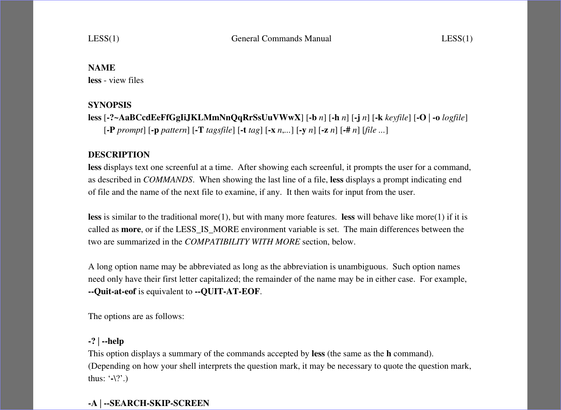
 jhx
jhx