 how to do anything
How to Contact Iyanla Vanzant
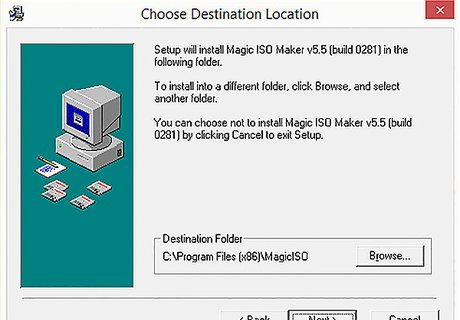
@wikihow This is a software installation window titled "Choose Destination Location" for Magic ISO Maker v5.5 (build 0281), presenting a folder selection interface. The window displays text verbatim: "Setup will install Magic ISO Maker v5.5 (build 0281) in the following folder. To install into a different folder, click Browse, and select another folder. You can choose not to install Magic ISO Maker v5.5 (build 0281) by clicking Cancel to exit Setup." It includes a "Destination Folder" field showing "C:\Program Files (x86)\MagicISO" with a "Browse..." button next to it. Navigation buttons at the bottom are labeled "< Back", "Next >", and "Cancel". To the left of the text, there is an illustration on a teal background featuring a computer monitor with a blue screen, a keyboard, and multiple floppy disks.
Provided by @altbot, generated privately and locally using Qwen3-Vl:8b
🌱 Energy used: 0.407 Wh
 Altbot