 Sini Tuulia
Apply the cuddles to the cat for emotional wellbeing benefits. Directly to the surface of the cat! The cuddles, apply them, onto the cat. Gently hold, pet if desired. Results may vary but soft and warm, good for brain.
Apply the cuddles directly onto the cat to feel better. Directly onto the surface of the cat! Repeat as required!
(I've been experimenting with the GIF creation properties of Shotcut, and so far have managed to create smaller video file sizes than GIF clip file sizes, which is remarkable. I'm sure I could figure it out eventually, or get a specific GIF converter or compressor programme, but certainly not today.)
 Sindarina, Edge Case Detective
@sinituulia FYI, in case you are not aware; Mastodon converts all GIF files to MP4 video files, which are much smaller, and treats any video file shorter than X number of seconds (60, IIRC) as a 'GIF'.
There is therefore no need to turn short movie clips into actual GIF files before uploading them.
@sindarina I'm most concerned about them never coming with the player (it's pretty janky for me and I just don't like it when I try to scroll past a video and it goes to live in the little persistent window instead of whizzing past) and I absolutely don't want to upload any audio with the clips... I've uploaded some video clips shorter than a minute and then had them both play in the video player AND with audio!
(The exported mp4 from Shotcut is absolutely tiny though, so that's nice. I just don't want the player or the audio and don't want to manually remove the latter, I really don't)
@sindarina Yeah no, just tried it to make sure. A 7 second video clip remains a video clip, with both audio and the player being the only option to play it, no discreet autoplay without clicking anything. 🥲
@sinituulia Oh, yes, I think it does need to be video without the audio for it to count as a GIF.
But I have started keeping my emergency library as MP4 instead of GIF, since about two years ago, and it's how they export when you request an archive of your posts, too.
Also, since you are on Linux, you probably already have ffmpeg available to you, which makes stripping the audio something you can even automate?
https://superuser.com/questions/268985/remove-audio-from-video-file-with-ffmpeg
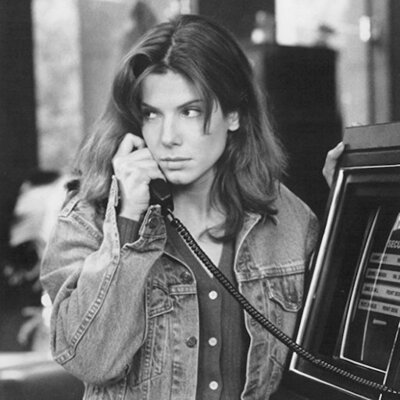
The 'GIF' included in this post is an MP4 file, and was uploaded as such 🙂
@sindarina Just looking at all the (probably fairly simple and logical) command line commands made my eyes glaze over. 😆 I just want to click something in the thing I already have open to do everything else!
I'd assume there would be a button for it in programme as well, but I'll have to look for it the next time I need to post a little clip? So far I've tried to not even look at the audio options, because the ghost of Audio Editing Classes haunts my soul and I simply cannot listen to phone quality audio in an editing programme without twitching out of my body. Being able to just post mp4 without turning it into a GIF (it's very lossy and does so many things to the image quality while bloating up the file size some) would be better!
@sindarina ...just complained to a friend about this process, too. On my old phone it took me several seconds to make a little GIF clip. Several seconds!
Thus far without that option available on the new phone, a nice little clip is ten minutes at least. Ah.
Thus far without that option available on the new phone, a nice little clip is ten minutes at least. Ah.
@sinituulia Yeah, most of the GIF creator type apps have fallen by the wayside, gone full ad-driven, etc. 😞
It looks like Shotcut has a preset for GIF export, though, I bet you could use that as a starting point to see how they remove the audio tracks, and then create your own export preset if necessary? 🤔
(Once the eyes can focus again)
@sindarina I attempted to try one, but even before installing it was very determined to reassure me it and its 2800 partners cared about my data and was going to be super careful with it... Terrible!
The Shotcut GIF creation is what I've been fiddling with, thus far I can make it make extremely nice and very large GIFs that I'd feel very guilty about uploading to anything, much less the Fediverse where people actually pay for their server use. There must be a way to find the perfect settings, or install a plugin that does the smoothest nicest compression imaginable, but. Yeah. Not today, Satan.
If I can figure out how to quickly remove the audio track, probably you can, it would be trivially easy to export sans audio into a nicely compressed little mp4.
@sinituulia According to this page, you should be able to right-click on the video in your Shotcut timeline, select 'Detach Audio', then right-click on the audio track below it, and select 'Remove Track'.
https://www.easytechguides.com/remove-sound-from-a-video/
The nice thing about that is that could remove it from the source material that way, if you want to, and never have to worry about it again?

@sindarina Ah heck, that seems simple enough. I've looked at zero tutorials or guides for it, and would have benefited from that
Thank you! 💕