@arichtman @uep that sounds about right.
tbh, this sounds like the GUIs or distribution-specific (opnsense, openwrt) abstractions are confusing things.
Daniel has it above.
Each node has:
- their own interface / listening address & private key config
- a list of peers
Where each peer is configured with:
- an address to reach them on (Endpoint)
- their pubkey
- the AllowedIPs that can be reached through that peer
That requirement is the same in both directions.
Router A has its own Interface / address / private key, and a peer for router B, which lists router B's endpoint address, pubkey, and the AllowedIPs to reach through router B.
Router has its own Interface / address / private key, and a peer for router A, which lists router A's endpoint address, pubkey, and the AllowedIPs to reach through router A.
If you also add site C, you would add a peer and endpoint + pubkey + allowedips entry for site C to both A and B's config, and then in site C's configuration add its interface / address / private key, and peer configs for routers A and B with their endpoint addresses, pubkeys, and the AllowedIPs to reach through each respective peer.
Client-server abstractions here add more confusion than helpful, imho, for this type of setup. That can possibly be a helpful lens for a road warrior setup that's a more traditional client-server view, but for interconnecting sites through routers running wg in a site-to-site setup it just confuses things, imho.
 "Musty Bits" McGee
 Deborah Pickett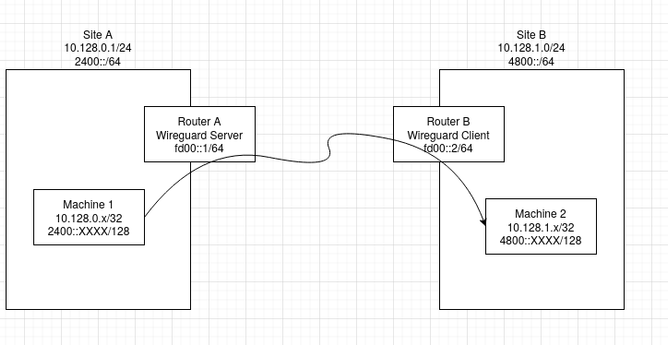
 Daniel Carosone
 Hugo Slabbert ⚠️