HP's ink-blocking firmware may violate new global sustainability rules

https://lemmy.nz/post/35385581

HP's ink-blocking firmware may violate new global sustainability rules - Lemmy NZ

>HP’s long-running use of firmware updates that block third-party ink and toner cartridges is drawing scrutiny again – this time under a new global sustainability standard that explicitly forbids the practice. > >The International Imaging Technology Council (Int’l ITC), a trade group for cartridge remanufacturers, says HP’s latest printer firmware rollout conflicts with the requirements of the General Electronics Council’s (GEC) updated Electronic Product Environmental Assessment Tool, or EPEAT 2.0.

I did tech support for HP DeskJet printers in 1996 - the 600, 600C, and 660C. I had a DeskJet around that time, but that was the last one I got because they started screwing around with the drivers.

Back in the 80s/90s, HP made some great printers. Had a LaserJet 4 that lasted a long long time.

But not long after I moved on to another job - I never bought HP again. And that’s now been a recommendation for literally 30 years.

Do not buy HP!

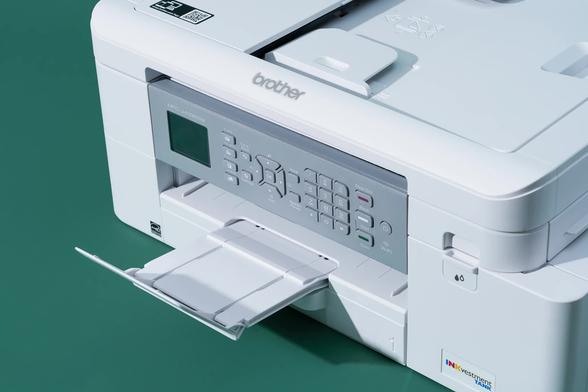
Also, unless you print a LOT of pictures, don’t buy inkjets. The ink has so many issues. Get a laserjer. Brother is a good simple brand. I have had a Brother color laser since 2018 and it’s still chugging along perfectly. I’m on around my second set of cartridges because I don’t print a lot. But whenever I do print, it’s there and ready to go.

There’s a couple of other brands that are alright, too.

But do not buy HP. Jesus, people, it’s been a full generation of people since this has been true! Nobody should be buying HP inkjet crap!

Give me Brother printers or give me death.
Hmm. Not sure that’s a line I’m willing to draw… but they are certainly pretty decent. hehe
Brother has also started down the proprietary toner road. Source.
Brother printers are quietly sabotaging third-party toner with firmware updates

Brother printers had been lauded before for their compatibility with non-OEM toner cartridges, setting them apart from brands like HP. However, recent firmware updates have deliberately degraded...

TechSpot
Damn it, didnt know this. Need to find another not shitty printer when my current printer decides to die later on
HP used to make a lot of great stuff. Their spectrum analyzers were the best in the business. At some point they flipped a switch and went into full enshittification mode. They burned all their bridges with their most loyal and informed customers.
Seems like it’s a consistent recurring issue with… capitalism? Whatever you want to blame it on. Profit-taking instead of consistent quality. Some assholes take over and trade on the previously good name of a company while killing it. It’s so stupid and short-sighted.

I would say that, but… there are a lot of, for example, Japanese companies that have been around for decades or centuries making great stuff the way they always had. Unless you’re saying Japan isn’t a capitalist country (I’d love to see how that argument plays out), I’d say there’s some difference in company culture that leads to enshittification.

I’ve heard in some cases it happens when a new CEO takes over and they have no respect for the existing culture, and just want to “make their mark” by chasing short term profits.

idk about the don’t but inkjet… i don’t print much but got an epson surecolor (large format; prints up to a1 off a roll of paper… i got it because i think the idea of being able to do that is excellent more than actual use case) and it’s been absolutely glorious… the ink doesn’t dry out fast, and because it’s a borderline professional printer they don’t gouge you on the ink: they just sell you the printer for what it’s worth, and then sell the ink for what it’s worth

Funnily enough I’ve owned 2 inkjets spanning two decades, both very infrequently used and… I never had issues. The last one was an HP even. Though after like a decade, the ink dried up I think. Before that I could just take it out of its hiding spot after a year and it’d still work.

Never planning to buy another one though. If I REALLY need to, I’ll get a black and white laser one.

Didn’t expect this in my search results

Inkjet printers are prone to clogging when they aren’t used regularly. The print heads have microscopic nozzles that can dry out and block, leading to poor print quality, streaks, or missing colors. To keep them clear, it’s essential to run a small amount of ink through them periodically.

InkjetStandby solves this problem with a simple, yearly solution. Each week, we provide a printable page with a tiny, multi-colour test pattern. The pattern is placed in a different position each week on a 52-grid layout, allowing you to use a single sheet of paper for an entire year. Just print the page, and you’re done.

(emphasis mine)

Was looking for a weekly cron script as an example of the ink drying issue being prevalent, but this is neat

InkjetStandby - Prevent Printer Clogs & Save Ink

A free, simple tool to prevent inkjet printer clogs. Print a tiny, weekly test pattern on a single sheet of paper for a whole year.

I know it’s prevalent. I’m just surprised it never happened to me. Neither printer was a particularly high end model either.